How to Check Real-Time Server Latency in the PUBG HUD

Enable PUBG’s network statistics HUD to monitor ping and packet loss in a match. See where to find it, what the numbers mean, and what they cannot diagnose.
If League of Legends sound is not working, check the in-game Audio options and Windows Volume mixer first. A muted game slider, an app-specific output device, or Windows sending League to a monitor or disconnected headset can silence the game even when other audio works. If every app is silent, start with Windows output and device checks before changing League files.
Work through these checks in order and retest after each change. This guide focuses on Windows 11 and Windows 10, with a short macOS note below. The steps follow Riot Games and Microsoft support guidance; they do not assume that one driver, overlay, or cache change fixes every sound problem.
| What you hear | Start here |
|---|---|
| League and other apps are silent | Windows output device, mute and headset connection |
| Other apps work, but League is silent | League Audio options, then its Volume mixer entry |
| Only some game sounds are missing | Individual in-game sliders and the Disable all sound option |
| Sound disappears after connecting a headset or monitor | Per-app and system output selection, then restart League |
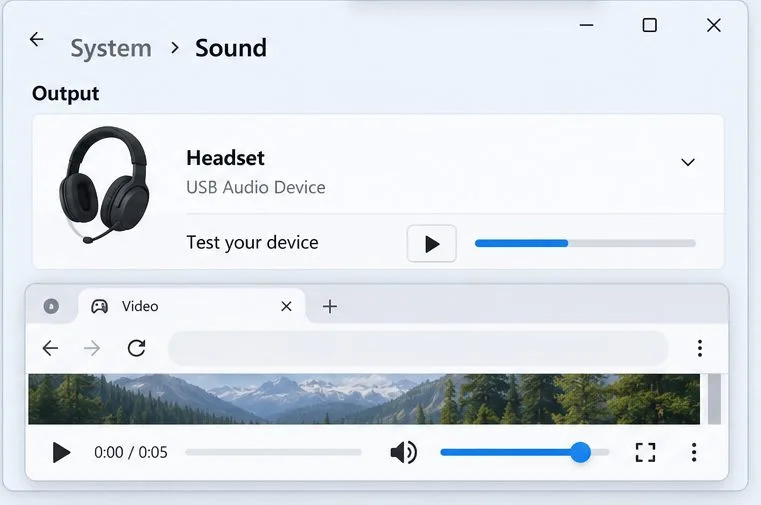
With League closed, play a short sound in another app and check the headset’s physical mute switch and volume wheel. If the test sound is silent too, this is probably a Windows output or device problem, so go to Steps 4–7. If other apps play normally, focus on League’s own settings and mixer. Microsoft recommends checking the selected output and the device’s mute and connection before deeper troubleshooting.
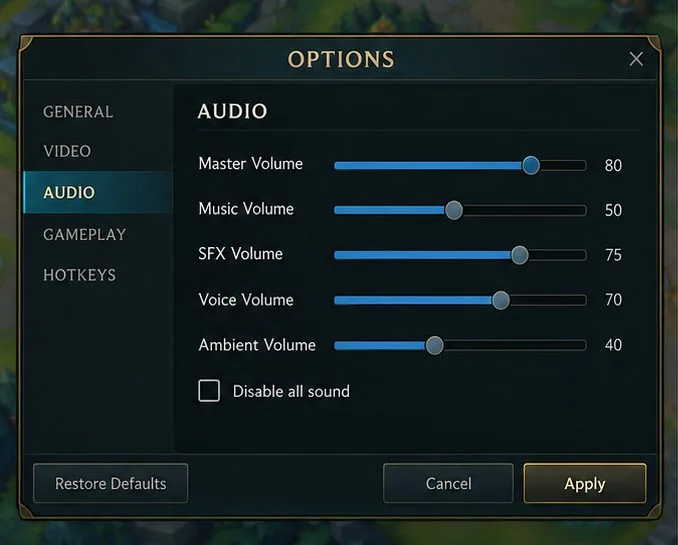
Open a game, press Esc, and open the Sound or Audio section in Options. Make sure Disable all sound is not selected and that the sound sliders you need are not at zero. If you can hear music but not effects, inspect the individual categories instead of turning every slider to 100. Apply the change if the menu offers that control, then test in a Practice Tool or custom game. Riot lists disabled in-game sound and zeroed sound sliders among the checks for League audio problems.
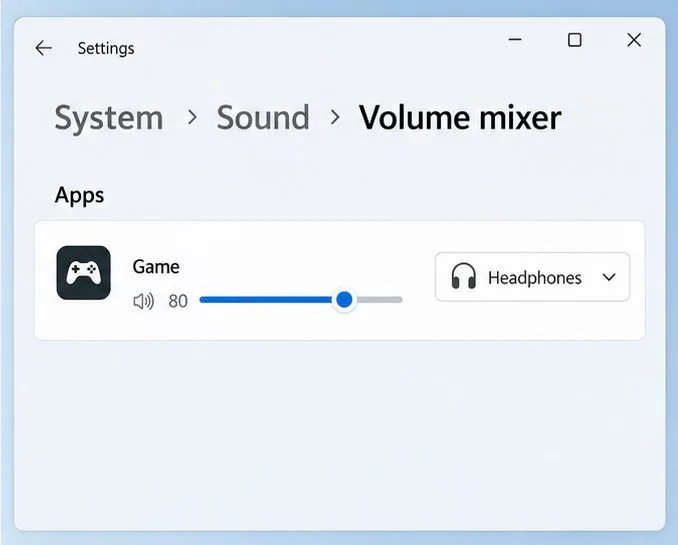
When Windows audio works but the game does not, open Start > Settings > System > Sound > Volume mixer. Under Apps, find the League or game entry, make sure it is not muted, raise its app volume, and check the output device assigned to that app. If you do not see the game, launch League, produce in-game audio, and return to the mixer. Windows keeps per-app volume and output choices, so the system volume can be high while one game remains muted or routed elsewhere.
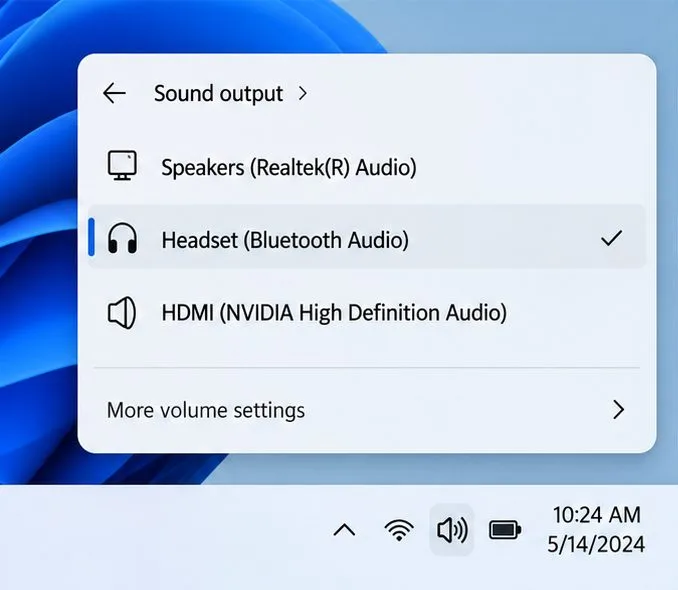
Open the speaker control on the taskbar and select the arrow or device list beside the volume slider. Choose the headphones, speakers, or headset you are actually listening through. A monitor’s HDMI audio, a Bluetooth device that is no longer connected, or a virtual audio device can be selected instead. You can also choose the device under Settings > System > Sound > Output. After changing outputs, fully quit and relaunch League so it reconnects to the intended device; Riot’s sound guide also recommends restarting the game after changing audio devices.
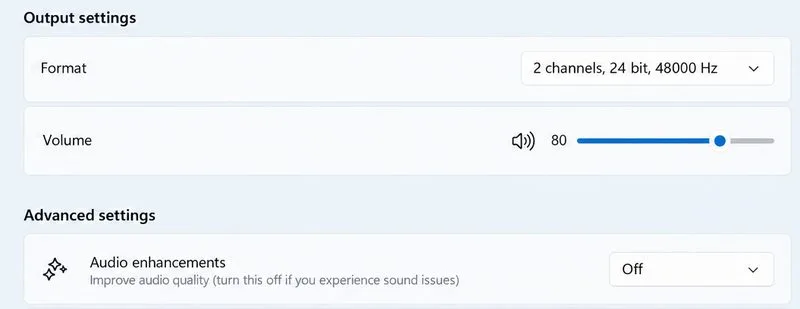
On Windows 11, open Settings > System > Sound, select the output device, and under Advanced settings set Audio enhancements to Off. Test League once. If there is no improvement, restore the previous setting. Microsoft notes that enhancements can interfere with audio on some devices. On Windows 10, the equivalent option may be under Control Panel > Hardware and Sound > Sound > Playback > device Properties > Enhancements; the checkbox can be labeled “Disable all enhancements” or “Disable all sound effects.”
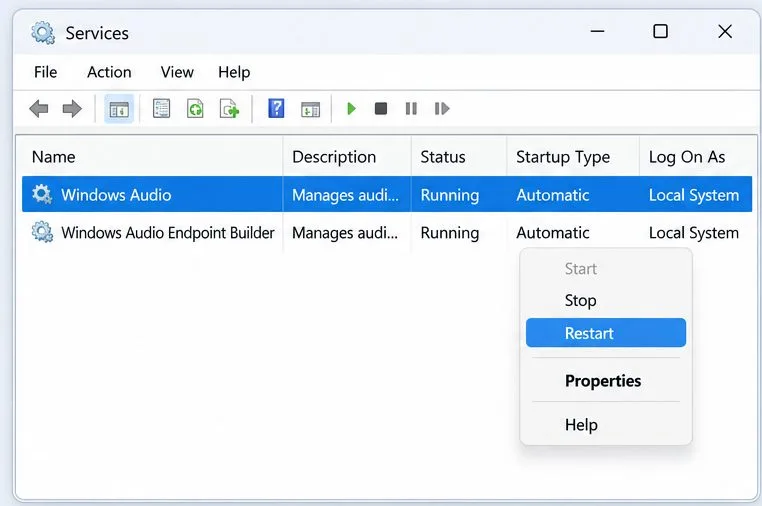
Use this step when audio is failing in several apps, not just League. Search Windows for Services, open the app, right-click Windows Audio, and select Restart. Repeat for Windows Audio Endpoint Builder, then test system sound before reopening League. This briefly interrupts audio for other apps. Microsoft includes restarting these services in its app-audio troubleshooting guidance; if a service cannot restart, save your work and restart the PC instead.
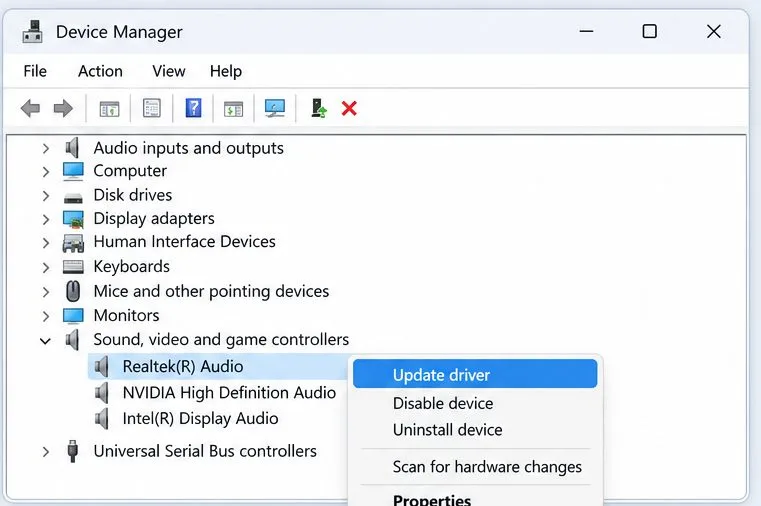
If the output device is missing, disabled, or still fails across apps, search for and open Device Manager. Expand Sound, video and game controllers, right-click the audio device, and choose Update driver. Restart Windows if a driver is installed. If Windows reports that the best driver is already installed or the device remains missing, check the support page for your PC, motherboard, headset, or sound-card manufacturer and use the driver for your exact model and Windows version. Avoid third-party “driver updater” downloads.
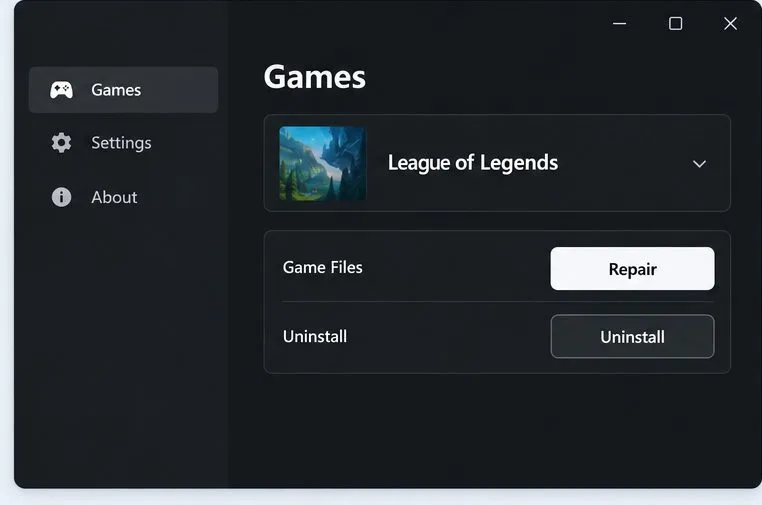
If Windows sound works in other apps and the checks above do not restore League, use the repair flow in Riot’s May 30, 2026 support guide: sign in to the Riot Client, click the profile icon in the upper-right corner, choose Settings, select League of Legends, and click Repair. Follow the prompts and test the game again. Riot says its automatic repair can address missing or corrupted game files; it is a later step for a League-specific problem, not a replacement for checking Windows output. If repair fails, use Riot’s support page for the next steps before considering a reinstall.
Choose Apple menu > System Settings > Sound > Output, select your headphones or speakers, check that output volume is up and Mute is off, then quit and reopen League. Apple documents this output-device path, and Riot’s sound guide includes a Mac section. If the selected device keeps changing when a display or headset is connected, check which device macOS has selected before troubleshooting League itself.
Enable PUBG’s network statistics HUD to monitor ping and packet loss in a match. See where to find it, what the numbers mean, and what they cannot diagnose.
Learn how to import VALORANT crosshair codes, compare presets with manual settings and spectator copy, and fix common import issues.
Choose Dota 2 minimap size, hero icons, team colors, and background settings by readability, fewer misclicks, and clear results on your own display.
Fix Fortnite texture pop-in on PC with official steps for GPU drivers, file verification, DirectX 12, high-resolution textures, VRAM, SSDs, and stutter.
Learn what Heroes of the Storm minimap size and position options are verified, improve readability, and choose camera-click controls that suit you.
Set Super Smash Bros. Ultimate Quickplay to prefer hazards-off stages. Follow the Preferred Rules menu steps and learn why matchmaking may not always honor them.
Enable Server Latency and Packet Loss in Warzone to monitor connection quality, read the overlay, and use recurring spikes to guide troubleshooting.
Learn how to carry from mid lane in League of Legends by setting up waves, choosing safe roam windows, reading side lanes, and converting pressure into objectives.
Fix Minecraft Evoker spell problems with a safe vanilla test, version checks, log review, and a step-by-step way to isolate mod or datapack conflicts.
Fix PUBG stuck on Initializing on Steam with a focused checklist for PC service notices, launch options, game files, downloads, and connection issues.








