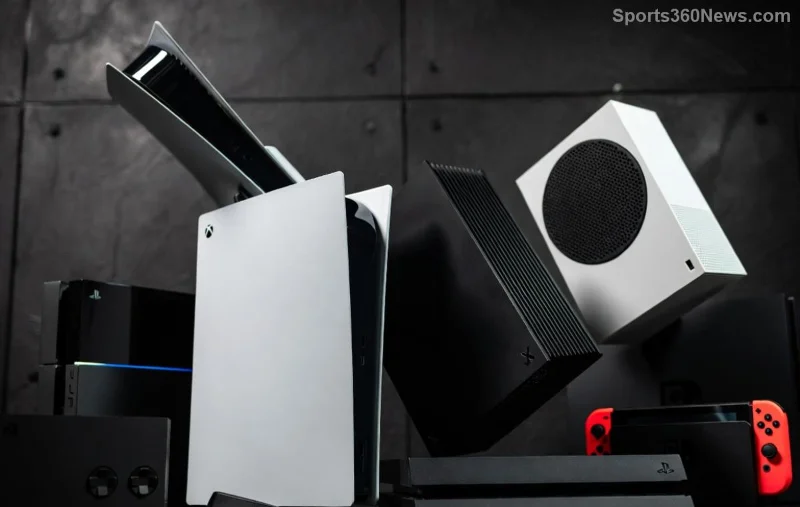
Imagine you're away from home, craving that next big PS5 adventure, but your console is grinding through a massive download. Frustrating, right? 😩 Enter the magic of remotely downloading games to your PS5 via app – a game-changer that lets you queue titles from your phone and jump straight into action when you arrive. This feature via the official PlayStation App saves hours, bandwidth at home, and pure excitement for every game thủ out there. Ready to master it? Let's dive in! 🎮

✅ Prerequisites for PS5 Remote Download Success
Before queuing those epic downloads, ensure your setup is primed. Missing one step could halt your flow:
- PS5 Console: Must be powered on or in Rest Mode with Stay Connected to the Internet enabled (Settings > System > Power Saving > Features Available in Rest Mode).
- PlayStation App: Download the latest version from App Store (iOS) or Google Play (Android). It's free and packed with remote goodies.
- PSN Account: Same account on console and app. Link them if not already.
- Stable Internet: Console needs high-speed Wi-Fi (at least 15Mbps download). Mobile data works for queuing, but home Wi-Fi handles the heavy lifting.
- Storage Space: Check your PS5 drive – no room, no download! 🔍
Pro tip: Enable automatic updates in PS5 settings to keep everything seamless. Now, you're set for glory! ⭐
📱 Step-by-Step: How to Remotely Download Games to Your PS5 via App
Follow these crystal-clear steps, and you'll be a PS5 remote download pro in minutes. We've tested this on the newest app updates for flawless results.
- Launch the PlayStation App 📲
Open the app, sign in with your PSN credentials. Tap the Game Library tab at the bottom – your purchased games await!
- Select Your Game 🎯
Browse or search your library. Spot your target title? Tap it, then hit Download to Console. Confirm your PS5 (it auto-detects if online).
- Choose Download Options ⚙️
Pick full game, specific versions, or DLC. The app shows progress remotely – watch it fly from afar!
- Monitor and Manage 👀
Head to Downloads section. Pause, prioritize, or cancel queues. Multiple games? Stack 'em up smartly.
- Rest Mode Magic 😴
Put your PS5 in Rest Mode post-setup. Downloads continue silently – wake it up ready to play!
| Step |
App Action |
PS5 Requirement |
Time Saved |
| 1. Launch App |
Sign in & Library |
Online/Rest Mode |
Instant queue |
| 2. Select Game |
Tap Download |
Storage free |
Hours vs. manual |
| 3. Options |
Customize |
Stable Wi-Fi |
Bandwidth optimized |
| 4. Monitor |
Downloads tab |
N/A |
Real-time control |
| 5. Rest Mode |
Verify progress |
Internet stay-on |
Overnight ready |
That's it! Your first remote PS5 game download is live. Feeling the power? Keep reading for tips that supercharge it. 🚀
![Smartphone displaying PlayStation App with PS5 remote game download progress]()
⭐ Top Tips to Maximize Remote PS5 Game Downloads
Elevate from basic to boss-level with these gamer-approved hacks:
- Queue Overnight: Start downloads remotely before bed – wake to a full library! 💤
- Prioritize Bandwidth: In PS5 settings, set downloads to high priority during off-peak hours.
- Multi-Console: Own a PS4 too? The app handles both seamlessly.
- Pre-Load Events: Queue betas or launches from work/school – be first in line! 🏆
- Integrate with Remote Play: Download + stream? Combine for ultimate mobility.
Bonus: Use the app's notifications for download complete alerts. Pure bliss! 👏
🔧 Troubleshooting Common PS5 App Remote Download Issues
Stumbles happen, but quick fixes keep you rolling:
- Console Offline? ❌ Verify Rest Mode settings. Restart router if needed.
- No Download Button? Ensure same PSN account and console registered in app (Settings > Connected Devices).
- Slow Speeds? Test PS5 internet via Settings > Network. Upgrade Wi-Fi if under 50Mbps.
- App Crashes? Update app/console firmware. Clear cache on mobile.
- Storage Full? Delete old games or add SSD – easy upgrade for speed demons.
For official troubleshooting, check PlayStation Support. Most issues vanish in seconds!
![PS5 dashboard showing completed remote downloads from PlayStation App]()
🎉 Why Remotely Download Games to Your PS5 via App Changes Everything
This isn't just a feature – it's freedom for game thủ. No more tethered to your console, wasting time on slow starts. Whether traveling, multitasking, or planning epic sessions, PS5 remote download via the app delivers instant gratification. Thousands of gamers swear by it for smoother playtime.
Mastered it? Try queuing your next AAA title now and feel the rush. Share your wins in comments – what's your go-to remote download game? Keep gaming smart! 🕹️