🎮 You've just placed your first order for a PlayStation 5 – welcome to the elite squad of gamers! This PS5 setup guide is your lightsaber to slicing through setup hassles. In minutes, you'll be dominating multiplayer battles and immersive worlds. Let's dive in and power up your rig like a pro. Ready? 1️⃣
1️⃣ Unboxing Your PS5: The Thrill of First Sight
Grab those scissors and tear into the box – the moment every gamer dreams of! Your PS5 first order arrives with the console (disc or digital edition), DualSense controller, USB-C cable, AC power cord, HDMI cable, base stand, and manuals.
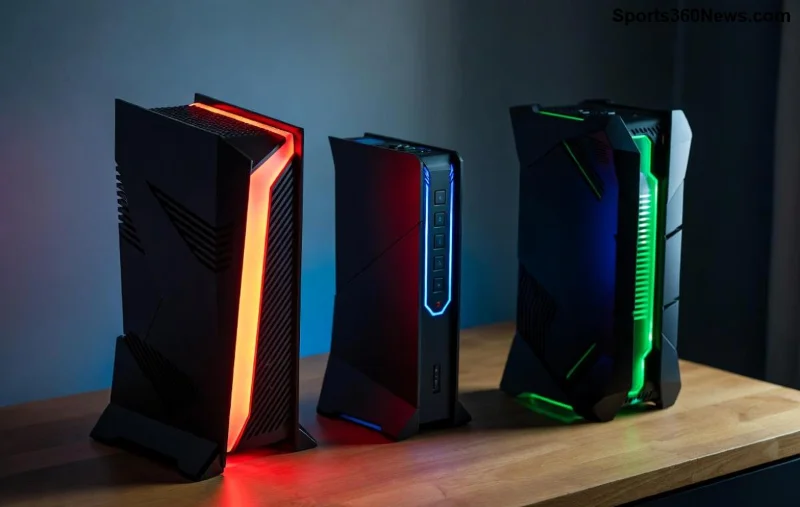
- ✅ Inspect for damage: Rare, but check the sleek black-and-white design.
- ⭐ Pro Tip: Save the box for warranty – Sony's support is top-tier.
Feeling the hype? Next, position your PS5 for optimal airflow. Vertical with the stand? Horizontal? Both work, but vertical saves space. 😎
2️⃣ Connect the Essentials: Cables and Power-On Magic
Time to wire up! Plug the AC power cord into the PS5's rear port and a wall outlet. Connect the HDMI cable to the HDMI 2.1 port (labeled) and your 4K TV or monitor for buttery 120fps glory.
| Cable | PS5 Port | Destination |
|---|---|---|
| HDMI 2.1 | HDMI OUT | TV HDMI Port |
| USB-C | Front USB | DualSense Controller |
| Power Cord | Rear AC IN | Wall Outlet |
Press the power button – hear that satisfying hum? The blue light blinks to life. Your PS5 setup is charging ahead! ⚡
3️⃣ Initial Boot: Language, Region, and Controller Pairing
First power-on triggers the setup screen. Use the DualSense: haptic feedback and adaptive triggers make it feel alive from the start!
- Select language and region – matches your first order locale.
- Connect controller: Hold Create + PS button until it flashes, then pair via USB.
- ⭐ Transfer data? Skip if new – we'll cover restores later.
Pro Move: Enable auto-updates now for the latest firmware. Keeps your PS5 at peak performance without downtime. 👏
4️⃣ Internet Connection: Wi-Fi or Ethernet Domination
No net? No games! For PS5 network setup, choose Wi-Fi 6 for wireless speed or Ethernet for lag-free supremacy.
- 📶 Wi-Fi: Scan networks, enter password. Enable 5GHz for faster speeds.
- 🔌 Ethernet: Plug into rear port – simplest for stable 1Gbps+.
- ⚠️ Test connection: Aim for under 20ms ping to crush online foes.
Sign in to PlayStation Network (PSN). New account? Create one – free! Link your email for two-factor auth security. 🔒
5️⃣ System Updates and Storage Optimization
Your PS5 checks for updates automatically – install the latest system software for new features like improved UI and ray tracing boosts. This takes 5-15 minutes.
Storage: 825GB SSD (667GB usable). Add M.2 SSD later for 4TB+ expansion. Here's a quick compatibility table:
| SSD Specs | Requirement |
|---|---|
| Capacity | 250GB - 8TB |
| Speed | 5,500MB/s Read |
| Heatsink | Required |
Download Astro's Playroom – pre-installed demo showcasing SSD speed. Mind blown? 😲
6️⃣ PSN Setup, Privacy, and Accessories Pairing
Finalize PSN: Set privacy for sharing clips safely. Pair extra controllers or Pulse 3D headset via Bluetooth or USB.
Bonus: Enable Remote Play for mobile gaming anywhere. Download the app on phone – seamless!
Official PS5 Setup Guide for visuals.7️⃣ Launch into Games: Store, Subscriptions, and Tips
Hit PS Store – claim free monthly games via PS Plus. Essential tiers:
- Essential: Cloud saves, online multiplayer.
- Extra: 400+ game catalog.
- Premium: Classics + trials.
Download blockbusters like Spider-Man 2 or Fortnite. Customize home screen with activity cards for quick launches.
Power User Tips:
- 🎯 Use Game Presets for performance vs. fidelity.
- 📱 PS App: Messages, trophies on the go.
- 🔋 Rest Mode: Charges controller overnight.
🎉 You're Set! Troubleshooting and Next-Level Hacks
Stuck? Rebuild database in Safe Mode (hold power button). For PS5 first order wins:
- ⭐ Capture epic moments with Create button.
- ⚠️ Common error: Clear cache via Settings > Storage.
Now, queue up your squad and own the leaderboard. Your PS5 empire awaits – game on! 🚀 What's your first title? Drop in comments.
Total setup time: Under 30 minutes. Pure adrenaline from there. 👊



