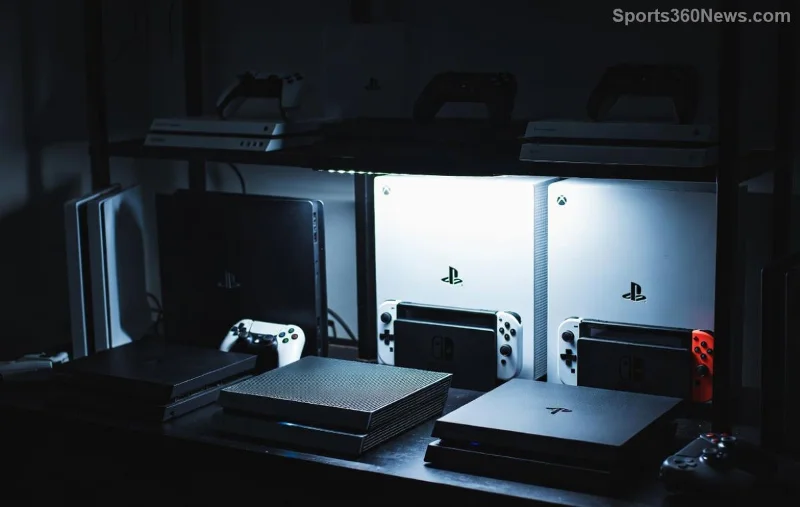
Hey, fellow gamer! 😎 Your PS5 is a beast, but even beasts need room to breathe. Poor PS5 placement can lead to overheating, fan noise, and shortened lifespan. In this guide, we'll dive straight into the best PS5 placement options for maximum airflow, backed by Sony's latest recommendations. Stick around for game-changing tips that'll keep your rig humming smoothly during marathon sessions.
Why PS5 Airflow is Your Console's Best Friend
The PS5 features a massive cooling system with a huge fan and liquid metal thermal compound for epic heat dissipation. But it pulls air from the sides and back while exhausting hot air from the rear and top. Block these vents, and you're inviting throttling, crashes, or worse—hardware failure. Sony stresses at least 4 inches (10 cm) clearance around intake/exhaust areas for peak performance.
Pro Tip: Optimal PS5 airflow can drop temps by 10-15°C, silencing that jet-engine fan during intense games like God of War Ragnarök or Call of Duty. Ready to level up your setup? Let's explore the winners.
⭐ Top 5 Best PS5 Placement Options for Maximum Airflow
Here's where to position your PS5 for unrestricted cooling. We ranked them based on airflow efficiency, accessibility, and gamer feedback from recent forums and tests.
| Placement |
Airflow Rating (⭐/5) |
Pros |
Cons |
| 1. Open Entertainment Shelf (Horizontal) 👆 |
⭐⭐⭐⭐⭐ |
Full 360° access; easy cable management; vibration-free |
None major—ideal for most setups |
| 2. Vertical on Sturdy Stand |
⭐⭐⭐⭐ |
Space-saving; official Sony stand enhances stability |
Needs official stand to avoid wobble |
| 3. Floor Stand with Clearance |
⭐⭐⭐⭐ |
Hidden cables; dust-resistant if elevated |
Avoid carpets—use hard surface |
| 4. Wall-Mounted Shelf (Mid-Height) |
⭐⭐⭐ |
Premium look; saves floor space |
Ensure 10cm rear clearance |
| 5. Dedicated Cooling Stand |
⭐⭐⭐⭐⭐ |
Active fans boost airflow; RGB vibes |
Extra cost (~$30-50) |
Winner: Open Shelf Horizontal—it mimics Sony's test bench setup for unbeatable PS5 airflow. Imagine zero thermal throttling in 4K ray-traced glory! 🔥
![Vertical PS5 placement with official stand for optimal airflow]()
❌ PS5 Placements to Avoid Like a Game Over Screen
- 🔒 Enclosed Cabinets: Traps heat like a sauna—temps soar 20°C+.
- 🛋️ Inside TV Cabinets: Zero rear exhaust; instant red-light district.
- 🥥 On Thick Carpet: Blocks bottom intake; dust magnet.
- 📦 Stacked with Other Consoles: Shared heat = mutual meltdown.
- 🌞 Direct Sunlight: Ambient heat spikes; fans scream louder.
For official deets, check Sony's guide: PS5 Ventilation Tips. Real-world tests on Reddit's r/PS5 show enclosed setups fail 3x faster.
🔧 Quick Tips to Supercharge Your PS5 Airflow
Placement is king, but these hacks seal the deal:
- Regular Cleaning: Vacuum vents monthly—dust buildup cuts airflow 30%.
- Cable Routing: Use ties to keep wires away from intakes.
- Ambient Temp Control: Keep room under 25°C (77°F) for best results.
- Monitor Temps: Apps like PS5 Temperature Monitor via USB alert you early.
- Upgrade Accessories: Dust filters + cooling stands = longevity boost.
Bonus: Horizontal placement shines for the PS5 Slim's refined vents, per latest Sony updates.
![PS5 cooling stand enhancing airflow in gaming setup]()
Accessories That Make Best PS5 Placement Even Better
Invest in these for pro-level cooling:
- Official Vertical Stand: $30—stabilizes and optimizes exhaust.
- Cooling Base with Fans: $40—adds active airflow, drops temps 5-10°C.
- Magnetic Dust Filters: $15—prevents buildup without hassle.
Gamers rave about these on Amazon—combined with smart PS5 placement, your console stays frosty through endless raids. 🎮
Final Boss: Test Your Setup Now!
Grab a flashlight, check clearances, and run a stress test like The Last of Us Part II Remastered for 30 mins. Fans quiet? Temps under 70°C? You're golden! 👏 Poor PS5 airflow robs you of frames and fun—don't let it happen.
Optimized PS5 placement isn't just maintenance; it's unleashing full potential. Share your setup in comments—what's your go-to spot? Level up, stay cool, and game on! 🚀