How to Check Real-Time Server Latency in the PUBG HUD

Enable PUBG’s network statistics HUD to monitor ping and packet loss in a match. See where to find it, what the numbers mean, and what they cannot diagnose.
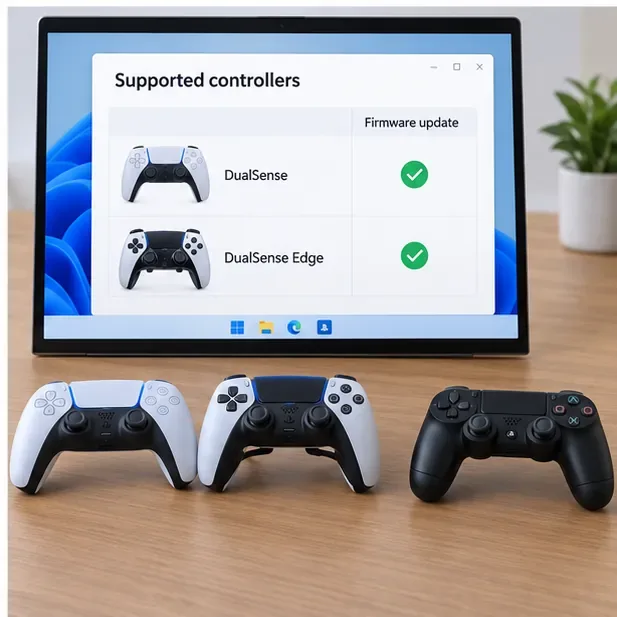
You can update a compatible PlayStation controller from a Windows PC with Sony’s official PlayStation Accessories app. Connect a DualSense or DualSense Edge, open its firmware panel, and select Update if Sony has released a newer version. You do not need a PS5 to run the PC update. One important limitation: Sony’s current Windows app does not list the DUALSHOCK 4 as a supported controller, so the old advice to update a PS4 controller with the same PC tool is incorrect.
The steps below use a wired USB connection because it is straightforward to troubleshoot. Sony’s app documentation also describes Bluetooth connections. Update time varies with the app, connection, and firmware offered; Sony does not promise a fixed “in minutes” duration, so leave the controller connected until the app is done.
| Controller | Firmware update in PlayStation Accessories for Windows | What to do |
|---|---|---|
| DualSense wireless controller | Supported | Follow this guide. |
| DualSense Edge wireless controller | Supported | Follow this guide; the app also supports Edge settings and profiles. |
| DUALSHOCK 4 wireless controller | Not listed as supported | Use PlayStation’s DUALSHOCK 4 support information; do not use the DualSense PC instructions. |
Sony’s controller support page links to the PC update instructions for DualSense and DualSense Edge. The app’s own supported-controller list names those two models only. See Sony’s controller support page and the PlayStation Accessories app guide and download page.
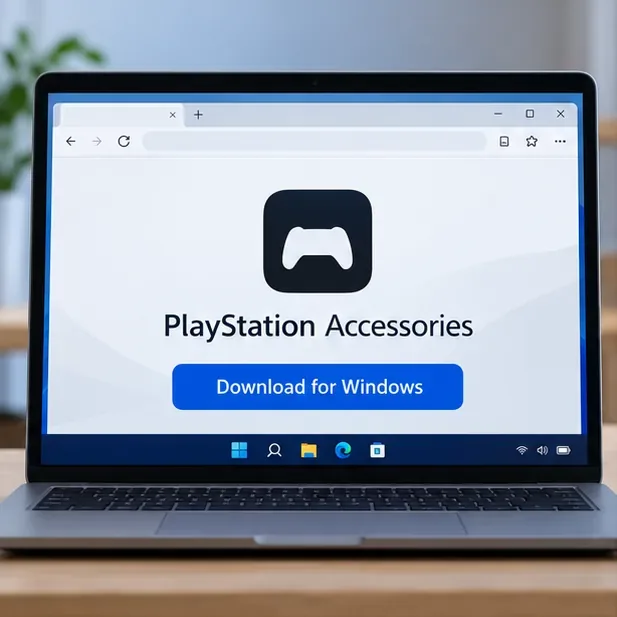
Sony’s PlayStation Accessories page listed app version 2.2.1 when checked on October 16, 2026. App versions change, so use the download page for the latest installer and update notes rather than a saved installer from an unofficial mirror.
Open the official PlayStation Accessories page and choose its Windows download. Install the app using the installer’s on-screen prompts. Do not download a separate “firmware file” from a third-party site; the official app checks the connected controller and offers an update when one is available.
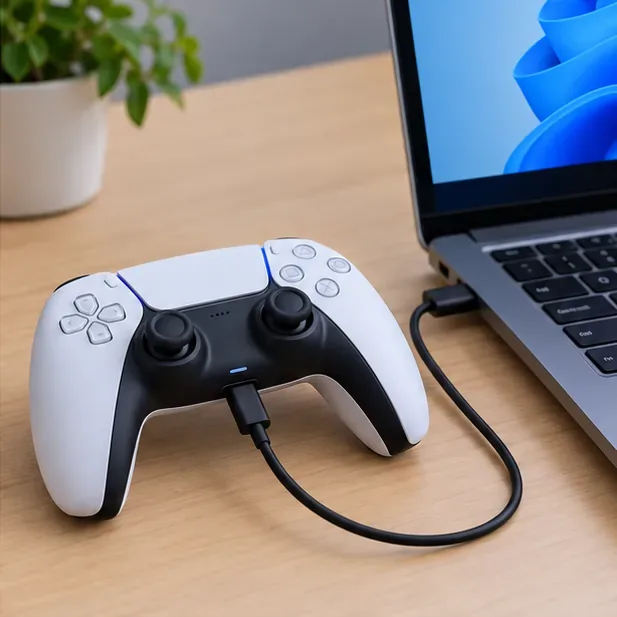
Turn on the Windows PC and connect the DualSense or DualSense Edge directly to a USB port with a USB-C cable. If you use a hub or dock and the controller is not detected, connect it directly to the computer. Sony’s app also supports Bluetooth, but a cable makes it easier to rule out pairing problems. If more than one controller needs an update, connect and update them one at a time.
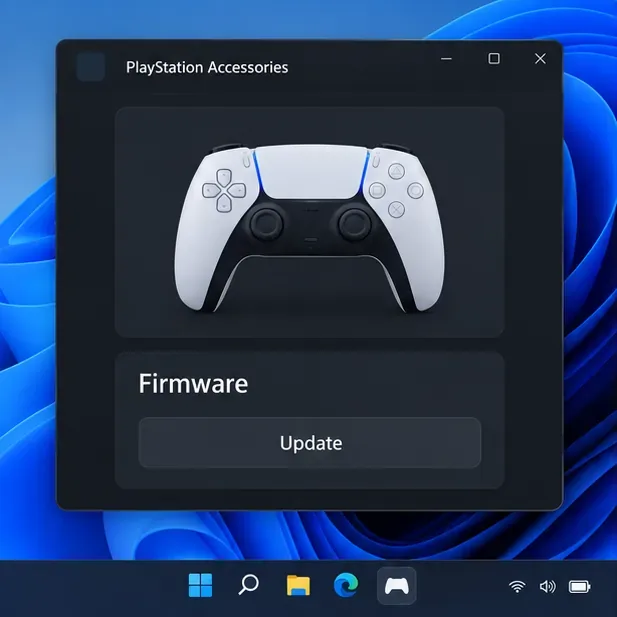
Launch PlayStation Accessories and use the mouse or keyboard to operate it. When the controller connects, the app displays its controller screen, including battery information and a Firmware section. Check that the app shows the controller you meant to update. If it does not appear, move to the troubleshooting checklist below before continuing.
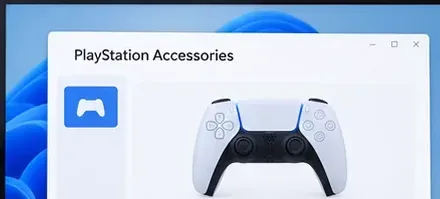
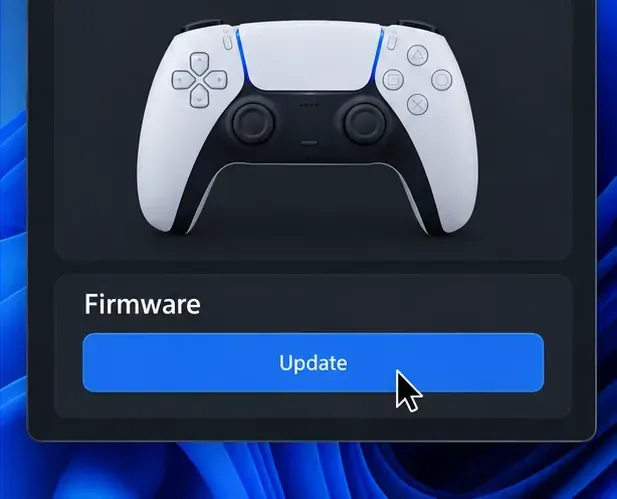
The firmware section shows the current firmware information. Sony says an Update option appears when a new controller version is available. Select that option and follow the app’s prompts. If no Update option appears after the controller is recognized, the app is not offering a newer version for that controller at that time; there is no need to force an update with a downloaded file.
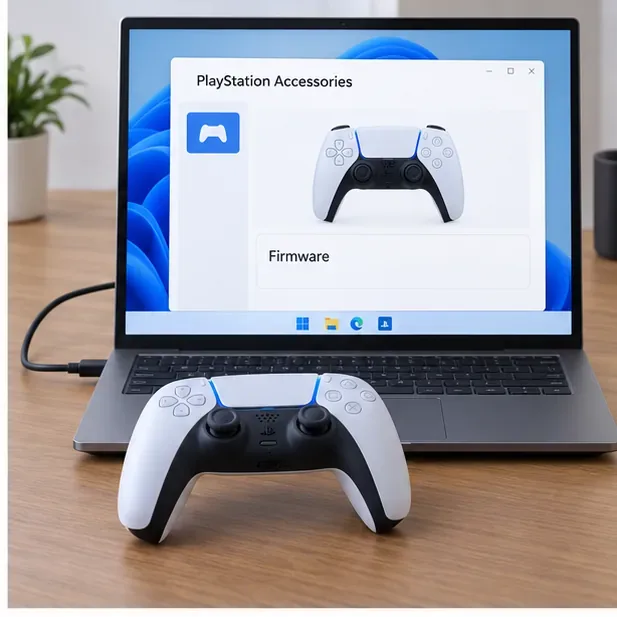
Let the app complete its process. Do not turn off the Windows PC or disconnect the controller during the firmware update. If you are updating multiple controllers, finish one before connecting the next. Avoid starting the update when you may need to move the computer or unplug the controller.
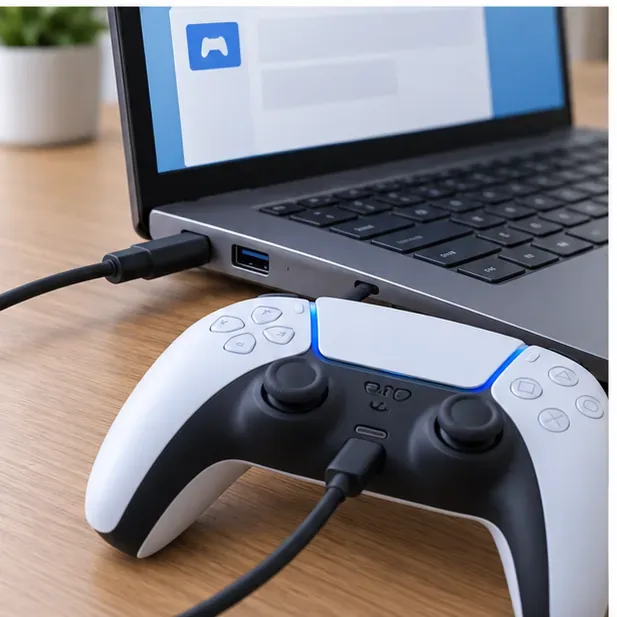
When the app has finished, return to the controller’s firmware panel and review the information shown. Sony’s guide explains that the panel displays the current firmware version and that the Update option appears when a newer version is available. If the controller is not responding as expected, close the app, turn the controller off, reconnect it, and open the app again.
| What you see | What to try |
|---|---|
| Controller is missing from the app | Check that the cable is seated at both ends. Try a different USB port and a known data-capable USB-C cable. Close and reopen PlayStation Accessories, then reconnect the controller. |
| No Update option appears | Confirm the connected controller is DualSense or DualSense Edge and that the app recognizes it. Sony shows Update only when a newer version is available; DUALSHOCK 4 is not in the app’s supported-controller list. |
| Update stops or the controller behaves oddly afterward | Do not unplug while an update is in progress. After the app is no longer updating, close it, power the controller off, reconnect it, and reopen the app. For persistent DualSense problems, follow Sony’s official DualSense troubleshooting and reset steps. |
| Stick drift remains | A firmware update is not a guaranteed fix for stick drift. If the issue continues, use Sony’s troubleshooting and repair options rather than repeating the update. |
For a DUALSHOCK 4, use Sony’s official controller support hub for model-specific connection and troubleshooting steps. The current PlayStation Accessories PC guide does not provide a DUALSHOCK 4 firmware-update procedure.
Yes. Sony documents a Windows PC method using PlayStation Accessories, so a PS5 is not required to install a firmware update from a PC.
No. Sony’s app guide describes both wired USB and Bluetooth connections. This walkthrough uses USB because it is a simple first choice when troubleshooting detection. Use the app’s connection instructions for Bluetooth pairing if you prefer wireless.
Sony’s current PlayStation Accessories compatibility list does not include DUALSHOCK 4. The PC updater steps here apply to DualSense and DualSense Edge only.
Do not count on a guaranteed change to stick drift, battery life, or gameplay feel. Install an update when Sony offers one, then troubleshoot any remaining issue using Sony’s model-specific support guidance.
Enable PUBG’s network statistics HUD to monitor ping and packet loss in a match. See where to find it, what the numbers mean, and what they cannot diagnose.
Learn how to import VALORANT crosshair codes, compare presets with manual settings and spectator copy, and fix common import issues.
Choose Dota 2 minimap size, hero icons, team colors, and background settings by readability, fewer misclicks, and clear results on your own display.
Fix Fortnite texture pop-in on PC with official steps for GPU drivers, file verification, DirectX 12, high-resolution textures, VRAM, SSDs, and stutter.
Learn what Heroes of the Storm minimap size and position options are verified, improve readability, and choose camera-click controls that suit you.
Set Super Smash Bros. Ultimate Quickplay to prefer hazards-off stages. Follow the Preferred Rules menu steps and learn why matchmaking may not always honor them.
Enable Server Latency and Packet Loss in Warzone to monitor connection quality, read the overlay, and use recurring spikes to guide troubleshooting.
Learn how to carry from mid lane in League of Legends by setting up waves, choosing safe roam windows, reading side lanes, and converting pressure into objectives.
Fix Minecraft Evoker spell problems with a safe vanilla test, version checks, log review, and a step-by-step way to isolate mod or datapack conflicts.
Fix PUBG stuck on Initializing on Steam with a focused checklist for PC service notices, launch options, game files, downloads, and connection issues.








