How to Mute Opponent Little Legend Taunts in TFT

Mute TFT opponent emotes globally or for one player, learn what the setting affects, and check why some Little Legend animations may remain visible.
Hey, PUBG Mobile warriors! 👋 Tired of your old gamer tag staring back at you in every match? Dreaming of repping a new flag to match your squad's vibe? Good news: you can change your name and flag in PUBG Mobile for free without dropping a single UC. No hacks, no risks – just smart plays using in-game events and missions. Stick around, and you'll be rocking a fresh profile by the end of this guide. Let's dive in! 🔥
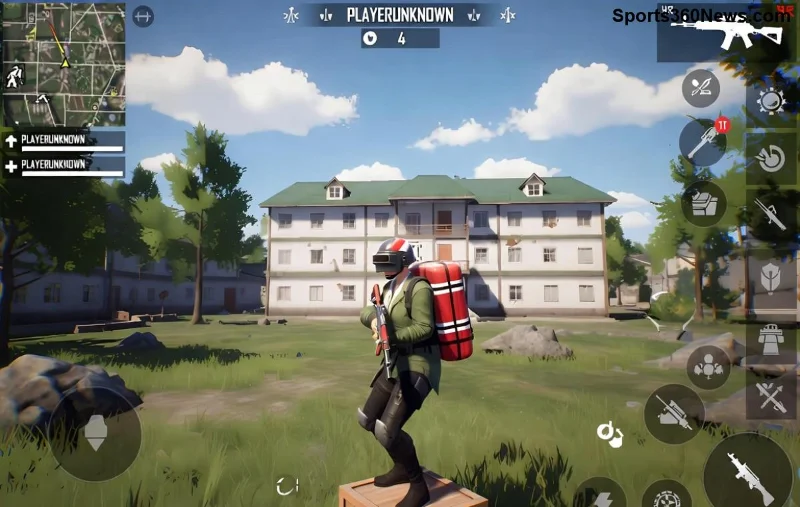
Updating your PUBG Mobile name isn't just cosmetic – it's a power move. A killer name boosts your intimidation factor in lobbies, matches your pro style, or nods to your favorite squad. Swapping flags? Show pride for your roots or troll rivals with a surprise nationality switch. Plus, fresh profiles often spark chats and alliances. Ready to level up? Here's the free roadmap. ⭐
Flag changes are 100% free and unlimited – no cards required. Do this anytime from your profile. Follow these quick steps:
Pro tip: Match your flag to clan events for bonus visibility. Changed it yet? Your lobby awaits!
Names need a Rename Card, but don't sweat – snag them free via missions, events, and passes. No purchases needed. Here's your arsenal:
| Free Method | Rewards | How to Get |
|---|---|---|
| Royale Pass Missions | 1-5 Rename Cards | Complete daily/weekly tasks in Free or Elite Pass. Grind classics like "Win 3 Matches" or "Deal 5000 Damage." |
| Login Events & Seasons | 1-3 Cards | Log in daily during events (check Events tab). New seasons drop freebies weekly! |
| Mission Center | Up to 2 Cards | Tab > Missions > Finish sets like "Play 10 TD Games" or "Revive Teammates." |
| Clan & Social Events | 1 Card | Join active clans; complete group challenges. |
Stockpile 1-2 cards weekly with consistent play. Now, apply it:
Stuck on cards? Dive into current events tab daily – they're goldmines. Imagine dropping into Erangel as "ShadowReaper🇻🇳" – pure hype! 😎
Q: Can I change my name without a Rename Card?
A: Nope, but free methods above make it easy. No shortcuts!
Q: Does flag change affect matchmaking?
A: Rarely – it's cosmetic, but great for regional pride.
Q: Latest updates still free?
A: Yes, core mechanics unchanged. Check PUBG Mobile official site for events.
Q: Guest accounts?
A: Bind to Facebook/Google first for full profile access.
Congrats – you're now armed to change your name and flag in PUBG Mobile for free. Farm those cards, flex that flag, and climb ranks with swagger. Drop your new name in comments below – what's your squad calling themselves? Share tips, and let's build the ultimate PUBG community. Drop hot, play smart! 🏆
Mute TFT opponent emotes globally or for one player, learn what the setting affects, and check why some Little Legend animations may remain visible.
Customize SCV, Probe, and Drone production hotkeys in StarCraft: Remastered, avoid selection mistakes, and verify your bindings in a practice game.
Compare Halo Infinite enemy outline colors by background, friendly-team contrast, and visual preference, with practical opacity and thickness checks.
Compare Fortnite colorblind modes for Storm visibility, try a moderate strength, and check terrain, silhouettes, and item colors before keeping a preset.
Find a practical Dead by Daylight HUD scale starting point, learn the difference between UI Scale and In-Game HUD Scale, and fine-tune visibility for your screen and role.
Compare cyan, magenta, lime, and orange RGB values for CS2, learn the tradeoffs, and test a crosshair color and outline across varied map backgrounds.
Troubleshoot StarCraft II’s graphics device error on Windows with a beginner-friendly sequence: restart, reset game options, check GPU selection, update drivers, and repair files.
Learn what Target Compensation does in Apex Legends, why On is the best starting point for most controller players, and how to test it safely in the Firing Range.
Set up Apex Legends tap-strafe keybinds with wheel up for forward and wheel down for jump, then check weapon conflicts, timing, and comfort on PC.
Hide the FC Trainer during a match or disable only selected prompts. Learn how to distinguish Trainer arrows from player markers, PlayStyle icons, and input overlays.


