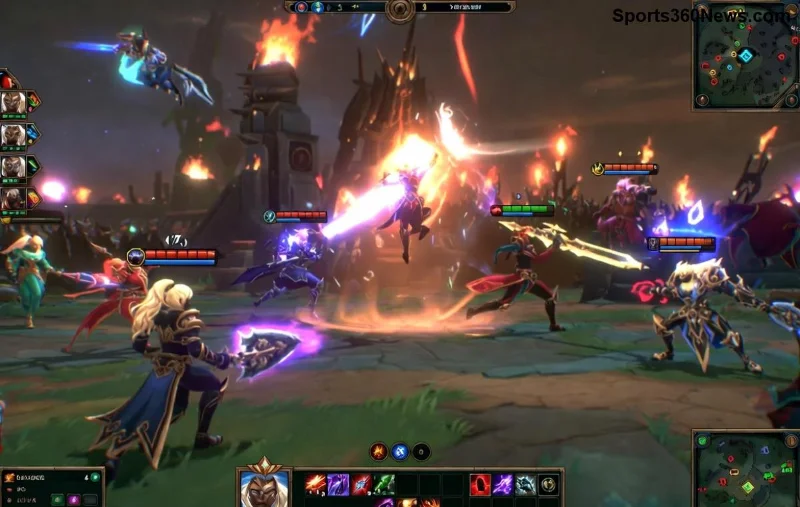
How to Mute Opponent Little Legend Taunts in TFT

Mute TFT opponent emotes globally or for one player, learn what the setting affects, and check why some Little Legend animations may remain visible.
Hey, Summoners! 😤 Nothing kills the hype before a ranked climb like the dreaded League of Legends Vanguard Error VAN 1067. This pesky anti-cheat hiccup blocks you from queuing up, but don't rage-quit yet. Vanguard (Riot's kernel-level protector) sometimes trips on services, drivers, or conflicts. Our guide packs tested fixes to get you back in the game lightning-fast. Let's crush this error! 🚀
VAN 1067 typically signals Vanguard service failures—like it won't start due to permissions, outdated drivers, or antivirus clashes. Common triggers:
Pro tip: This isn't a ban—it's fixable. Follow these steps in order for 90% success rates from community reports. Ready? Let's dive in! 👇
The bread-and-butter solution. Vanguard runs as a Windows service—restarting it often clears VAN 1067.
services.msc, hit Enter.Success? 🎉 You're golden. Still stuck? Next step.
Permissions are king for kernel drivers. Always elevate:
| Action | How-To | Why It Works |
|---|---|---|
| Riot Client | Right-click executable → Properties → Compatibility → Run as admin | Bypasses user-level blocks |
| Vanguard (vgtray.exe) | Find in C:\Program Files\Riot Vanguard → Right-click → Run as admin | Ensures full kernel access |
| League Client | Task Manager → End League processes → Relaunch as admin | Clears stuck sessions |
Outdated NVIDIA/AMD/Intel drivers love causing Vanguard Error VAN 1067. Vanguard demands the latest for compatibility.
Bonus: Clean install drivers (uninstall old via DDU for NVIDIA/AMD) for zero conflicts. 💪
Third-party shields (e.g., Norton, McAfee) block Vanguard's deep system access. Test mode:
C:\Program Files\Riot Vanguard.🛑 Warning: Only for testing—re-enable after!
If services vanish, nuke and rebuild:
sc delete vgc then sc delete vgs.C:\Program Files\Riot Vanguard.Stubborn? Full Riot Client repair via Settings → Repair.
For deep corruption:
sfc /scannow.DISM /Online /Cleanup-Image /RestoreHealth.msconfig → Services → Hide Microsoft → Disable all → Reboot → Test LoL.Still battling? Hit Riot Support: Submit a ticket with error logs from %LOCALAPPDATA%\Riot Games\Riot Client\Logs. Community forums echo these fixes work wonders. 🎮
You've got the arsenal to smash League of Legends Vanguard Error VAN 1067. Start with service restarts—most win there. Share your fix in comments below; let's help fellow gamers penta-kill this bug! GLHF out there. 🔥
Mute TFT opponent emotes globally or for one player, learn what the setting affects, and check why some Little Legend animations may remain visible.
Customize SCV, Probe, and Drone production hotkeys in StarCraft: Remastered, avoid selection mistakes, and verify your bindings in a practice game.
Compare Halo Infinite enemy outline colors by background, friendly-team contrast, and visual preference, with practical opacity and thickness checks.
Compare Fortnite colorblind modes for Storm visibility, try a moderate strength, and check terrain, silhouettes, and item colors before keeping a preset.
Find a practical Dead by Daylight HUD scale starting point, learn the difference between UI Scale and In-Game HUD Scale, and fine-tune visibility for your screen and role.
Compare cyan, magenta, lime, and orange RGB values for CS2, learn the tradeoffs, and test a crosshair color and outline across varied map backgrounds.
Troubleshoot StarCraft II’s graphics device error on Windows with a beginner-friendly sequence: restart, reset game options, check GPU selection, update drivers, and repair files.
Learn what Target Compensation does in Apex Legends, why On is the best starting point for most controller players, and how to test it safely in the Firing Range.
Set up Apex Legends tap-strafe keybinds with wheel up for forward and wheel down for jump, then check weapon conflicts, timing, and comfort on PC.
Hide the FC Trainer during a match or disable only selected prompts. Learn how to distinguish Trainer arrows from player markers, PlayStyle icons, and input overlays.


