How to Check Real-Time Server Latency in the PUBG HUD

Enable PUBG’s network statistics HUD to monitor ping and packet loss in a match. See where to find it, what the numbers mean, and what they cannot diagnose.
If League of Legends logs are filling your drive, first confirm that the Logs folders are actually the problem. On Windows, match and client diagnostics are stored under the League installation folder; Riot Client logs may also be in your local AppData folder. Close the client, save any files you still need for troubleshooting, then remove only old log files from completed sessions. If the entire League installation is unusually large, check Saved\webcache: Riot published a separate cleanup for that cache in September 2026.
These paths are for Windows. A custom install may be on a different drive, and macOS uses different locations. Deleting logs can free storage, but it is not an FPS fix and does not guarantee faster loading.
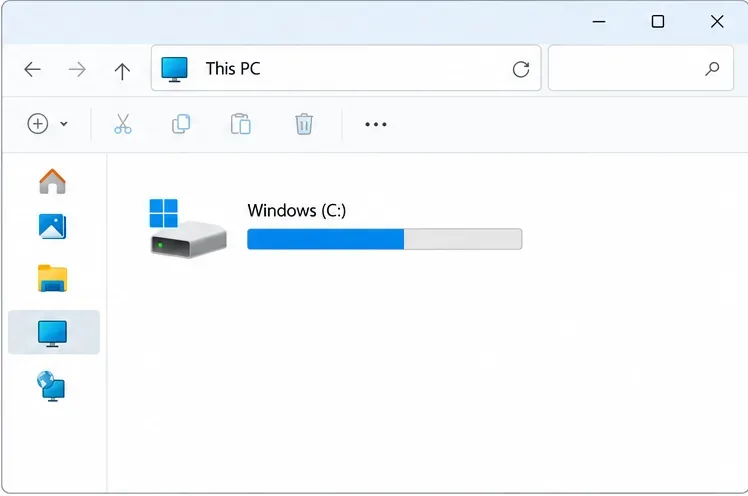
Open File Explorer and right-click the League Logs folder, then choose Properties to see its size. Check the League installation folder separately and compare the free-space reading under This PC. Windows may take a moment to calculate a folder total, especially when it contains many small files.
This comparison matters because logs and cached game files are different. Riot’s current guide to League taking too much space says a caching issue resolved during summer 2026 left some installs with excess files. Its September 15, 2026 article gives about 35–40 GB as a typical install size at the time it was written. Treat that as a dated reference, not a permanent limit; patches and installed components can change the total.
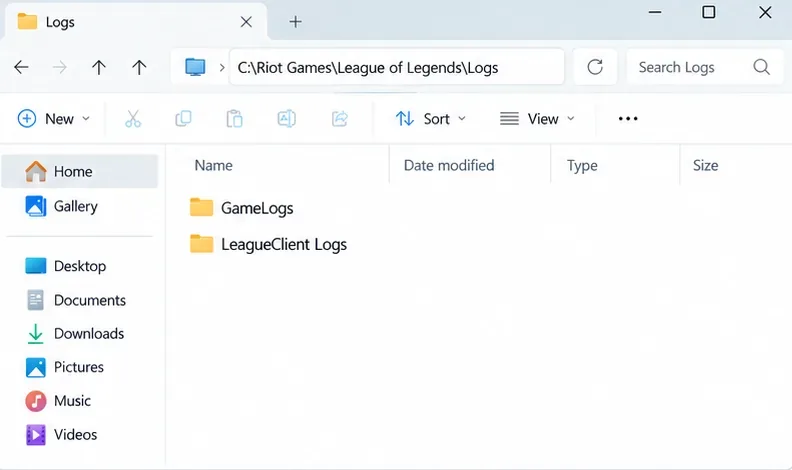
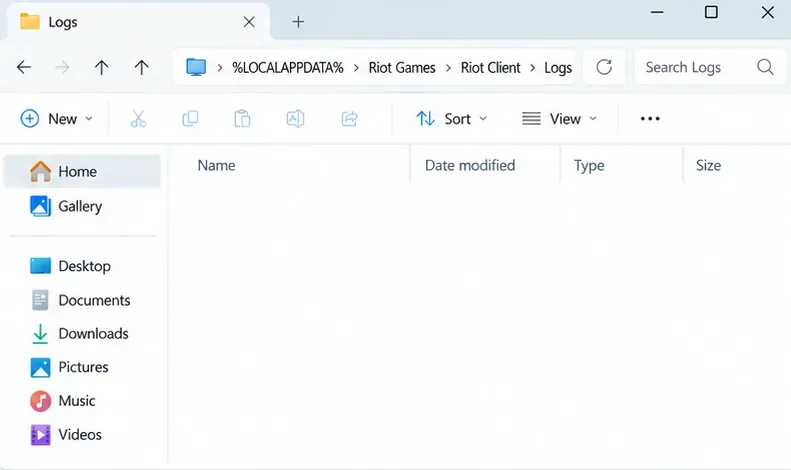
For a default Windows installation, Riot lists these League-specific locations in its League of Legends logs guide:
| Folder | What it contains |
|---|---|
C:\Riot Games\League of Legends\Logs\GameLogs | Match folders, including game and network diagnostic logs. |
C:\Riot Games\League of Legends\Logs\LeagueClient Logs | Client-session logs covering launch and the client up to champion select. |
%LOCALAPPDATA%\Riot Games\Riot Client\Logs | Riot Client logs. Riot’s client log collection guide lists this local AppData location. |
If League is installed on another drive, replace C:\Riot Games\League of Legends with your actual install path. Press Win + R, paste the AppData path to open that Riot Client folder directly, or browse to the League install folder in File Explorer. Don’t use the old path %LOCALAPPDATA%\Riot Games\League of Legends\Logs unless that is where your files actually appear; Riot’s published League-specific paths are under the install folder.
 Riot Games > Riot Client > Logs.">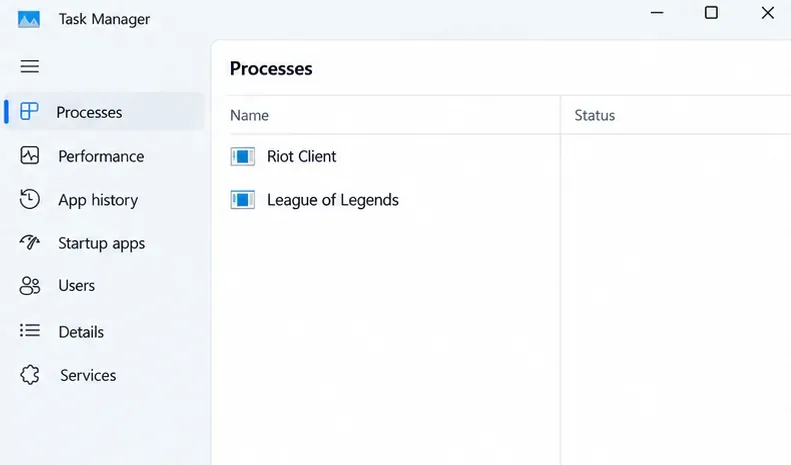
GameLogs, select dated folders from sessions you no longer need. In LeagueClient Logs and the Riot Client log folder, remove older log files rather than deleting game folders. Keep recent files if you may need to report a problem. Do not delete Config, the League game files, or the entire installation folder.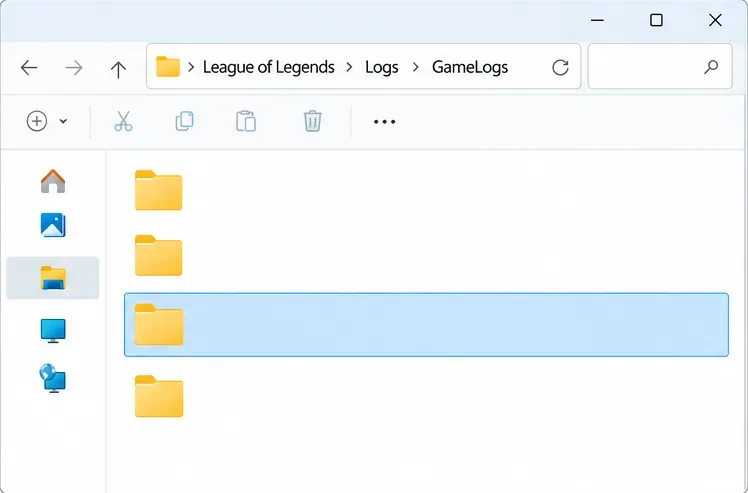
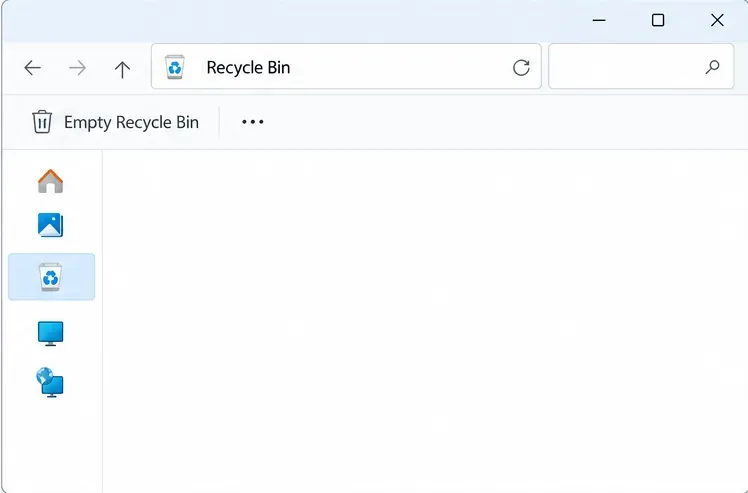
There is no guaranteed number of gigabytes to recover. The amount depends on the actual file sizes on your PC. If a log is still in use, skip it and try again after restarting the client or Windows instead of forcing a deletion.
When the Logs folder is small but the complete League installation is unexpectedly large, Riot’s September 2026 guidance points to a separate cache cleanup:
C:\Riot Games\League of Legends.Saved and delete the webcache folder only.Saved folder, Config, and other game folders in place, then launch the client again.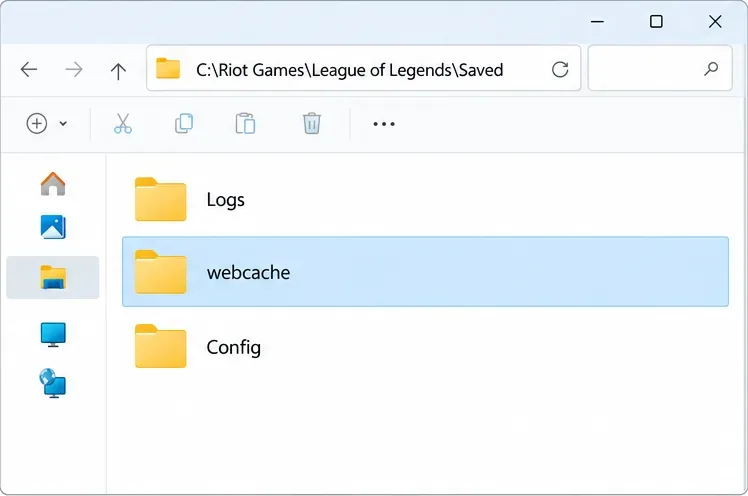
This is a cache fix for installs affected by the issue Riot describes; it is not a way to disable logging. If webcache is absent or the installation remains much larger than expected, use Riot Support rather than deleting other folders at random.
Recheck the size of the specific log folder and the available space shown in This PC. Launch League and confirm that the client opens and can patch normally. The game will continue to create diagnostic logs for later sessions, so occasional small files are expected.
For unrelated Windows files, Microsoft’s free-up-space guide explains Storage settings and Cleanup recommendations. Review the categories before removing anything; those Windows tools do not identify which League diagnostics you want to keep.
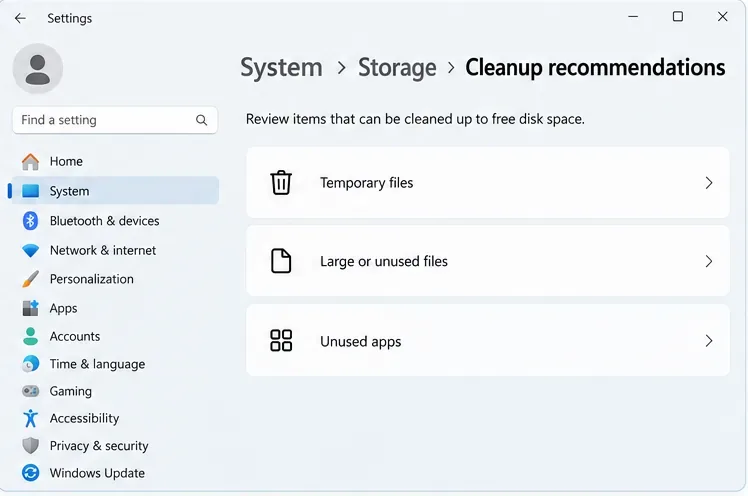 Storage > Cleanup recommendations, showing Temporary files, Large or unused files, and Unused apps.">
Avoid old instructions that edit global.xml to turn logging off or run broad scripts against the whole Riot Games directory. Riot’s current player guidance documents how to locate and collect logs, but does not provide those steps as a supported disk-cleanup setting. If logs grow unusually fast again, preserve a recent example and contact Riot Player Support. If the client has launch or patch problems after cleanup, use Riot’s Riot Client Full Repair Tool; repair is a troubleshooting action, not a log-cleaning method.
You can remove old diagnostic files from completed sessions to reclaim their actual size, but you also remove evidence that may help with a crash or support ticket. Keep relevant recent logs until troubleshooting is finished.
It frees disk space; it does not directly increase frame rate. Don’t expect a performance boost unless a separate storage or system problem is affecting your PC.
No. Remove only selected old logs, or the specific Saved\webcache folder when the full install is oversized and Riot’s cache guidance applies. Keep the parent folders and game data.
The files may have been small, may still be in the Recycle Bin, or the space issue may be elsewhere in the installation. Recheck folder Properties and follow Riot’s separate oversized-install guidance before removing anything else.
Enable PUBG’s network statistics HUD to monitor ping and packet loss in a match. See where to find it, what the numbers mean, and what they cannot diagnose.
Learn how to import VALORANT crosshair codes, compare presets with manual settings and spectator copy, and fix common import issues.
Choose Dota 2 minimap size, hero icons, team colors, and background settings by readability, fewer misclicks, and clear results on your own display.
Fix Fortnite texture pop-in on PC with official steps for GPU drivers, file verification, DirectX 12, high-resolution textures, VRAM, SSDs, and stutter.
Learn what Heroes of the Storm minimap size and position options are verified, improve readability, and choose camera-click controls that suit you.
Set Super Smash Bros. Ultimate Quickplay to prefer hazards-off stages. Follow the Preferred Rules menu steps and learn why matchmaking may not always honor them.
Enable Server Latency and Packet Loss in Warzone to monitor connection quality, read the overlay, and use recurring spikes to guide troubleshooting.
Learn how to carry from mid lane in League of Legends by setting up waves, choosing safe roam windows, reading side lanes, and converting pressure into objectives.
Fix Minecraft Evoker spell problems with a safe vanilla test, version checks, log review, and a step-by-step way to isolate mod or datapack conflicts.
Fix PUBG stuck on Initializing on Steam with a focused checklist for PC service notices, launch options, game files, downloads, and connection issues.








