How to Check Real-Time Server Latency in the PUBG HUD

Enable PUBG’s network statistics HUD to monitor ping and packet loss in a match. See where to find it, what the numbers mean, and what they cannot diagnose.
If PUBG Mobile says “Unable to Connect to Server,” start by checking for an official maintenance notice, then try the game on a different connection. Turn off any VPN, restart the app and your phone, and confirm that PUBG Mobile can use Wi-Fi or cellular data. If the error persists, update the game and clear its cache on Android. Only reset app data or reinstall after confirming that you can sign back into your account.
This guide covers Android and iPhone troubleshooting, including the 154140712, 154140714, and 154140716 connection error codes documented by PUBG Mobile support. There is no universal fix: a live server outage, a phone setting, and a damaged local app installation require different responses.
The warning means that the game has not established the connection it needs. It does not, by itself, prove that PUBG Mobile's servers are down. A Wi-Fi network that loads websites may still have intermittent packet loss or restrictions affecting the game, while a service outage can affect multiple players at once.
| What you notice | What to check first |
|---|---|
| Several players cannot log in around the same time | Official PUBG Mobile maintenance or service announcements |
| The game works on cellular data but not Wi-Fi | Router, local Wi-Fi, or network restrictions |
| The game works on Wi-Fi but not cellular data | Mobile data allowance, carrier signal, and app-level permissions |
| The problem began after changing VPN or security settings | VPN, proxy, filtering, or device-specific network controls |
| The error remains on both networks after an update | App version, temporary files, and PUBG Mobile support |
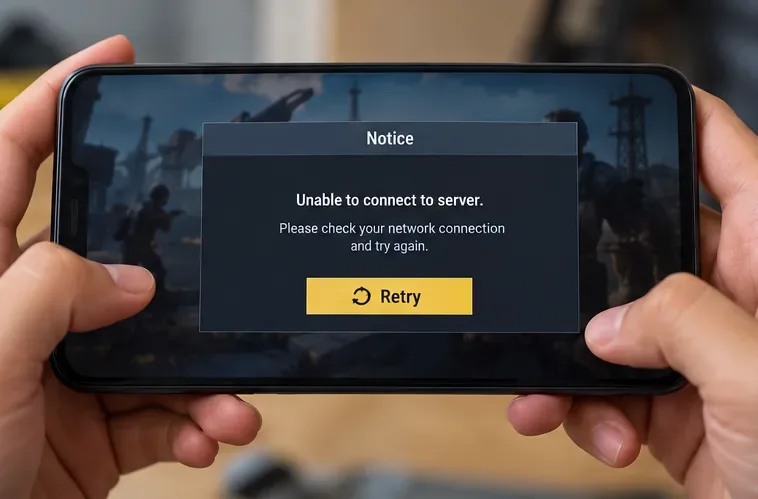
Take a screenshot of the exact message before changing settings. PUBG Mobile's official help article specifically addresses error codes 154140712, 154140714, and 154140716 and recommends checking network access, switching networks, disconnecting a VPN, clearing the Android cache, and updating the game. Read the official PUBG Mobile connection-error guidance if one of these numbers appears.
Before troubleshooting your phone, review announcements from the official PUBG Mobile website and the official channels linked there. Look for planned maintenance, update rollouts, or acknowledged incidents. An announcement page is not necessarily a real-time server-status dashboard; if nothing is posted, that alone does not prove every region is operating normally. Avoid relying on status.pubg.com as a PUBG Mobile-specific outage source because PUBG on PC and PUBG Mobile are separate services.
What to do next: If an official outage is confirmed, wait for the service to recover rather than deleting local game files. If no outage is confirmed, continue with a network comparison.
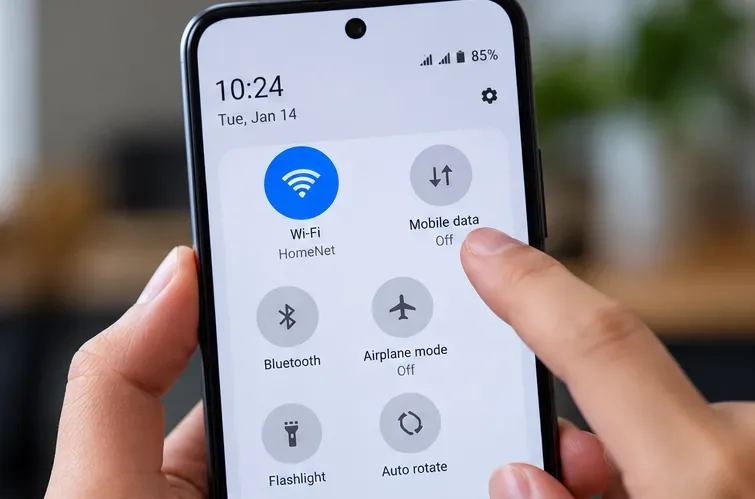
If one connection works, focus on the failing network. For home Wi-Fi, try moving closer to the router, pausing large downloads, and restarting the router according to its manufacturer's instructions. If a school, workplace, hotel, or public Wi-Fi network blocks gaming traffic, use a permitted alternative network rather than attempting to bypass its rules. Cellular charges may apply when you switch from Wi-Fi.
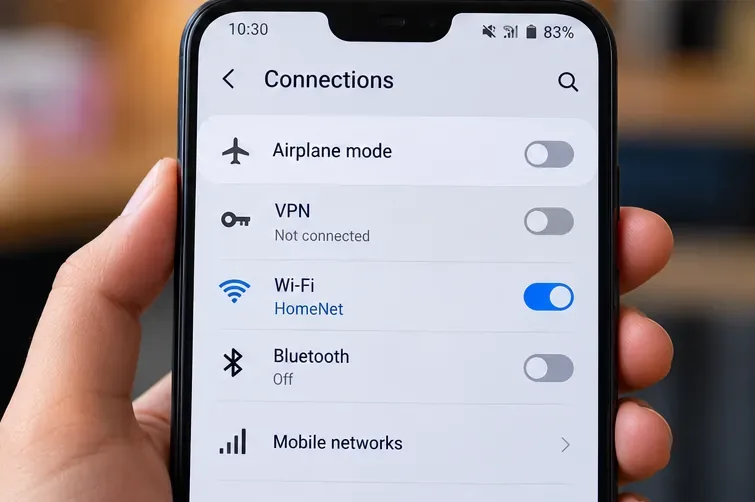
PUBG Mobile's support advice is to turn off a VPN while diagnosing this error, not to install one. A VPN can change routing or introduce another point of failure. Disconnect any VPN or game-routing app and retry your normal connection. If your device uses a filtering profile, custom DNS, proxy, or firewall application, check whether it recently changed; temporarily disable only the setting you control and can safely restore.
Do not treat a DNS replacement, a particular VPN location, or a guaranteed minimum download speed as a proven fix for these codes. A speed test can help reveal an unstable connection, but high download speed alone does not guarantee successful access to the game servers. PUBG Mobile does not list a universal 20 Mbps connection threshold in its cited troubleshooting article.
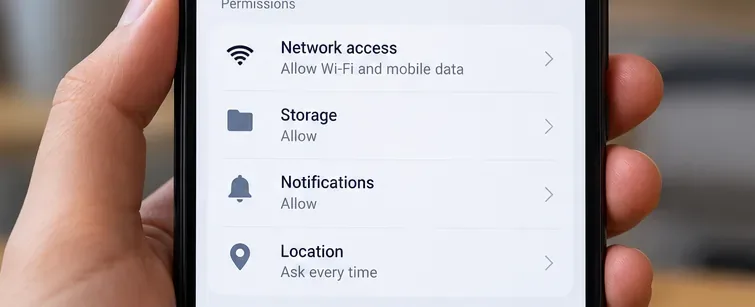
Open Settings > Apps > PUBG Mobile. On devices with a Network access, Data usage, or similar control, allow the connection you intend to use. PUBG Mobile's help page describes a path through Apps > PUBG Mobile > Permissions > Allow Network, but Android menus and the existence of a network-permission switch vary by manufacturer and OS version. If you do not see that exact item, check data-use restrictions rather than granting unrelated permissions.
Also make sure Airplane Mode is off and that your phone has a working Internet connection. Restrictive data-saver modes may be worth reviewing if they prevent this app from using mobile data, but disabling every battery or security feature is unnecessary.
Go to Settings > Cellular (or Mobile Data in some regions), turn on cellular data, and scroll down to find PUBG Mobile. If the app is listed with a toggle, make sure it is enabled when testing mobile data. Apple explains that an app with cellular access turned off can use Wi-Fi only. See Apple’s cellular-data instructions for the current procedure.
If the game works over Wi-Fi but fails only over cellular, also check signal strength, available plan data, roaming settings if relevant, and carrier restrictions. Do not assume the same settings layout exists on every Android or iPhone release.
Check the game's listing in Google Play or the App Store for an available update. Also install any appropriate system update supported by your device. An outdated game installation can be one possible reason a login fails, especially around a rollout, but it is not proof that a particular patch caused the problem. Use your platform's official update route, not a random APK or unofficial repair tool.
Important: Clearing cache removes temporary files; clearing storage is more disruptive and can erase locally held settings or downloads and require sign-in again. Google's Android storage guidance makes that distinction. You may need to download game resources again afterward. Do not clear data if you cannot recover a guest account or your login credentials.
iOS does not provide a universal per-app “Clear cache” button comparable to Android's. Instead, open Settings > General > iPhone Storage > PUBG Mobile, if the app appears there, and review the available storage options. Offload App removes the app while retaining its documents and data; Delete App also removes related local data. Because offloading preserves documents and data, it is not guaranteed to clear a corrupted game setting. Apple's iPhone storage documentation explains the difference.
When previous steps fail, Apple recommends closing the app, restarting, updating, and finally deleting and redownloading a malfunctioning app. See Apple's app troubleshooting sequence. Before deleting, verify that the game account is properly linked and recoverable. Reinstallation may use considerable data and storage space.
If PUBG Mobile still cannot connect to the server on more than one working network after the relevant checks, contact the game's official customer-support channel. Use the PUBG Mobile Help Center or the support details on its official website. The site's listed support email is service@pubgmobile.com. Do not share a password or one-time login code with anyone claiming to provide support.
Include the exact error message and number, device model, Android or iOS version, PUBG Mobile app version, country or region, approximate time of the failure with its time zone, network type, and what you already tried. Attach a screenshot with private account information hidden. PUBG Mobile's help page specifically asks for the device model, OS version, and error code to assist diagnosis.
Not necessarily. The message is a connection symptom, not evidence of an account penalty. If a separate account restriction or security message appears, follow that message and the official account-support process instead of repeatedly resetting your phone.
Start by turning the VPN off and returning to your usual network configuration. That aligns with PUBG Mobile's own connection-error guidance. Changing DNS is not a routine first-line fix, and switching to another region can introduce additional complications.
Different applications use different services and routes. A working browser proves some Internet access, not necessarily a healthy route to PUBG Mobile. Compare Wi-Fi with cellular data and record whether the game fails before login, during authentication, or only when entering a match; those details can help support narrow the issue.
Best order to remember: Check official announcements; restart the game and device; compare networks; disconnect VPN; check network permissions; update; clear Android cache; and only then consider data resets, reinstallation, or a support ticket. Stop as soon as a step fixes the problem, so you avoid unnecessary changes to your account and device.
Enable PUBG’s network statistics HUD to monitor ping and packet loss in a match. See where to find it, what the numbers mean, and what they cannot diagnose.
Learn how to import VALORANT crosshair codes, compare presets with manual settings and spectator copy, and fix common import issues.
Choose Dota 2 minimap size, hero icons, team colors, and background settings by readability, fewer misclicks, and clear results on your own display.
Fix Fortnite texture pop-in on PC with official steps for GPU drivers, file verification, DirectX 12, high-resolution textures, VRAM, SSDs, and stutter.
Learn what Heroes of the Storm minimap size and position options are verified, improve readability, and choose camera-click controls that suit you.
Set Super Smash Bros. Ultimate Quickplay to prefer hazards-off stages. Follow the Preferred Rules menu steps and learn why matchmaking may not always honor them.
Enable Server Latency and Packet Loss in Warzone to monitor connection quality, read the overlay, and use recurring spikes to guide troubleshooting.
Learn how to carry from mid lane in League of Legends by setting up waves, choosing safe roam windows, reading side lanes, and converting pressure into objectives.
Fix Minecraft Evoker spell problems with a safe vanilla test, version checks, log review, and a step-by-step way to isolate mod or datapack conflicts.
Fix PUBG stuck on Initializing on Steam with a focused checklist for PC service notices, launch options, game files, downloads, and connection issues.








