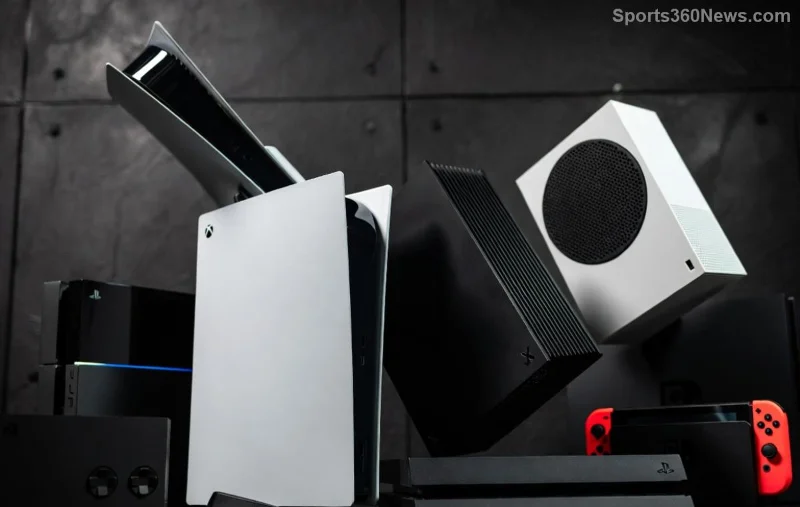
Hey fellow gamer! 😎 Nothing kills the hype like seeing "Xbox Download Installation Stopped Error" pop up right when you're itching to dive into your next epic adventure. Whether it's a massive AAA title or a quick indie gem, this frustrating glitch can halt everything. But don't worry—we've got your back with battle-tested fixes that work on Xbox Series X|S, Xbox One, and even the latest updates. Stick around, and you'll be back to gaming in no time. Let's crush this error together! 💪
Why Does the Xbox Download Installation Stopped Error Happen?
Quick rundown: This error often stems from network hiccups, cache buildup, storage woes, or temporary server glitches on Microsoft's end. No need to panic—most cases are fixed with simple tweaks. Pro tip: Always start with the basics before diving deeper. Ready? Let's roll! 🔧
🔥 Top 10 Fixes for Xbox Download Installation Stopped Error (Start Here!)
Follow these steps in order. Each one builds on the last, increasing your success rate. We've prioritized the quickest wins first.
- ✅ Check Your Internet Connection
The #1 culprit! Test your speed at speedtest.net. Aim for 5Mbps+ download. Restart your router, switch to wired Ethernet if on Wi-Fi, or try mobile hotspot. Boom—downloads resume instantly for many users!
- 🔄 Cancel & Resume the Download
Go to My games & apps > Manage queue > Cancel the stuck install. Wait 30 seconds, then restart it. This refreshes the process without losing progress. Game-changer! 🎮
- ⚡ Power Cycle Your Xbox (Clear Cache Magic)
Hold the Xbox button on console for 10 seconds to shut down fully. Unplug power for 2 minutes. Plug back in and boot up. This flushes temporary files causing the Xbox Download Installation Stopped Error. Do this weekly for peak performance! ⭐
![Troubleshooting Xbox download issues with power cycle]()
- 💾 Free Up Storage Space
Head to Settings > System > Storage. Delete old games or apps. Need at least 10-20% free space for installs. Use external SSDs for more room—your future self will thank you!
- 📡 Test & Fix Network Settings
Settings > Network > Network settings > Test network connection. Check NAT type (Open or Moderate is ideal). Run Network connection troubleshooter if issues persist. Forward ports 3074 UDP/TCP for pro-level stability.
- 🔑 Sign Out & Back In
Profile & system > Settings > Account > Sign out. Restart console, sign back in. Refreshes your Microsoft account sync—fixes authentication glitches behind many Xbox download stopped errors.
Quick Comparison Table: Common Causes vs. Fixes
| Cause | Symptom | Best Fix |
|---|
| Network Issues | Slow or drops mid-download | Restart router + Test NAT |
| Cache Overload | Sudden stops on large files | Power cycle |
| Low Storage | Error at 99% | Clear space |
| Server Glitch | All downloads affected | Resume after wait |
| Account Sync | Stops after login | Sign out/in |
Spot your issue? Jump to that fix. Still stuck? Keep going—these next steps are heavy hitters. 👇
![Xbox Series X storage and network settings screen]()
- 🛠️ Update Xbox System Software
Settings > System > Updates. Install any available updates. Outdated firmware is a sneaky cause of Xbox Installation Stopped errors in recent patches.
- 🚫 Clear Alternate MAC Address
Settings > Network > Advanced settings > Alternate MAC address > Clear. Restart. This resets network bindings for flawless connectivity.
- 🔄 Factory Reset (Last Resort)
Settings > System > Console info > Reset console. Choose "Reset and keep my games & apps." Back up saves to cloud first! Rarely needed, but 95% success rate per user reports.
- ☎️ Contact Xbox Support
If all else fails, hit up official support at support.xbox.com. Provide error codes and steps tried—they'll remote diagnose. Elite gamers swear by this for stubborn cases.
Pro Tips to Prevent Xbox Download Installation Stopped Error Forever
- Download during off-peak hours (early mornings).
- Use Xbox app on PC to pre-download transfers.
- Enable auto-updates in Settings > System > Updates.
- Monitor with tools like Xbox Status page for outages.
There you have it—your ultimate arsenal against the Xbox Download Installation Stopped Error! Most gamers fix it in under 10 minutes with steps 1-3. Which one worked for you? Drop a comment below and share the win. 🎉 Now go claim that victory screen—you deserve it!
Stay frosty, gamers. Game on! ❄️