How to Check Real-Time Server Latency in the PUBG HUD

Enable PUBG’s network statistics HUD to monitor ping and packet loss in a match. See where to find it, what the numbers mean, and what they cannot diagnose.
If League of Legends stops at Vanguard Error VAN 84, work through the Windows and Vanguard checks below in order. Riot’s current VAN 84 guidance starts with Windows updates and the Vanguard vgc service, then recommends a clean-boot test, a game reinstall if needed, and connection troubleshooting for persistent errors. This is a Windows PC guide; it avoids unrelated graphics-driver and BIOS changes.
Riot describes VAN 84 as a problem where Vanguard cannot confirm that the PC is ready to run the game or encounters an initialization issue. The Riot error-code index includes VAN 84 among Vanguard errors. Check the official VAN 84 troubleshooting page and the Vanguard error-code index if the wording on your screen differs.
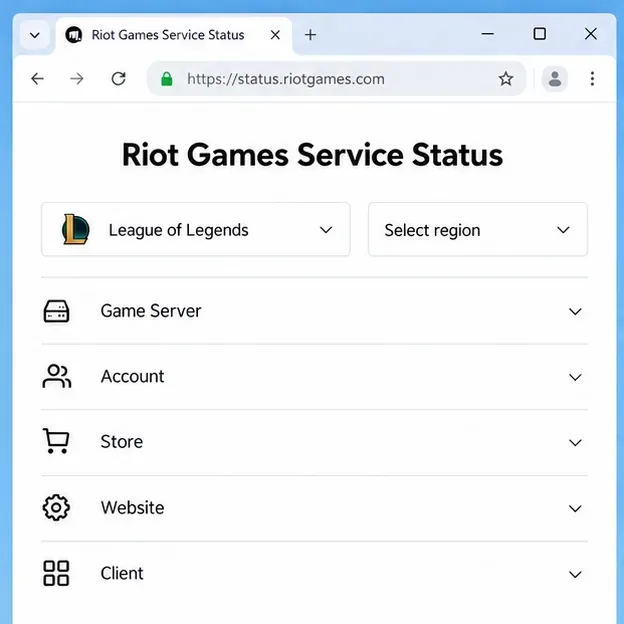
First, open Riot Games Service Status, choose League of Legends, and select the region where your account plays. If Riot lists maintenance or a service incident, wait for it to clear; changing Windows settings will not fix a server-side issue.
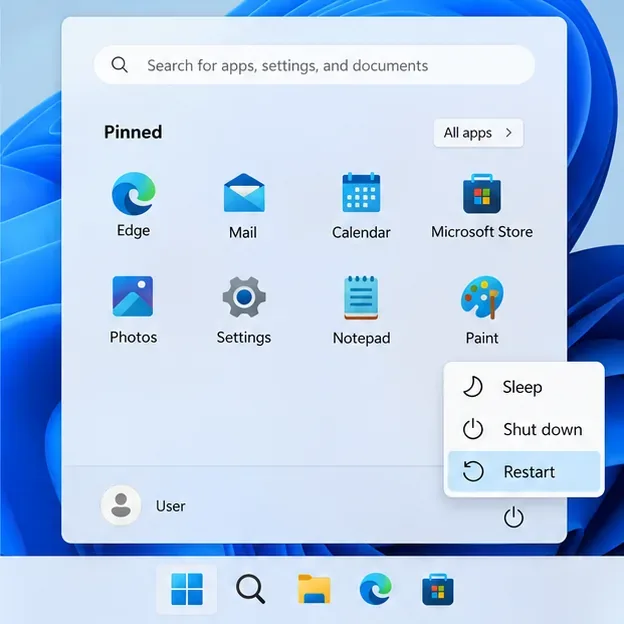
If there is no relevant incident, exit Riot Client from the Windows system tray. Make sure League and the client have closed, then use Start > Power > Restart. After Windows loads, open Riot Client and launch League again. A full restart is the quickest safe first check and also applies any pending system changes.
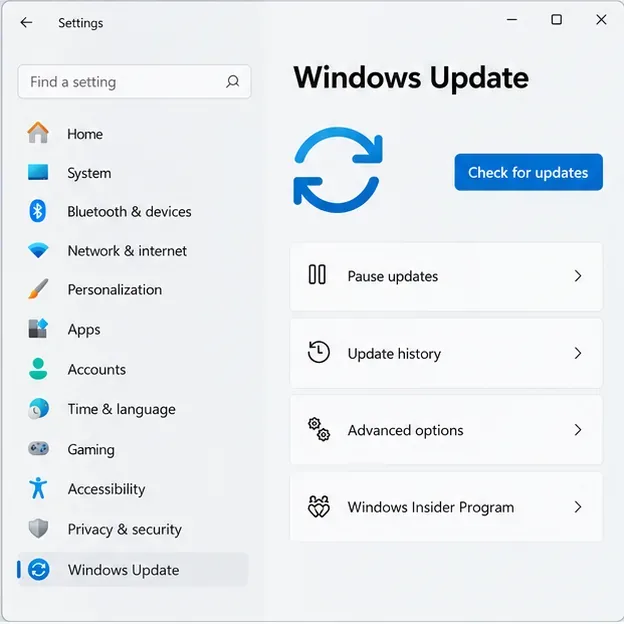
Open Windows Update from Settings, check for updates, install the available updates, and restart when Windows asks. Riot notes that Windows updates can include security and system-service changes Vanguard relies on. Launch League after the restart before moving on to more involved steps.
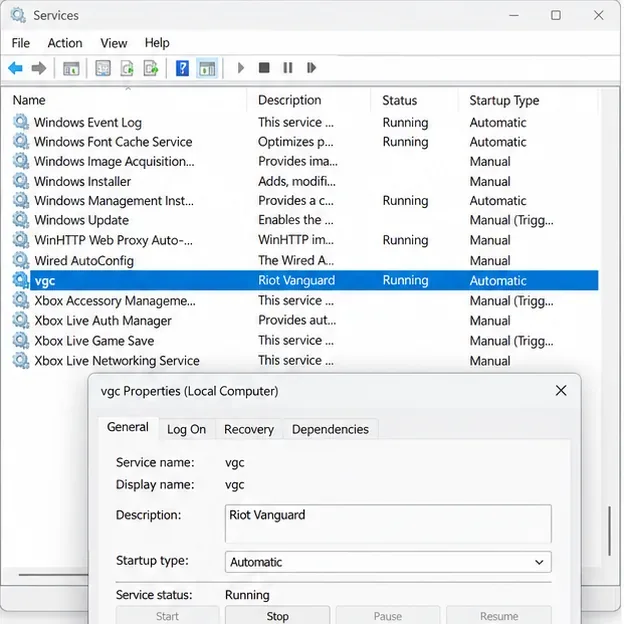
Unless you use Riot’s optional Vanguard Pre-Check, Riot says the vgc service should start automatically with Windows. To verify it:
services.msc, and press Enter.Vanguard Pre-Check is designed to start Vanguard on demand, so do not force automatic startup if you have enabled that feature. If vgc is missing, will not start, or the error returns, continue to the reinstall step rather than changing other services or firmware settings.
For Riot’s full steps, see Set VGC as Automatic.
A damaged or incomplete Vanguard installation can keep the anti-cheat service from initializing. Use Riot’s standard uninstall path instead of deleting driver files by hand:
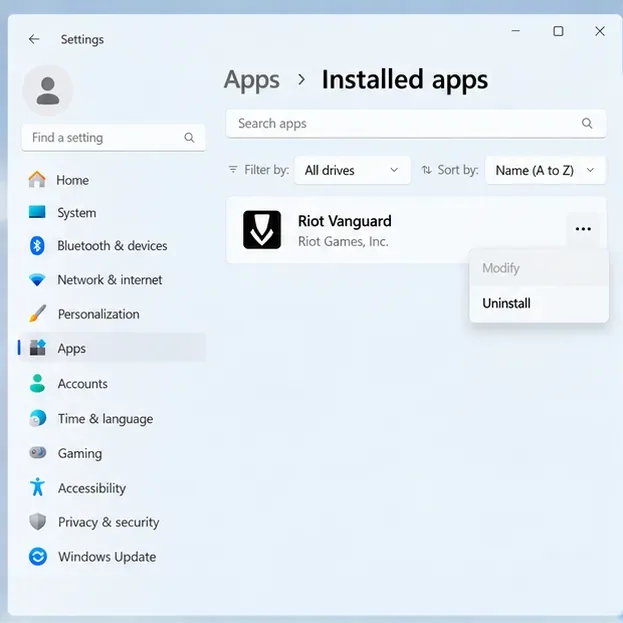
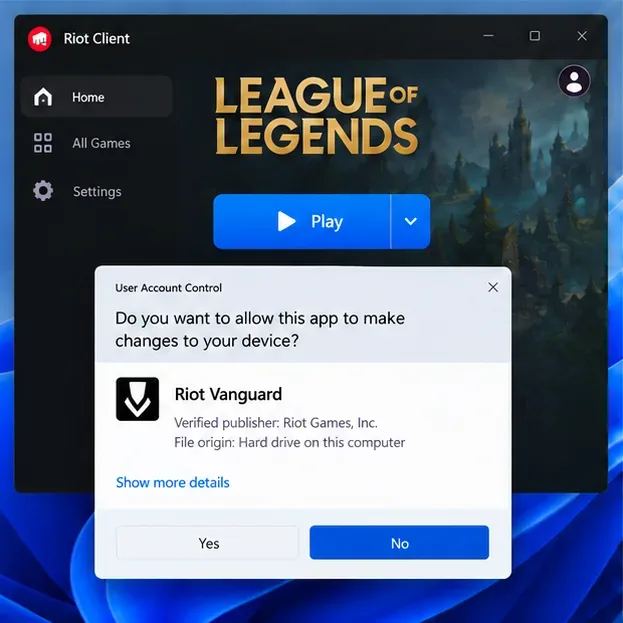
Riot’s Vanguard uninstall and reinstall instructions include manual removal commands only as an advanced fallback. Use the Windows uninstall method first; do not delete vgk.sys or run service-deletion commands from an old forum post.
If VAN 84 survives a Windows update and Vanguard reinstall, a background service may be interfering. Riot’s clean-boot procedure keeps Vanguard enabled while temporarily disabling other non-Microsoft services:
msconfig, and press Enter.vgc.If League works in the clean-boot state, a third-party service is a likely source of the conflict. Re-enable services in a controlled way to identify it. When the test is over, return Windows to normal startup using the Microsoft clean-boot reset instructions. On a work-managed PC, check with IT before changing System Configuration.
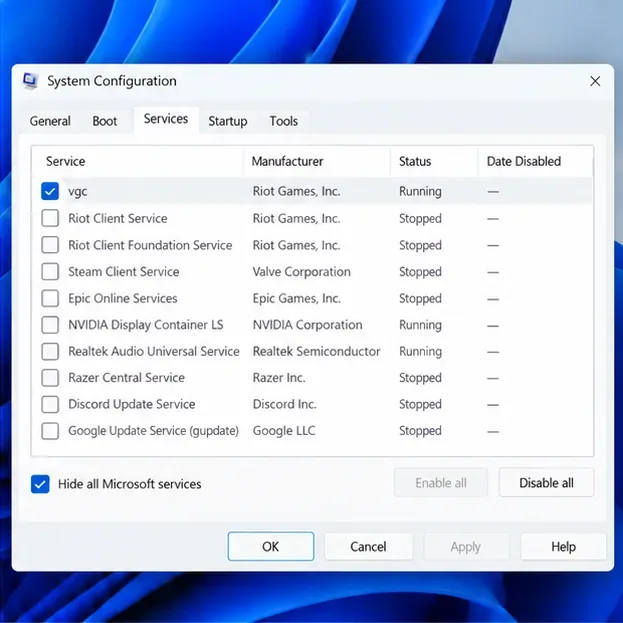
Riot’s clean-boot guide explains the Vanguard-specific part of this test.
If Windows, the Vanguard service, the Vanguard reinstall, and a clean-boot test have not cleared VAN 84, reinstalling League is Riot’s next game-level step. Use Settings > Apps > Installed apps to uninstall League, then download it again from Riot’s official site. Close Riot Client before uninstalling. Avoid deleting the entire Riot Games folder if you have other Riot games installed.
Because VAN 84 can also appear with a connection-error message, rule out network problems before opening a support ticket. Riot recommends these low-risk tests:
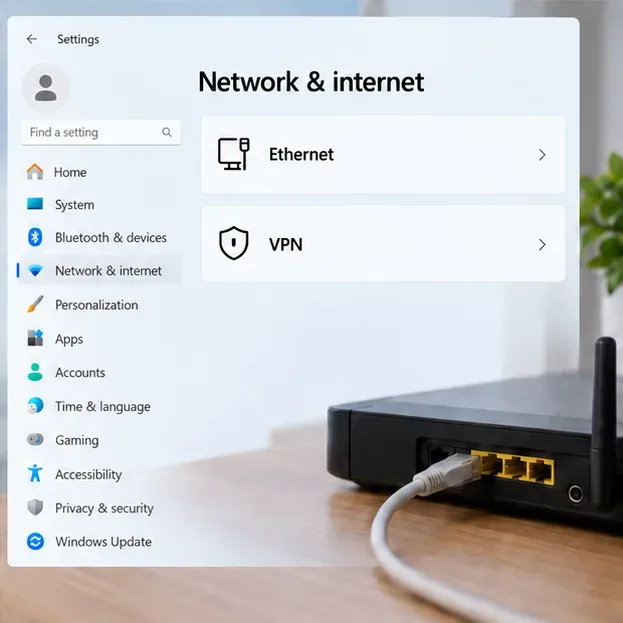
If the connection remains unstable, follow Riot’s PC connection troubleshooting guide. It covers network reset, public DNS, and firewall checks. Change DNS only if you are comfortable restoring your previous setting; Riot notes that some internet providers block third-party DNS.
If the code persists after the steps above, open a Player Support ticket and include the exact error text, your region, when the problem began, and which steps you tried. Riot’s Riot Repair Tool instructions explain how to collect a log ZIP for League; on Windows, Riot recommends running the tool as administrator. Attach the resulting ZIP to the ticket so support can inspect the client and Vanguard logs.
No. VAN 84 is a Vanguard error code, not a ban notice. Follow the code-specific steps or contact Riot Support if the error remains.
Do not make firmware or security changes just because you see VAN 84. Riot’s VAN 84 sequence focuses on Windows updates, Vanguard startup and installation, background conflicts, and connectivity. Follow a separate security-setting guide only if Riot shows a different error that explicitly requires it.
No. Restart, install Windows updates, check vgc, and reinstall Vanguard first. A full game reinstall takes longer, so keep it as a later step.
Enable PUBG’s network statistics HUD to monitor ping and packet loss in a match. See where to find it, what the numbers mean, and what they cannot diagnose.
Learn how to import VALORANT crosshair codes, compare presets with manual settings and spectator copy, and fix common import issues.
Choose Dota 2 minimap size, hero icons, team colors, and background settings by readability, fewer misclicks, and clear results on your own display.
Fix Fortnite texture pop-in on PC with official steps for GPU drivers, file verification, DirectX 12, high-resolution textures, VRAM, SSDs, and stutter.
Learn what Heroes of the Storm minimap size and position options are verified, improve readability, and choose camera-click controls that suit you.
Set Super Smash Bros. Ultimate Quickplay to prefer hazards-off stages. Follow the Preferred Rules menu steps and learn why matchmaking may not always honor them.
Enable Server Latency and Packet Loss in Warzone to monitor connection quality, read the overlay, and use recurring spikes to guide troubleshooting.
Learn how to carry from mid lane in League of Legends by setting up waves, choosing safe roam windows, reading side lanes, and converting pressure into objectives.
Fix Minecraft Evoker spell problems with a safe vanilla test, version checks, log review, and a step-by-step way to isolate mod or datapack conflicts.
Fix PUBG stuck on Initializing on Steam with a focused checklist for PC service notices, launch options, game files, downloads, and connection issues.








