🚀 Fix Free Fire Crashing on Startup Instantly: Ultimate Quick Fix Guide!

Hey, fellow Free Fire warriors! 😤 Nothing kills the hype like launching the game only for it to crash on startup. You're geared up for Booyah moments, but bam—black screen or force close. Don't rage quit yet! This quick fix guide has battle-tested solutions to get you back in the arena fast. We've got simple steps for Android and iOS, from cache clears to pro tweaks. Stick around—these fixes work like magic! 🔥
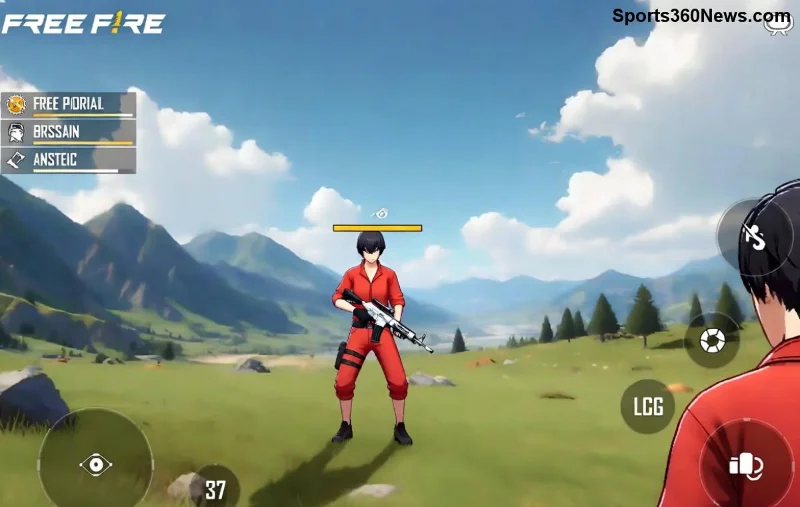
Free Fire crashing on startup screen

Why Does Free Fire Crash on Startup? Common Culprits

Before diving into fixes, know your enemy. Free Fire crashing on startup often stems from:

  • 🔴 Overloaded cache: Temporary files pile up and corrupt.
  • 🟡 Outdated app/game: Bugs in old versions clash with your device.
  • 🔵 Low RAM/storage: Free Fire needs breathing room (at least 2GB RAM recommended).
  • Background apps/antivirus: They hog resources or block the game.
  • 🟢 Graphics/driver issues: High settings on weak hardware.

Spot your issue? Great—let's crush it! 👊 Follow these quick fixes in order for the best results.

1️⃣ Quick Fix #1: Clear Cache and Data (Works 80% of the Time!)

The #1 hero for Free Fire startup crashes. Corrupted cache is like a clogged weapon—clear it!

  1. Open Settings > Apps > Free Fire.
  2. Tap Storage > Clear Cache (safe, keeps progress).
  3. If needed, Clear Data (logs you out—back up first!).
  4. Restart device and relaunch. Booyah! 🎉

Pro Tip: Do this weekly for smooth gameplay. iOS users? Offload app via Settings > General > iPhone Storage.

2️⃣ Quick Fix #2: Update Free Fire and Your Device

Outdated versions = crash city. Garena drops patches regularly—stay current!

  • Google Play/App Store: Search Free Fire > Update.
  • Device OS: Android 11+ or iOS 14+ for stability.
  • Google Play Services: Update via Play Store.

Why it works: Newest builds fix startup crash bugs. Check now—your next squad wipe awaits! 💥

Updating Free Fire app to fix crashes

3️⃣ Quick Fix #3: Free Up RAM and Storage

Free Fire guzzles resources. Low space? Instant crash.

Device TypeMinimum RequirementsQuick Action
Android2GB RAM, 2GB free storageClose apps via Recent Apps > Clear All
iOS2GB RAM, 3GB freeSettings > General > Shut Down unused apps
Budget Phones4GB+ RAM idealUninstall bloatware

Run a cleaner app like CCleaner (Android) or built-in storage manager. Result? Silky launches! 🚀

4️⃣ Quick Fix #4: Tweak Graphics and Game Settings

High graphics on potato phones = doom. Dial it back:

  1. Launch Free Fire (if it opens) > Settings > Graphics.
  2. Set to Smooth + Low FPS.
  3. Disable Auto Graphics and shadows.
  4. Enable Game Booster if available (Samsung/Xiaomi).

Not opening at all? Force via safe mode: Hold power > Restart to Safe Mode > Test Free Fire.

5️⃣ Advanced Fixes: When Basics Fail

Advanced Free Fire crash troubleshooting

Still crashing? Level up:

  • Reinstall Free Fire: Uninstall > Restart > Reinstall from official store. Progress safe via Google Play Games/FB login.
  • 🔧 Disable VPN/Antivirus: They interfere—turn off temporarily.
  • 📱 Factory Reset (Last resort): Backup everything first!
  • 🌐 Network tweak: Switch WiFi/Mobile data; use Game Mode.

For official help, visit Garena Free Fire Support. They're pros at Free Fire crash fixes.

Bonus Tips to Prevent Future Free Fire Startup Crashes

Stay crash-free:

  • ✅ Play on stable internet (no public WiFi).
  • 😊 Update weekly—Garena's on it!
  • 📈 Use GFX tools sparingly (rooted devices only).
  • 👥 Join Free Fire Reddit/Discord for community fixes.

You're now armed! Try Fix #1 right now—what's your device? Drop in comments if issues persist. Get back to dominating—Booyah awaits! 🏆


Leave a Comment

Top 10 **League of Legends Mid Lane Counters** That Crush Meta Picks – Ultimate 2026 Guide

Top 10 **League of Legends Mid Lane Counters** That Crush Meta Picks – Ultimate 2026 Guide

Unlock the **best League of Legends mid lane counters** to dominate solo queue. Expert picks, matchup tips, and win rate stats for shutting down Yasuo, Zed, Syndra, and more in the latest meta. Climb faster now!

🚨 Fix Minecraft Error 4.2.2: Decimal Disasters NOW - Ultimate 2026 Guide to Stop Crashes!

🚨 Fix Minecraft Error 4.2.2: Decimal Disasters NOW - Ultimate 2026 Guide to Stop Crashes!

Tired of 4.2.2 Minecraft Error: Decimal Disasters crashing your game? Get step-by-step fixes, root causes, and pro tips for Java Edition 1.21+. Build without fear!

Fix Error Downloading Minecraft: File Fails – Quick 2026 Solutions for Gamers

Fix Error Downloading Minecraft: File Fails – Quick 2026 Solutions for Gamers

Tired of Error Downloading Minecraft: File Fails blocking your game? Discover proven fixes, from simple restarts to advanced troubleshooting, to get back to crafting in minutes. Updated for Minecraft 1.21+ launcher issues.

🚀 Ultimate Guide: How to Update Valorant on Xbox to the Latest Version FAST!

🚀 Ultimate Guide: How to Update Valorant on Xbox to the Latest Version FAST!

Master how to update Valorant on Xbox effortlessly. Step-by-step instructions for the latest version, troubleshooting tips, and pro gamer hacks to stay ahead in every match. Get back to fragging now!

🔥 Ultimate Guide: How to Master the Fortnite Frenzy Auto Shotgun & Crush Close Fights!

🔥 Ultimate Guide: How to Master the Fortnite Frenzy Auto Shotgun & Crush Close Fights!

Dominate Fortnite battles with our expert guide on How to Master the Fortnite Frenzy Auto Shotgun. Pro stats, tips, builds, and strategies for the newest meta. Shred enemies in seconds!

🚀 Ultimate Guide: How to Create Your Own Clothing Brand on Roblox & Dominate the Fashion Game!

🚀 Ultimate Guide: How to Create Your Own Clothing Brand on Roblox & Dominate the Fashion Game!

Discover the step-by-step blueprint to create your own clothing brand on Roblox. Master designs, uploads, marketing, and monetization for massive Robux success in the latest Roblox updates. Perfect for aspiring creators!

Unlock the Ultimate Sweaty Fortnite Skins for FREE: Pro Secrets Exposed!

Unlock the Ultimate Sweaty Fortnite Skins for FREE: Pro Secrets Exposed!

Master how to get the best sweaty Fortnite skins for free with legit strategies. Grind V-Bucks, snag events, and dominate matches in top-tier cosmetics without spending a penny. Latest tips for sweaty pros!

🔧 Fortnite Permission Denied Error FIXED: 7 Proven Steps to Get Back in the Game NOW!

🔧 Fortnite Permission Denied Error FIXED: 7 Proven Steps to Get Back in the Game NOW!

Tired of the Fortnite "Permission Denied" Error ruining your Battle Royale? Discover simple, step-by-step fixes to resolve it instantly on PC. No tech skills needed – jump back into Fortnite today!

🚨 Fix Herobrine Movie Minecraft Error: Stop Cinematic Crashes in Seconds (2026 Guide)

🚨 Fix Herobrine Movie Minecraft Error: Stop Cinematic Crashes in Seconds (2026 Guide)

Tired of Herobrine Movie Minecraft Error ruining your cinematic moments? Get proven fixes for Cinematic Crashes in Minecraft 1.21+. Step-by-step guide to restore epic Herobrine adventures without frustration.

GTA Online Maximum Rank Exposed: Conquer Level 8000 and Rule Los Santos!

GTA Online Maximum Rank Exposed: Conquer Level 8000 and Rule Los Santos!

Uncover the GTA Online maximum rank of 8000! Master fast RP grinding tips, epic rewards, and pro strategies to hit the highest level in GTA Online and dominate every heist.

