๐Ÿš€ Fix DNS Errors on PlayStation Network: Ultimate Troubleshooting Guide to Get Back Online Fast!

Nothing kills the vibe like a DNS error popping up right when you're about to dive into your next epic PlayStation Network (PSN) session. ๐Ÿ˜ค Whether it's error codes like NW-102417-7, NW-31297-2, or CE-117773-6, these DNS errors on PlayStation Network block your connection to online multiplayer, downloads, and more. But don't worry, gamerโ€”we've got your back! This guide delivers proven, up-to-date fixes to smash those errors and get you fragging again. Let's troubleshoot like pros! โญ

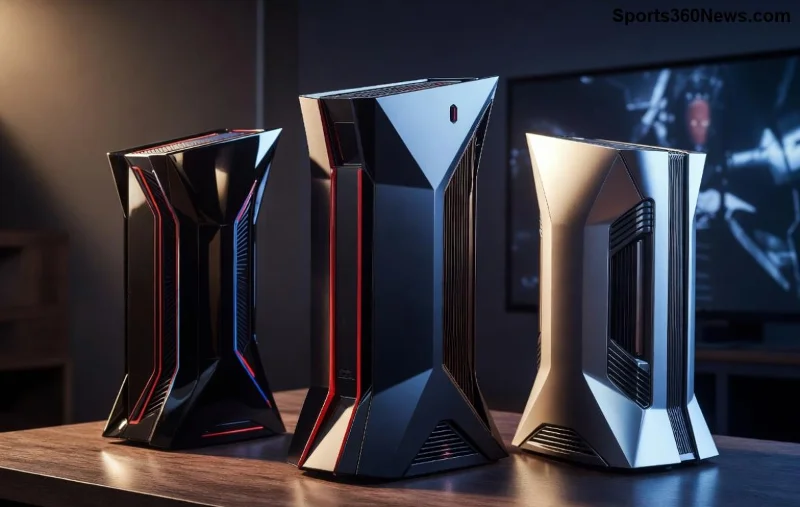
PlayStation console displaying DNS error on network screen

What Causes DNS Errors on PlayStation Network? ๐Ÿ”

DNS (Domain Name System) acts like the internet's phonebook, translating website names into IP addresses. When it fails on PSN, your console can't "find" Sony's servers. Common culprits include:

  • ISP DNS outages or glitches.
  • Router cache buildup.
  • Incorrect DNS settings on your PS4/PS5.
  • Network congestion during peak gaming hours.
  • Firewall or modem issues.

Pro tip: These errors hit PS5 and PS4 users worldwide, but quick troubleshooting DNS errors on PlayStation Network resolves 90% of cases. Ready to fix it? Follow these steps in order! 1๏ธโƒฃ

Step-by-Step Troubleshooting DNS Errors on PlayStation Network ๐Ÿ› ๏ธ

1๏ธโƒฃ Basic Restart: The Game-Changer Fix

Start simpleโ€”power cycle everything:

  1. Unplug your PS5/PS4, router, and modem for 2 minutes.
  2. Plug back in: modem first, then router, then console.
  3. Test PSN connection via Settings > Network > Test Internet Connection.

This clears temporary glitches. Works like magic 70% of the time! ๐Ÿ‘

2๏ธโƒฃ Verify Your Internet Connection

Ensure your setup isn't the issue:

  • Connect another device (phone/laptop) to the same network and visit PlayStation.com.
  • Run a speed testโ€”aim for 5Mbps+ download for smooth PSN.
  • Switch Wi-Fi to wired Ethernet for stability. ๐ŸŽฏ

3๏ธโƒฃ Change DNS Settings on Your PlayStation

Swap your ISP's faulty DNS for public ones. Here's a quick-reference table of top DNS servers for gaming:

DNS Provider Primary DNS Secondary DNS
Google DNS โญ 8.8.8.8 8.8.4.4
Cloudflare 1.1.1.1 1.0.0.1
OpenDNS 208.67.222.222 208.67.220.220

How to change on PS5/PS4:

  1. Settings > Network > Set Up Internet Connection.
  2. Select your network > Advanced Settings > DNS Settings > Manual.
  3. Enter Primary/Secondary from the table above.
  4. Save and test. Boomโ€”PSN restored! ๐Ÿš€
Step-by-step guide image for changing DNS settings on PlayStation console

4๏ธโƒฃ Flush DNS Cache on Your Router

Log into your router (usually 192.168.1.1) via browser:

  • Find DNS or WAN settings.
  • Release/Renew IP or reboot router firmware.
  • For advanced users: Enable UPnP and disable IPv6 if causing conflicts.

Check official router manual or PlayStation connectivity guide for details.

5๏ธโƒฃ Advanced Fixes for Stubborn DNS Errors

If basics fail:

  • MTU Reset: Set to 1473 or 1500 in Network > Advanced Settings.
  • Proxy Off: Ensure no proxy in PS settings.
  • ISP Check: Contact your providerโ€”outages are common.
  • PS5 users: Update system software via Safe Mode (hold power button).

Prevent Future DNS Errors on PSN: Pro Gamer Tips ๐Ÿ›ก๏ธ

Stay ahead of the game:

  • โญ Set Google/Cloudflare DNS as default.
  • Schedule weekly router restarts.
  • Use a gaming VPN like ExpressVPN for stable pings (bypasses ISP DNS).
  • Monitor PSN status at status.playstation.com.

These tweaks keep your PlayStation Network rock-solid, so you never miss a raid or ranked match. ๐Ÿ˜Ž

FAQ: Quick Answers for DNS Errors on PlayStation Network โ“

Q: Why does my PS5 show DNS error but PC works?
A: Console-specific cacheโ€”change DNS directly on PSN settings.

Q: Best DNS for low latency gaming?
A: Cloudflare (1.1.1.1) edges out for speed! ๐Ÿ†

Q: Will changing DNS affect downloads?
A: Nopeโ€”it often speeds them up. Test it!

Mastered the fixes? Share your wins in the comments and level up your squad's knowledge. Game on! ๐ŸŽ‰


Leave a Comment

Solve PlayStation Portal Lag While Others Hog Wi-Fi: Ultimate Gamers Fix Guide

Solve PlayStation Portal Lag While Others Hog Wi-Fi: Ultimate Gamers Fix Guide

Tired of PlayStation Portal lag when others use Wi-Fi? Get proven, step-by-step fixes for smooth remote play, QoS settings, Wi-Fi optimization, and more to reclaim your gaming session.

Ultimate Guide: Best Payment Methods for Buying Xbox Live Online โ€“ Secure, Fast & Gamer-Approved!

Ultimate Guide: Best Payment Methods for Buying Xbox Live Online โ€“ Secure, Fast & Gamer-Approved!

Discover the best payment methods for buying Xbox Live online. From credit cards to PayPal and gift cards, get secure, instant access to multiplayer gaming with zero hassle. Top picks for 2026 gamers!

Xbox One Stuck on Resetting Screen? Fix It in Minutes with This Ultimate Guide! ๐ŸŽฎ

Xbox One Stuck on Resetting Screen? Fix It in Minutes with This Ultimate Guide! ๐ŸŽฎ

Xbox One stuck on resetting screen? Discover proven, step-by-step fixes to resolve the reset loop fast. Get back to gaming without frustration โ€“ updated solutions for seamless troubleshooting.

๐Ÿš€ Fix DNS Errors on PlayStation Network: Ultimate Troubleshooting Guide to Get Back Online Fast!

๐Ÿš€ Fix DNS Errors on PlayStation Network: Ultimate Troubleshooting Guide to Get Back Online Fast!

Stuck with DNS errors on PlayStation Network? This complete guide covers step-by-step troubleshooting for PS5, PS4, and more. Fix DNS issues quickly and resume gaming without frustration!

๐Ÿš€ Fix PS5 Database Corruption Errors FAST: Ultimate Step-by-Step Guide!

๐Ÿš€ Fix PS5 Database Corruption Errors FAST: Ultimate Step-by-Step Guide!

Discover how to resolve database corruption errors on PS5 with proven fixes. Rebuild database, safe mode tips, and prevention strategies to get your gaming back on track quickly!

How to Contact PlayStation Support for Refund Requests: Fast, Easy Steps for Gamers

How to Contact PlayStation Support for Refund Requests: Fast, Easy Steps for Gamers

Discover exactly how to contact PlayStation support for refund requests. Step-by-step guide with tips to get your PSN refund approved quickly and hassle-free. Essential for every gamer!

Ultimate Guide: How to Properly Clean Your Xbox Vents for Peak Gaming Performance ๐ŸŽฎ

Ultimate Guide: How to Properly Clean Your Xbox Vents for Peak Gaming Performance ๐ŸŽฎ

Discover how to properly clean your Xbox vents step-by-step. Prevent overheating, extend console life, and maintain smooth gameplay with expert tips every gamer needs. Boost performance today!

Xbox Screen Glitches Gone in Seconds: Master the Hard Reset Fix Now!

Xbox Screen Glitches Gone in Seconds: Master the Hard Reset Fix Now!

Tired of Xbox screen glitches ruining your gaming? Discover exactly how to hard reset your Xbox for instant fixes on flickering, black screens, and lag. Step-by-step guide for Series X|S and One models. Get back to gaming!

๐Ÿš€ Fix PSN Sign-in ID & Password Errors Instantly: Proven Guide for Gamers!

๐Ÿš€ Fix PSN Sign-in ID & Password Errors Instantly: Proven Guide for Gamers!

Tired of PSN sign-in ID and password errors blocking your gaming? Follow this step-by-step guide to solve PSN sign-in ID and password errors fast, reset passwords, and get back online. Expert tips for PlayStation Network fixes.

๐Ÿš€ Ultimate Guide: How to Update Your PlayStation Controller Firmware Using a PC in Minutes!

๐Ÿš€ Ultimate Guide: How to Update Your PlayStation Controller Firmware Using a PC in Minutes!

Master how to update your PlayStation controller firmware using a PC with this step-by-step guide. Fix DualSense or DualShock 4 issues, boost performance, and game like a proโ€”no console needed!