Quick answer: “422” alone does not identify why a Minecraft download failed on Android. I could not verify a Mojang-documented Android error code called “Error 422.” First check where the message appears: Google Play while installing or updating Minecraft, the in-game Marketplace while downloading content, or a third-party page offering an “Error 422” file. Then use the fix for that specific screen. For the official game, use the Mojang-published Minecraft listing on Google Play, and do not install an unofficial APK advertised as an Error 422 edition.
Identify which Android download is failing
The steps differ depending on what you were downloading. A Play Store install problem is handled by Google Play. A Marketplace pack or world that fails after Minecraft opens is an in-game sign-in or connection issue. A website that promises a special Minecraft Error 422 download is a separate source and is not proof that Mojang released an Android version by that name.
Where the message appears
What to check first
Google Play install or update screen
Connection, available storage, device compatibility, Play Store cache
Minecraft Marketplace
Connection to Minecraft services and the Microsoft account that owns the content
Browser, file host, or APK site
Do not install the offered file; return to the official Play Store listing
A number by itself does not prove the cause is a corrupted Minecraft cache, a version mismatch, or a Mojang server outage. If “422” appears in a browser or network tool, it may describe that request’s response; it does not automatically diagnose the Minecraft app. Note the exact screen, wording, and time before trying fixes.
Four safe steps for an Android Minecraft download
1. Verify the app and update through Google Play
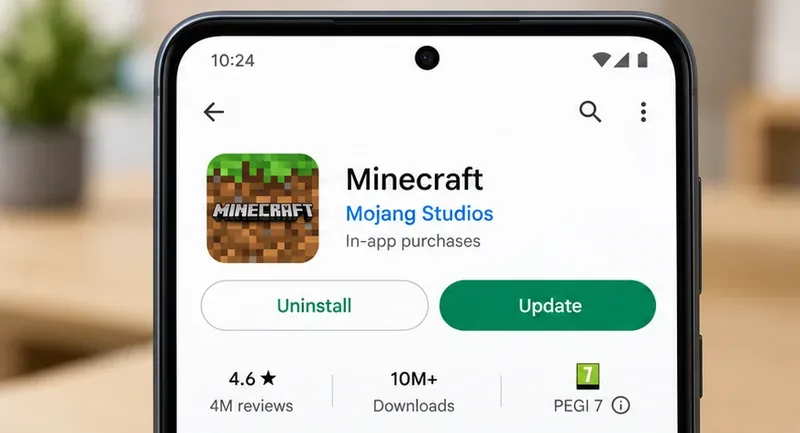
Open the Minecraft listing in the Play Store and confirm the developer is Mojang. If the page offers Update, install that update there. If it says the app is unavailable for your device, use Google Play’s compatibility information rather than looking for an APK on another site. Mojang’s mobile update instructions say to compare the version shown on Minecraft’s launch screen with the version in the official store listing; version numbers change, so do not rely on an old “1.21.30 or later” claim.
An illustrative Play Store listing view: confirm the Mojang app and use the current Update or Open action.
Google’s single-app download guidance also recommends checking whether an app is available for the device when one specific app will not install.
2. Check the connection, storage, and device clock
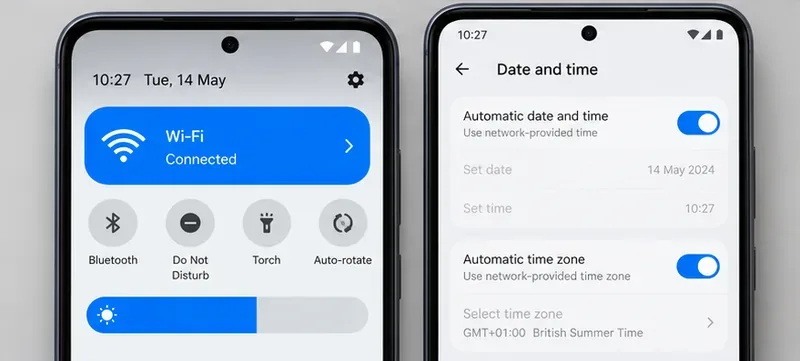
Close the Play Store, then try again on a stable Wi-Fi connection. If Wi-Fi is unreliable, test a strong mobile-data connection. Open Android Settings and check Storage; Google notes that less than 1 GB free can indicate low storage and may stop downloads. Free enough room for the game and its update, then restart the phone. Also make sure automatic date, time, and time-zone settings are enabled. Menu names vary across Android versions and phone makers.
Check for a working connection and automatic date and time before retrying a download.
These are Google’s basic troubleshooting checks for stuck Play Store downloads. If the download works on one network but not another, keep using the reliable connection and troubleshoot the router or mobile service separately; changing DNS is not a guaranteed Minecraft fix.
3. Clear the Google Play Store cache, not Minecraft data
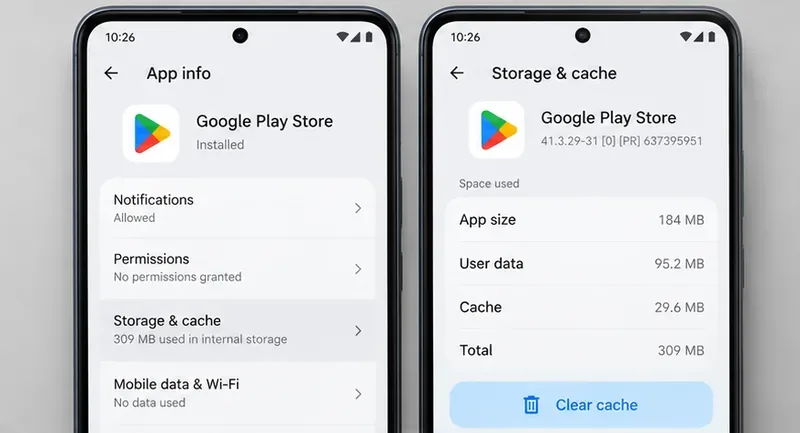
If Minecraft alone is stuck in Google Play, long-press the Play Store icon, open App info, then choose Storage & cache and Clear cache. Reopen the Store and retry. The exact labels can vary by Android version. Clearing the Play Store cache is different from clearing Minecraft’s storage: do not tap Clear storage or Clear data for Minecraft as a first-line fix, because local worlds and settings may be stored on the device.
Clear the Google Play Store cache only, then reopen the Store and retry.
If several apps are failing to download, follow Google’s broader Play Store download troubleshooting guide. Google warns that clearing Play Store storage can reset preferences such as parental controls and password protection. Avoid clearing Google Play services data unless Google’s guidance specifically calls for it and you understand the account and payment information that may need to be set up again.
4. Back up worlds before reinstalling Minecraft
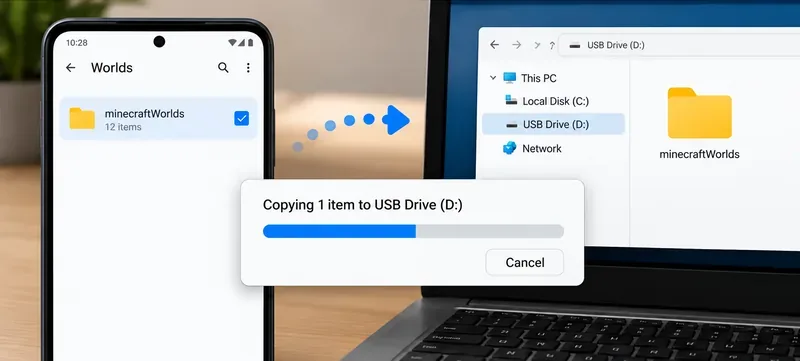
Reinstalling is a later step, not a safe first move. Before uninstalling Minecraft or removing files, make a separate copy of your worlds. Mojang’s Android backup instructions apply to worlds created with File Storage Location set to External. If you cannot see or copy your worlds, stop and use Mojang’s backup directions or support instead of deleting folders. A Microsoft account sign-in does not by itself guarantee that every locally saved world is backed up.
Back up the worlds folder to separate storage before considering a reinstall.
After confirming a backup, use Mojang’s official Android installation-error instructions if a previous or partial installation left files that block a fresh install. Follow the listed cleanup steps exactly; do not delete unrelated folders. Then reinstall Minecraft from the same official Play Store listing and check that your worlds are present before removing the backup copy.
If the download is inside the Marketplace
If Minecraft itself opens but a Marketplace pack, skin, or world will not download, clearing the Play Store cache may not address it. Confirm that you are signed in to the Microsoft account that owns the item, check the connection, close and reopen Minecraft, and retry once. Mojang’s Marketplace error-code guidance says an error screen can reflect a sign-in or connection problem that may be temporary. Do not purchase the same item again just to test the download; first confirm its ownership and status in the account you used.
When to contact support
If the message remains, record the exact wording and where it appeared, the Android device and OS version, the Minecraft version shown on the launch screen, whether other Play Store downloads work, and whether the failure concerns the game or a specific Marketplace item. Send those details through Minecraft Support for an in-game or Minecraft installation problem, or Google Play Help if multiple Play Store downloads are affected. Never include your account password or recovery codes in a support post.