How to Check Real-Time Server Latency in the PUBG HUD

Enable PUBG’s network statistics HUD to monitor ping and packet loss in a match. See where to find it, what the numbers mean, and what they cannot diagnose.
Minecraft Error 422 is best understood as a fan-made horror story and a collection of playable recreations—not a verified error code for the normal Minecraft Java Edition or Bedrock Edition client. The legend describes a supposedly lost, corrupted build that changes the rules of the game. Some creators have turned that idea into real mods, but an intentional horror effect is not evidence of a hidden, haunted official release.
This fact-check separates what the story claims, what mod creators actually built, and what Mojang's support resources can tell you if your own game suddenly crashes.

In Minecraft Error 422 creepypasta lore, a normal-looking game gradually becomes hostile. Depending on the retelling, the menu may appear damaged, familiar blocks behave unpredictably, the soundscape turns unsettling, and unexpected messages or crashes interrupt play. The scary idea is that the world itself is working against the player.
The important distinction is between a creepypasta (a story circulated online), a fan-made executable or altered game build, and official Minecraft. They are different things. Fan wiki entries often blend plot details, screenshots, downloads, and user edits into a single narrative, so they should not be read as Mojang's version history. Accounts of exactly who first published Error 422, or which year it first appeared, conflict and cannot be established reliably from the available primary evidence.
| Claim | What the evidence supports |
|---|---|
| “Error 422” is a standard Minecraft error code. | Not substantiated. It is not listed as a named vanilla client error in the official Minecraft troubleshooting resources reviewed. |
| HTTP 422 is a real technical status. | True. HTTP 422 Unprocessable Content is a web response status; sharing the number does not make it a Minecraft diagnostic. |
| The creepy behavior can appear in a playable game. | True in fan modifications. The ERROR422 mod describes deliberately altered sound, interfaces, and world behavior. |
| A white-eyed intruder proves Minecraft is cursed. | Fiction, not a diagnosis. Horror media can include entities and staged visual effects; such images do not establish an official feature. |
| A crash after installing Error 422 means something supernatural happened. | No. The mod author explicitly documents a deliberate crash condition and significant changes to vanilla code. |
For the first claim, compare the game's official error-code troubleshooting section and Minecraft technical support hub. For the second, see the HTTP 422 specification explanation on MDN.
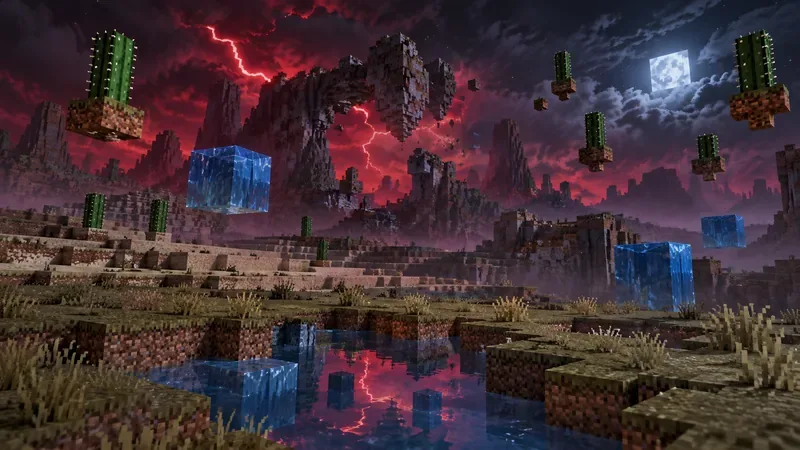
The most concrete part of the mystery is a public fan project named ERROR422. On its published mod page, creator siepert describes a port inspired by the earlier EXE experience. Its purpose is slow-burn horror: rather than simply spawning a conventional monster, it makes familiar systems seem unreliable.
As documented on the project's CurseForge listing and Modrinth listing, its described effects include random lightning, occasional fires, scrambled item names, changing day cycles, corrupted-looking interface elements, static in place of music, and strange block behavior. The author also warns that the mod changes a substantial amount of vanilla code and may conflict with other mods.
One particularly revealing detail is that the creator says the mod can intentionally crash the game when cheats or Creative mode are enabled, unless that behavior is changed in the configuration. Multiplayer is disabled by default and is not presented as supported. Those are programmed rules of a horror project, not mysterious evidence about your computer.
No. The mod author explicitly calls the public project a port of the EXE version. A modern mod-loader package, a circulated standalone executable, and a narrated video may share themes without having identical behavior or provenance. Never assume that a download claiming to be an “original lost Minecraft version” is genuine or safe.
Minecraft's sandbox design makes the legend effective. Players expect procedural terrain, ambient cave noises, occasional bugs, and unusual structures. A staged glitch can therefore resemble something that might happen naturally. Videos further blur the distinction between recorded vanilla gameplay and modded footage.
Error 422 also benefits from the cultural memory of Herobrine. Mojang has repeatedly included the playful line “Removed Herobrine” in official release notes, including the Java Edition 1.21 Tricky Trials notes. That longstanding joke is part of Minecraft folklore, not confirmation that a secret creature was removed or that Error 422 exists in official builds.
If a strange error appears, focus on where it came from before trying a fix. A screenshot by itself cannot establish which software was running.
Mojang's fresh Java installation instructions explain the clean-profile approach. If the problem is a legitimate crash, follow the relevant advice for your actual game version and system instead of applying generic “Error 422” fixes.

If you are interested in the Error 422 horror mod as a game experience, treat it like any experimental modification. Download only from a project page you can inspect, match the exact Minecraft version and mod loader shown for the chosen file, and read compatibility notes before playing. The referenced CurseForge listing shows a NeoForge file for Java Edition 1.21.1; consult the live project listing rather than assuming a package supports every later version.
Use a separate installation and disposable test world. Back up anything valuable, avoid running unknown EXE files, and do not disable antivirus protection to make a questionable download work. Even a mod hosted on a recognized platform can be incompatible with your setup or behave in ways you did not expect. These precautions protect your files; they are not a claim that any particular mod has been security-audited.
There is no verified official Minecraft client error called “Error 422” in the support material reviewed. The named horror experience and its recreated glitches are fan-made.
That phrase resembles the older naming of HTTP 422, a real web protocol status. It should not be treated as an explanation for a Minecraft crash merely because a video or image places those words together.
The linked public ERROR422 mod is described as a Java Edition project using NeoForge. Its listing does not establish an official Bedrock release; check the exact edition and platform before trusting any similarly named download.
Not necessarily. A fan wiki can document fictional lore and community creations accurately as fiction. The mistake is reading an in-universe “lost version” story as if it were an authenticated Mojang release history.
Minecraft Error 422 is compelling horror folklore with real community-made recreations, not a confirmed secret Minecraft error. The most useful way to enjoy the mystery is to keep the categories separate: story claims belong to the legend, mod behaviors belong to the creator's software, and genuine crashes require ordinary technical troubleshooting. That distinction lets you explore the spooky side of Minecraft without mistaking fiction for fact.
Enable PUBG’s network statistics HUD to monitor ping and packet loss in a match. See where to find it, what the numbers mean, and what they cannot diagnose.
Learn how to import VALORANT crosshair codes, compare presets with manual settings and spectator copy, and fix common import issues.
Choose Dota 2 minimap size, hero icons, team colors, and background settings by readability, fewer misclicks, and clear results on your own display.
Fix Fortnite texture pop-in on PC with official steps for GPU drivers, file verification, DirectX 12, high-resolution textures, VRAM, SSDs, and stutter.
Learn what Heroes of the Storm minimap size and position options are verified, improve readability, and choose camera-click controls that suit you.
Set Super Smash Bros. Ultimate Quickplay to prefer hazards-off stages. Follow the Preferred Rules menu steps and learn why matchmaking may not always honor them.
Enable Server Latency and Packet Loss in Warzone to monitor connection quality, read the overlay, and use recurring spikes to guide troubleshooting.
Learn how to carry from mid lane in League of Legends by setting up waves, choosing safe roam windows, reading side lanes, and converting pressure into objectives.
Fix Minecraft Evoker spell problems with a safe vanilla test, version checks, log review, and a step-by-step way to isolate mod or datapack conflicts.
Fix PUBG stuck on Initializing on Steam with a focused checklist for PC service notices, launch options, game files, downloads, and connection issues.








