
🔧 Ultimate Guide: How to Clean PS5 Heatsink for Epic Cooling & No More Throttling!

Hey, fellow gamer! 😎 Is your PS5 running hot during those marathon sessions in Elden Ring or Call of Duty? Dust buildup on the PS5 heatsink is the silent killer of performance, causing throttling, loud fans, and shutdowns. Cleaning it restores factory-fresh cooling, drops temps by up to 20°C, and keeps your games buttery smooth. This guide delivers a precise, gamer-friendly walkthrough—let's dive in and revive your console! 🚀

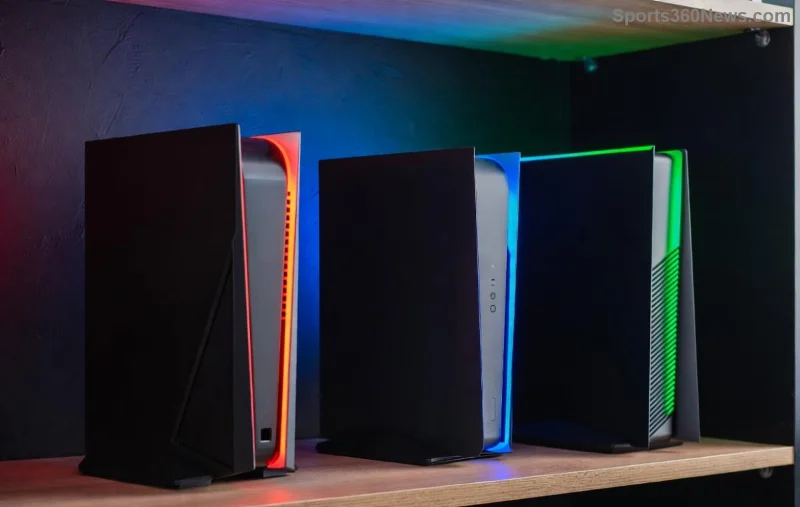
PS5 console with dust visible on vents, highlighting need for heatsink cleaning

Why Clean Your PS5 Heatsink? The Gamer's Wake-Up Call

The PS5 heatsink is a massive aluminum beast that pulls heat from the APU (CPU/GPU combo). Dust clogs its fins, blocking airflow and spiking temps to 90°C+. Result? Frame drops, crashes, and a fan that sounds like a jet engine. Regular cleaning every 6-12 months (or sooner in dusty rooms) ensures better PS5 cooling, longer lifespan, and max FPS. Pro tip: Pair it with fresh thermal paste for god-tier results. Ready to level up? Let's gear up! ⭐

Tools You'll Need: Your PS5 Cleaning Kit

Gather these essentials for a safe, efficient clean. No fancy gadgets required!

🛠️ Tool Why It's Essential Where to Get It
Phillips #0/#1 screwdriver Removes base screws precisely Amazon or iFixit kit
Isopropyl alcohol (90%+) Dissolves dust & grime safely Electronics stores
Microfiber cloths & cotton swabs Lint-free wiping & tight spots Any tech shop
Compressed air can Blasts dust without scratches PC part suppliers
Plastic spudger or guitar pick Pries panels gently iFixit or DIY
Thermal paste (Arctic MX-6 or Noctua NT-H2) Reapplies for optimal heat transfer Recommended for full service

💡 Pro Gamer Tip: Work in a static-free space. Ground yourself with an anti-static wristband to protect internals.

Step-by-Step: How to Clean PS5 Heatsink Like a Pro

⚠️ Warning: This voids warranty if not careful—back up saves first! Power off, unplug, and let cool 30 mins. Time: 45-90 mins. Follow these steps religiously for flawless results.

  1. 1️⃣ Disassemble the Base
    Flip your PS5 (disc or digital). Remove 3-4 screws on the bottom with Phillips screwdriver. Gently pry the black plastic cover—use spudger to avoid snaps. Expose the fan & heatsink assembly. Snap a photo for reassembly!
  2. 2️⃣ Remove the Side Panel & Fan
    Slide off the glossy side panel (no screws!). Disconnect fan cable (pull tab gently). Unscrew fan (4 screws), lift out. Boom—PS5 heatsink in full view, fins caked in dust? 😤
  3. Close-up of dusty PS5 heatsink fins before cleaning
  4. 3️⃣ Blast Away Dust
    Tilt console vertically. Use short bursts of compressed air on PS5 heatsink fins—from top to bottom. Shake can between bursts. Repeat 5-10x until dust flies free. No vacuum—static risk!
  5. 4️⃣ Deep Clean with Alcohol
    Dampen microfiber cloth/swabs with isopropyl. Wipe heatsink fins gently—never soak! Target crevices. Let dry 10 mins. Your heatsink now sparkles! ✨
  6. 5️⃣ Optional: Repaste the Heatsink
    For elite cooling, remove heatsink screws (8-10 Torx/Phillips). Peel old paste with alcohol. Apply pea-sized new paste to APU. Realign & torque evenly (don't overtighten). This drops temps another 10°C!
  7. 6️⃣ Reassemble & Test
    Reverse steps: Fan in, cables connected, panels snapped. Screw base tight. Power on—monitor temps with free apps like PS5 Safe Mode or telemetry tools. Fan quieter? Temps under 70°C? Victory! 🎉
Clean PS5 heatsink after maintenance, ready for optimal cooling

Common Mistakes to Avoid: Don't Brick Your PS5!

  • ❌ Skipping static protection—zaps components.
  • ❌ Over-spraying liquid—causes shorts.
  • ❌ Bending fins—ruins airflow forever.
  • ❌ Ignoring thermal paste—half-measures fail.

Stuck? Check iFixit's detailed teardown: iFixit PS5 Heatsink Guide. Official Sony advice: Sony PS5 Maintenance.

Post-Clean Boosts: Maximize PS5 Cooling Long-Term

Keep the wins coming:

  • Vertical stand with airflow vents clear. 👍
  • Filter dust with mesh covers (3D print or buy).
  • Room temp under 25°C—no blankets!
  • Schedule cleans seasonally for dusty gamers.
Result? Silent operation, 4K/120FPS glory, and a console that lasts years. Feeling the hype? Your PS5 is now a cooling beast—game on without limits! 🚀

FAQs: Quick Wins for PS5 Heatsink Cleaning

Q: Does cleaning void warranty? Only if damaged—Sony service centers do it officially.
Q: How often for heavy gamers? Every 6 months.
Q: Slim model different? Similar process, fewer screws—same principles.

Transformed your rig? Share temps in comments! Stay cool, stay winning. 👊


Leave a Comment

PlayStation Plus vs. Game Pass: Why Sony’s Service Absolutely Dominates for Gamers

PlayStation Plus vs. Game Pass: Why Sony’s Service Absolutely Dominates for Gamers

Dive into PlayStation Plus vs. Game Pass comparison. Discover why Sony’s service excels with superior exclusives, value, and features that every gamer craves in the latest showdown.

🔧 Ultimate Guide: How to Clean PS5 Heatsink for Epic Cooling & No More Throttling!

🔧 Ultimate Guide: How to Clean PS5 Heatsink for Epic Cooling & No More Throttling!

Master how to clean the PS5 heatsink step-by-step. Boost cooling, prevent overheating, and unlock peak gaming performance on your PS5. Simple, safe tips for gamers.

Level Up Fast: Skyrocket Your PlayStation Stars Status for Epic Rewards! 🎮

Level Up Fast: Skyrocket Your PlayStation Stars Status for Epic Rewards! 🎮

Master leveling up your status in PlayStation Stars to unlock massive rewards. Proven tips to earn more points, climb ranks from Bronze to Platinum, and maximize gaming perks like exclusive trophies and collectibles. Start boosting today!

Fix PS4 Controller Stick Drift Forever: Ultimate DualShock 4 Repair Guide

Fix PS4 Controller Stick Drift Forever: Ultimate DualShock 4 Repair Guide

Struggling with stick drift on your PS4 DualShock 4 controller? Discover proven, step-by-step fixes for fixing stick drift on PS4 DualShock 4 controllers, from DIY cleaning to pro replacements. Save money and get back to gaming!

🔥 Ultimate Hack: How to Remove an Old Email from Your Microsoft Xbox Account in Minutes!

🔥 Ultimate Hack: How to Remove an Old Email from Your Microsoft Xbox Account in Minutes!

Struggling with an outdated email on your Xbox? Discover the step-by-step guide on how to remove an old email from your Microsoft Xbox Account effortlessly. Update now for seamless gaming!

How PlayStation Shaped Modern Pop Culture: Epic Games, Icons, and Global Influence

How PlayStation Shaped Modern Pop Culture: Epic Games, Icons, and Global Influence

Discover the profound impact of PlayStation on modern pop culture. From blockbuster games to esports dominance, explore how PlayStation redefined entertainment, fashion, music, and communities worldwide.

Ultimate Guide: Fix High Latency & Lag on Xbox Live – Lag-Free Gaming Now! 🎮

Ultimate Guide: Fix High Latency & Lag on Xbox Live – Lag-Free Gaming Now! 🎮

Struggling with high latency and lag on Xbox Live? Discover proven step-by-step fixes to eliminate lag, optimize your connection, and dominate online games. Wired tips, NAT fixes, and more for smooth gameplay.

🚀 Unlock Your PlayStation FAST: Fix Account Temporarily Locked in Minutes!

🚀 Unlock Your PlayStation FAST: Fix Account Temporarily Locked in Minutes!

Stuck with "Account Temporarily Locked" on PlayStation? Discover proven steps to fix your PSN account lock quickly, avoid future issues, and dive back into gaming without frustration. Expert guide for PS5 & PS4 users.

Ultimate Guide: How to Connect Xbox Controller to Smart TVs in Minutes – No Hassle Gaming!

Ultimate Guide: How to Connect Xbox Controller to Smart TVs in Minutes – No Hassle Gaming!

Master how to connect Xbox controller to Smart TVs effortlessly. Step-by-step for Samsung, LG, Android TV & more. Boost your couch gaming experience today!

Turbocharge Your PS5 SSD: Fix Slow Transfer Speeds in Minutes!

Turbocharge Your PS5 SSD: Fix Slow Transfer Speeds in Minutes!

Tired of sluggish game transfers on your PS5 SSD? Unlock blazing-fast speeds with our expert fixes. Step-by-step guide to optimize PS5 SSD performance and eliminate slow transfer speeds forever.









