๐Ÿ”ง Fix Voice Chat Not Working in Valorant Console: Ultimate Troubleshooting Guide

Hey, Valorant squad! Nothing kills the vibe like voice chat problems in Valorant console mid-match. Whether you're on PS5 or Xbox, dropping comms can cost rounds. Don't sweat itโ€”this guide has your back with proven, up-to-date fixes. We'll tackle everything from basic glitches to console-specific quirks, so you can call those clutches loud and clear. Let's dive in and get your team talking! ๐Ÿš€

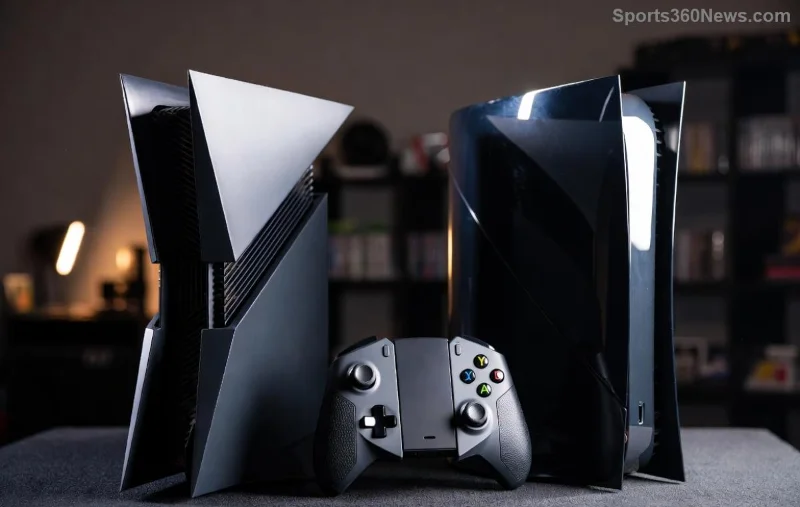
Valorant players communicating via voice chat on console

Common Voice Chat Problems in Valorant Console ๐Ÿ‘ฅ

Before fixing, spot the issue. Here's what gamers report most:

  • No one hears you (mic muted or undetected).
  • No incoming audio (others sound silent).
  • Voice chat lag or distortion (choppy, robotic voices).
  • Voice chat crashes mid-game on PS5/Xbox.
  • Push-to-talk fails despite perfect setup.

These hit hard in rankedโ€”stay calm, solutions are next! Keep reading for quick wins.

Basic Troubleshooting Steps for Valorant Console Voice Chat โœ…

Start simple. Most issues vanish here. Follow these in order:

  1. ๐Ÿ”Š Check In-Game Settings
    Open Valorant > Settings > Voice Chat. Ensure:
    • Voice Chat: On.
    • Input/Output Device: Correct headset/mic.
    • Push-to-Talk or Open Mic: Test both.
    Test in Practice Rangeโ€”hear yourself? Good, move on!
  2. ๐ŸŽง Verify Console Audio Settings
    PS5: Settings > Sound > Microphone > Enable > Adjust Input Volume.
    Xbox: Settings > General > Volume & Audio Output > Party Chat Output: Headset.
    Pro tip: Set mic level to 80-100% for clarity.
  3. ๐Ÿ”„ Restart Everything
    Close Valorant, restart console, relaunch. Clears temp glitches 90% of the time!
  4. โœ… Update Valorant & Console
    Ensure latest patchesโ€”Riot rolls out voice fixes regularly. PS5/Xbox auto-update if enabled.

Still muted? No worries, advanced fixes ahead will nail it. ๐Ÿ˜Ž

Advanced Fixes for Stubborn Voice Chat Problems in Valorant Console ๐Ÿ› ๏ธ

If basics flop, level up. These target deeper issues:

Issue Quick Fix Console Tip
Mic Not Detected Re-pair headset. Delete & re-add controller audio profile. PS5: Safe Mode > Clear Cache. Xbox: Power Cycle (hold power 10s).
No Output Sound Disable/enable Voice Chat in settings. Toggle Party Chat off. Switch HDMI Audio to Linear PCM (PS5 Sound settings).
Lag/Distortion Lower NAT Type: Open NAT via router port-forward (UDP 7000-8000). Test wired connection over Wi-Fi for stability.
Crashes Clear Valorant cache: Uninstall/reinstall game (saves progress). Check Riot status for outages.

Bonus: Use third-party apps like Discord as backup, but prioritize in-game for low latency.

Troubleshooting voice chat settings in Valorant on PS5 console

PS5 vs Xbox: Console-Specific Valorant Voice Chat Troubleshooting ๐ŸŽฎ

Tailor fixes to your rig:

PS5 Voice Chat Issues

  • Enable "Listen to Microphone" in Sound settings.
  • Activity Icons off: Reduces interference.
  • Reset Audio Devices via Safe Mode (hold PS button > Restart to Safe Mode).

Xbox Voice Chat Fixes

  • Party Chat: Set to "Headset only" for Valorant.
  • Check Xbox Network Settings > Test NAT Type (aim for Open).
  • Controller firmware update via Accessories app.

Pro gamer hack: Test mic in another game like Fortnite. Works there? It's Valorant-specificโ€”reinstall!

Xbox and PS5 controllers with Valorant voice chat setup

Prevention Tips: Keep Valorant Console Voice Chat Smooth Forever ๐ŸŒŸ

Lock in wins long-term:

  1. Use wired headset for zero lag.
  2. Stable internet: Ethernet > Wi-Fi always.
  3. Monitor Riot's official status: Riot Status Page.
  4. Join Valorant Console Discord for real-time tips from pros.

For official deep dives, check Riot's support hub: Valorant Voice Chat Support.

Ready to Clutch? Final Thoughts ๐ŸŽ‰

There you have itโ€”your all-in-one shield against troubleshooting voice chat problems in Valorant console. From quick toggles to pro tweaks, you'll be barking orders like a Radiant in no time. Tried these? Drop your wins in the comments belowโ€”what fixed it for you? Squad up, communicate sharp, and dominate! ๐Ÿ’ฅ

Glitch-free gaming starts now. Share this guide and frag on! ๐Ÿ‘Š


Leave a Comment

Ultimate Guide: Where to Buy PlayStation 5 Bundles with Extra Controllers & Score Epic Deals!

Ultimate Guide: Where to Buy PlayStation 5 Bundles with Extra Controllers & Score Epic Deals!

Unlock the best spots to buy PlayStation 5 bundles with extra controllers. From Amazon to Sony Store, find unbeatable deals on PS5 bundles packed with DualSense extras for ultimate multiplayer fun. Save big today!

๐Ÿš€ Ultimate Guide: How to Set Up Your PlayStation VR2 for the First Time โ€“ Instant VR Immersion!

๐Ÿš€ Ultimate Guide: How to Set Up Your PlayStation VR2 for the First Time โ€“ Instant VR Immersion!

Master how to set up your PlayStation VR2 for the first time with this step-by-step guide. From unboxing to calibration on PS5, dive into stunning VR worlds hassle-free. Essential for new PSVR2 owners!

๐Ÿš€ Fix PlayStation App Sign-in Failed Error Instantly: Proven 2026 Solutions

๐Ÿš€ Fix PlayStation App Sign-in Failed Error Instantly: Proven 2026 Solutions

Struggling with PlayStation App "Sign-in Failed" errors? Discover step-by-step fixes for PS app login issues, from quick restarts to advanced troubleshooting. Get back to gaming hassle-free!

Ultimate Tips for Keeping Your Kids Safe on PlayStation Network โ€“ Parents Must-Know Guide

Ultimate Tips for Keeping Your Kids Safe on PlayStation Network โ€“ Parents Must-Know Guide

Discover proven tips for keeping your kids safe on PlayStation Network. Master parental controls, privacy settings, and online safety strategies for secure gaming fun. Essential guide for worried parents.

Unlock Epic AAA Blockbusters: Best Games You Get by Upgrading Your PS Plus Now!

Unlock Epic AAA Blockbusters: Best Games You Get by Upgrading Your PS Plus Now!

Dive into the best games unlocked by upgrading your PS Plus to Extra or Premium tiers. From Spider-Man 2 to God of War Ragnarök, discover must-play titles that make the upgrade worth every penny for serious gamers. Latest catalog highlights included!

PS5 Pulsing Blue Light Mystery Solved: What It Really Means & Quick Fixes! ๐Ÿš€

PS5 Pulsing Blue Light Mystery Solved: What It Really Means & Quick Fixes! ๐Ÿš€

Discover what a pulsing blue light on your PS5 means, from normal Rest Mode signals to troubleshooting tips. Fix issues fast and get back to gaming!

Upgrade Smart: Best Places to Trade In Your Old Console for a New PS5 & Save Hundreds!

Upgrade Smart: Best Places to Trade In Your Old Console for a New PS5 & Save Hundreds!

Unlock massive savings by trading in your old console for a PS5. Compare top spots like GameStop, Best Buy & more for the best deals on PS4, Xbox trades.

Unlock Endless Fun: How to Share PS Plus Free Games with Family Effortlessly! ๐ŸŽฎ

Unlock Endless Fun: How to Share PS Plus Free Games with Family Effortlessly! ๐ŸŽฎ

Master how to share PS Plus free games with family on PS5 and PS4. Step-by-step guide to family sharing, primary console setup, and tips for maximum gaming joy without extra costs. Save money and play together!

Fix You Must Own This Game Error in Steam Gamesharing: Proven Solutions 2026

Fix You Must Own This Game Error in Steam Gamesharing: Proven Solutions 2026

Tired of the "You Must Own This Game" error ruining your Steam gamesharing? Get step-by-step fixes for family sharing issues, quick troubleshooting, and prevention tips to keep gaming seamless. Updated for the latest Steam updates.

๐Ÿš€ Lock Down Your Xbox NOW: Proven Steps to Secure Your Account After Email Change

๐Ÿš€ Lock Down Your Xbox NOW: Proven Steps to Secure Your Account After Email Change

Follow these essential steps to secure your Xbox account after an email change. Enable 2FA, review activity, and protect your games from hackers in minutes. Stay safe and game on!