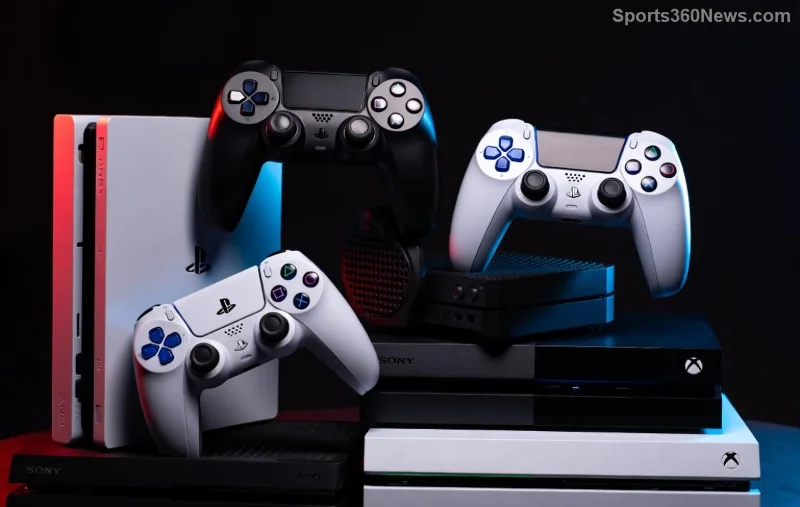
Hey, fellow gamer! 👋 Got that trusty DualShock 4 from your PS4 days and wondering how to sync your PS4 controller to PS5? You're in luck. Sony's backward compatibility means your PS4 controller works seamlessly on PS5 for most games. No need to splurge on a DualSense just yet. This guide delivers step-by-step instructions, troubleshooting, and gamer-approved tips to get you back in the action fast. Let's dive in and level up your setup! 🎮
🛠️ What You Need Before Syncing
Syncing is straightforward, but prep these essentials:
- ✅ A genuine PS4 controller (DualShock 4) – official or licensed works best.
- ✅ PS5 console updated to the latest firmware (check via Settings > System > System Software).
- ✅ Micro-USB cable for wired option (Bluetooth for wireless).
- ✅ Charged controller (at least 50% battery).
Pro Tip: Multiple PS4 controllers can pair to one PS5, but only one actively controls at a time. Ready? Choose your method below. ⭐
📡 Method 1: Wireless Sync (Bluetooth) – Easiest for Couch Gaming
The go-to for freedom: how to sync PS4 controller to PS5 via Bluetooth. Takes under 2 minutes!
- 👆 Power off your PS5 completely (not rest mode).
- 🔘 On the PS4 controller, press and hold the PS button + Share button (left of touchpad) until the light bar flashes white rapidly (pairing mode).
- 🚀 Turn on PS5 and go to Settings > Accessories > General > Bluetooth Accessories.
- 🎯 Select your PS4 controller (shows as "Wireless Controller" or DualShock 4). It pairs instantly – light bar turns solid blue!
- ✅ Test in a game. Vibration and all buttons? You're golden! 🎉
If it doesn't appear, reset the controller: Use a pin on the small hole back (near L2) for 5 seconds. Retry. Works on latest PS5 updates.
🔌 Method 2: Wired Sync – Quick Plug-and-Play
Prefer zero fuss? Wired is foolproof for PS4 controller PS5 pairing.
- 🔌 Plug the micro-USB cable into the PS4 controller and a PS5 USB port (front recommended).
- 🚀 Power on PS5. Controller lights up and syncs automatically – press PS button to confirm.
- ✅ Navigate menus or launch games. Unplug for wireless use (if previously paired).
Note: Firmware updates may auto-install via USB. Let it finish for peak performance.
![Step-by-step PS4 controller pairing on PS5 screen]()
❌ Troubleshooting Common Sync Issues
Stuck? No sweat – most sync DualShock 4 to PS5 glitches are quick fixes. Here's a handy table:
| Issue |
Solution |
| Controller not detected |
Reset controller (back pinhole), restart PS5, ensure no other devices paired. |
| Flashing orange/red light |
Low battery – charge fully. Or firmware mismatch – update via USB. |
| Bluetooth won't pair |
Unpair all accessories in Settings, then retry pairing mode. Avoid interference (routers nearby). |
| Input lag in games |
Use wired for precision gaming. Check game compatibility on PlayStation's official list. |
Still no joy? Factory reset PS5 accessories menu or test on another console. 99% success rate with these steps! 😎
⭐ Pro Tips to Maximize Your PS4 Controller on PS5
- 🎮 Game Compatibility: Plays PS4 titles perfectly. PS5 natives? Mostly works, but adaptive triggers missing (DualSense perk).
- 🔋 Battery Life: Expect 6-8 hours. Disable light bar in Accessories settings for extra juice.
- 👥 Multi-Controller: Pair up to 4 for local co-op. Label them 1-4 via PS button.
- 📱 Remote Play: Syncs to PS5 via PS App on phone – game anywhere!
- 🛡️ Customize: Remap buttons in PS5 Settings > Accessories for personalized play.
Want more? Explore haptic feedback hacks or third-party grips for that DualSense feel on your DualShock 4.
![Gamer using synced PS4 controller on PS5]()
❓ FAQ: How to Sync PS4 Controller to PS5 Answered
Q: Does every PS4 controller work on PS5?
A: Yes, official DualShock 4 V1/V2. Avoid knockoffs for lag-free sync.
Q: Can I use it for PS5 exclusive games?
A: Inputs work, but no adaptive features. Ideal for cross-gen titles.
Q: How to unpair?
A: Settings > Accessories > Bluetooth > Forget Device. Easy peasy!
Q: DualSense + PS4 controller together?
A: Absolutely – mix for multiplayer madness.
🎯 Wrap-Up: Game On!
Congrats! You've mastered how to sync your PS4 controller to PS5. Save cash, revive old gear, and dominate lobbies. Got tweaks or wins? Drop in comments below – let's build the ultimate gamer squad. Happy fragging! 🏆