How to Mute Opponent Little Legend Taunts in TFT

Mute TFT opponent emotes globally or for one player, learn what the setting affects, and check why some Little Legend animations may remain visible.
Hey, fellow gamers! 🎮 Dreaming of diving into the next-gen world with a shiny new PlayStation 5? But wait—online marketplaces are crawling with fake PlayStation 5 listings that could drain your wallet faster than a boss fight gone wrong. Don't let scammers ruin your gaming dreams. This guide arms you with how to spot fake PlayStation 5 listings online, packed with red flags, smart checks, and pro tips to land a legit console. Stick around, and you'll game with confidence! 👊
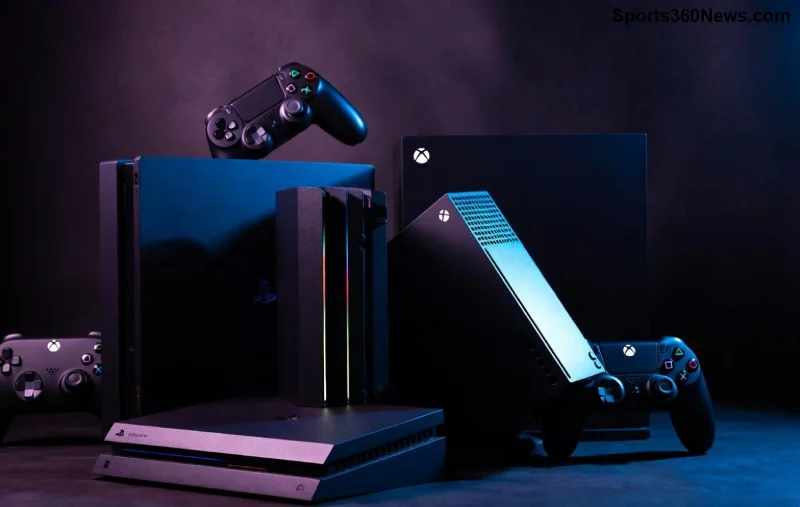
The biggest giveaway in fake PS5 listings is the price. A genuine PlayStation 5—whether Digital Edition or Disc version—hovers around official retail or slight discounts from trusted sellers. Scammers bait you with deals 30-50% off MSRP.
Why? Fakes are cheap knockoffs from shady factories. Compare across platforms like eBay, Facebook Marketplace, or Amazon. If it's suspiciously low, it's likely a fake PS5 scam. Pro tip: Use price trackers like CamelCamelCamel for Amazon history. 👀
Scammers love stock photos. Genuine PlayStation 5 listings feature high-res, unique shots from multiple angles, often with timestamps or seller watermarks.
| Real PS5 Images | Fake PS5 Images |
|---|---|
| Clear, original photos showing ports, vents, serial numbers | Blurry stock pics from Google, no unique details |
| Console powered on, controller paired | Sealed box only, generic backgrounds |
| Seller's hand or props for scale | Perfect, edited lighting (reverse image search fails) |
🔍 Action Step: Right-click images and reverse search via Google or TinEye. If they pop up everywhere, it's a copy-paste scam. Real sellers snap their own pics!
A legit seller has history. New accounts with zero feedback screaming fake PlayStation 5 listings? Massive red flag!
For Facebook or Craigslist, scan profile age and post history. Gaming enthusiasts sell gear with proof like unboxing videos. Scammers? Ghost profiles. Verify seller via video calls if possible—demand it for big buys!
Legit PS5 listings overflow with specifics. Fakes? Bare minimum to hook you fast.
Insist on PayPal Goods & Services or credit cards for buyer protection. Sony's official guide (PlayStation Warranty) lists verifiable traits like holograms on boxes. Cross-check!
Each site has unique pitfalls:
eBay/Craigslist: Watch for "Buy It Now" with no auction history. Use "Sold Items" filter.
Facebook Marketplace: Private messages pushing off-platform payment? Block and report.
Amazon Third-Party: "Fulfilled by Amazon" is safer; avoid new sellers.
Bonus: Official resellers like Best Buy, GameStop, or Sony Direct rarely scam. Their genuine PlayStation 5 stock beats risky deals.
Level up your scam-spotting:
If it feels off, walk away. Better safe than sorry—your gaming setup deserves authenticity!
Spotted a fake PS5 listing? Report it:
Refund warriors: Dispute via bank/PayPal within 60 days. Share your story in gaming forums to save others! 🛡️
Mastering how to spot fake PlayStation 5 listings online means epic wins ahead—no more scam wipes. Prioritize authorized sellers, trust your gut, and verify everything. Ready to grab that real PS5? Check Sony's store or big retailers first. Drop a comment below: What's your closest scam call? Let's keep the community safe. Game on! 🚀
Stay vigilant, gamers—your next adventure awaits on a legit console.
Mute TFT opponent emotes globally or for one player, learn what the setting affects, and check why some Little Legend animations may remain visible.
Customize SCV, Probe, and Drone production hotkeys in StarCraft: Remastered, avoid selection mistakes, and verify your bindings in a practice game.
Compare Halo Infinite enemy outline colors by background, friendly-team contrast, and visual preference, with practical opacity and thickness checks.
Compare Fortnite colorblind modes for Storm visibility, try a moderate strength, and check terrain, silhouettes, and item colors before keeping a preset.
Find a practical Dead by Daylight HUD scale starting point, learn the difference between UI Scale and In-Game HUD Scale, and fine-tune visibility for your screen and role.
Compare cyan, magenta, lime, and orange RGB values for CS2, learn the tradeoffs, and test a crosshair color and outline across varied map backgrounds.
Troubleshoot StarCraft II’s graphics device error on Windows with a beginner-friendly sequence: restart, reset game options, check GPU selection, update drivers, and repair files.
Learn what Target Compensation does in Apex Legends, why On is the best starting point for most controller players, and how to test it safely in the Firing Range.
Set up Apex Legends tap-strafe keybinds with wheel up for forward and wheel down for jump, then check weapon conflicts, timing, and comfort on PC.
Hide the FC Trainer during a match or disable only selected prompts. Learn how to distinguish Trainer arrows from player markers, PlayStyle icons, and input overlays.


