

Xbox One Reset? Your Ultimate Step-by-Step Guide to Get Gaming Again Fast!

Resetting your Xbox One console can breathe new life into your gaming rig, fixing glitches and starting fresh. But what comes next? Don't worry, gamer—this guide covers what to do after resetting your Xbox One console with precise, up-to-date steps. You'll be back dominating leaderboards in no time. Let's dive in! 🚀
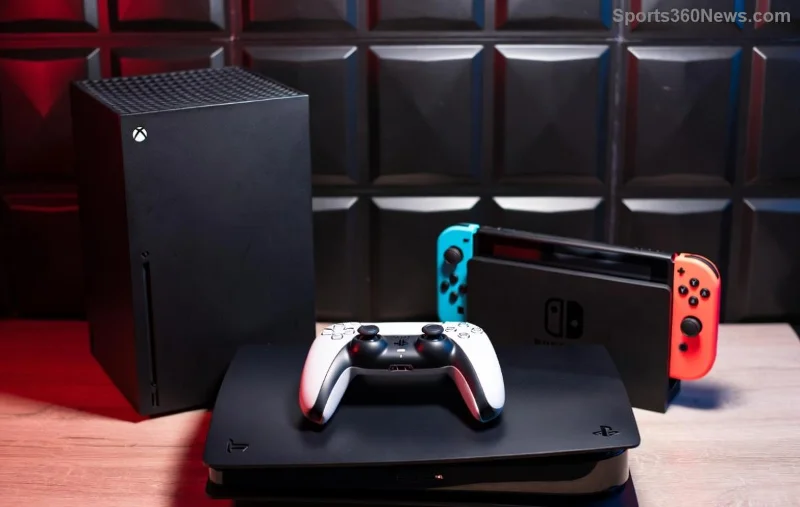
Xbox One console powering on after reset

1️⃣ Step 1: Power On and Complete Initial Setup

Your Xbox One is wiped clean after a factory reset, so treat it like day one. Here's the quick flow:

  1. Plug in and power up: Connect your controller via USB if wireless fails initially. Press the Xbox button to boot.
  2. Select language and region: Match your preferences for seamless access to stores and services.
  3. Connect to the internet: Wi-Fi or Ethernet is crucial. Stable connection speeds up everything—aim for at least 10Mbps for downloads.
  4. Sign in to your Microsoft account: This is key! Use the email tied to your Xbox profile. No account? Create one at account.microsoft.com.

Pro tip: Enable automatic updates during setup to avoid future headaches. You're now past the basics—feeling that fresh start vibe? Keep going! 👍

2️⃣ Step 2: Install the Latest System Update

Post-reset, your Xbox One needs the newest firmware for security, performance, and new features. Microsoft rolls out updates regularly, so grab the latest immediately.

  • Go to Settings > System > Updates.
  • Check for updates—it'll download and install automatically if connected.
  • Restart when prompted. This takes 10-30 minutes, depending on your internet.

Why bother? Latest updates fix bugs, boost stability, and unlock backward compatibility perks. Your console's now optimized—time to reload your world! ⭐

3️⃣ Step 3: Restore Games, Apps, and Saves

Restoring Xbox One games and cloud saves after reset

The magic of cloud saves shines here. Most progress is safe if you used Xbox Live Gold or Game Pass.

ActionHow-ToTime Estimate
Reinstall GamesMy games & apps > Full library > Select and install. Prioritize via Manage game & add-ons.Minutes to hours (downloads)
Sync Cloud SavesAutomatic on sign-in. Check Settings > System > Storage > Cloud saved games.Instant
Redownload PurchasesMicrosoft Store > Library. Filter by owned.Download speed dependent

If saves didn't sync, connect to Xbox Support for recovery tips. External HDD? Plug it in—games reinstall directly if formatted for Xbox. Back in your saves? Epic wins await! 🎮

4️⃣ Step 4: Reconfigure Settings for Peak Performance

Reset erased custom tweaks, so personalize now:

  • Controller settings: Preferences > Devices & connections. Remap buttons for your playstyle.
  • Display & sound: TV & display options—enable 4K if supported, Dolby Atmos for immersion.
  • Privacy & online safety: Xbox privacy settings. Adjust for family or solo grinding.
  • Power mode: Instant-on for quick resumes.

Test with a quick game load. Smooth? You're golden. Tweak notifications to keep the focus on fun, not spam. 😎

5️⃣ Step 5: Troubleshoot Common Post-Reset Hiccups

Even pros hit snags. Quick fixes:

  • No sign-in? Reset password via Microsoft account recovery.
  • Update stuck? Clear cache: Hold power button 10s offline, then retry.
  • Games not appearing? Refresh library or check subscriptions.
  • Slow performance? Delete temp files in Storage settings.
Troubleshooting Xbox One after factory reset

For deeper issues, Xbox Support's diagnostic tool is a lifesaver—run it from the guide menu. Most resolve in minutes.

Bonus: Pro Tips to Prevent Future Resets

Stay ahead:

  • Regularly back up to external drives or OneDrive.
  • Join Xbox Insiders for beta updates.
  • Monitor storage—keep 20% free.
  • Game Pass Ultimate? All your faves are one reinstall away.

That's your roadmap for what to do after resetting your Xbox One console! From blank slate to battle-ready, you're set. Dive into that next quest—what's your first game back? Share in comments. Game on! 👏


Leave a Comment

How to Become a Roblox Influencer: Ultimate Step-by-Step Guide to Fame and Fortune

How to Become a Roblox Influencer: Ultimate Step-by-Step Guide to Fame and Fortune

Discover how to be a Roblox influencer with proven strategies. From content creation to audience growth and monetization, master the steps to Roblox stardom and build a thriving gaming career.

How Much Does It Cost to Upgrade PS Plus Mid-Year in 2026? Save Big with This Breakdown!

How Much Does It Cost to Upgrade PS Plus Mid-Year in 2026? Save Big with This Breakdown!

Discover exactly how much it costs to upgrade PS Plus mid-year in 2026. Get prorated pricing, tier comparisons, and tips to maximize savings on Essential, Extra, and Premium plans. Full guide inside!

Unlock Pro Vibes: How to Customize Your Fortnite Locker Like a Top Streamer!

Unlock Pro Vibes: How to Customize Your Fortnite Locker Like a Top Streamer!

Master how to customize your Fortnite Locker like a pro streamer. Discover epic outfits, killer wraps, and streamer secrets to dominate with style in every match. Level up your loadout now!

Dominate the Rift: Master League of Legends Jungle Invading Strategies

Dominate the Rift: Master League of Legends Jungle Invading Strategies

Unlock pro-level League of Legends Jungle Invading Strategies. Master pathing, timings, top champions, and vision control to steal camps, deny enemies, and snowball leads in the latest patches. Level up your jungle game now!

🚨 Reddits Wildest **Drowned Minecraft Error**: Surf Community Currents & Fix It in Minutes!

🚨 Reddits Wildest **Drowned Minecraft Error**: Surf Community Currents & Fix It in Minutes!

Dive into the **Redditing Drowned Minecraft Error** frenzy! Uncover what's causing crashes with Drowned mobs, latest **community currents** from Reddit, proven fixes for Java & Bedrock, and tips to keep your world afloat. Updated for 1.21+ patches.

Armoring Minecraft Errors: Gear Glitches Galore – Fix Your Buggy Armor NOW!

Armoring Minecraft Errors: Gear Glitches Galore – Fix Your Buggy Armor NOW!

Tired of Armoring Minecraft Errors ruining your gear? Dive into Gear Glitches fixes for Minecraft 1.21+. Step-by-step solutions to unbreakable armor glitches, dupes, and more for epic gameplay.

Sky-High Stunts Unleashed: Best Air Vehicles for GTA Online Domination!

Sky-High Stunts Unleashed: Best Air Vehicles for GTA Online Domination!

Unlock the ultimate thrill with the best air vehicles for stunts in GTA Online. Expert picks like the P-45 Nokota and LF-22 Starling for perfect loops, barrel rolls, and epic free roam feats. Master the skies now!

🚨 Fix Error Session Invalid Realms Minecraft: Kingdom Keys - Get Back Online in Minutes!

🚨 Fix Error Session Invalid Realms Minecraft: Kingdom Keys - Get Back Online in Minutes!

Tired of Error Session Invalid crashing your Minecraft Realms with Kingdom Keys mod? Follow our proven, step-by-step fixes for 1.21+ versions. No more frustration – play now!

Unlock Free Epic Games: How to Access PS Plus Collection on PS5 in Minutes!

Unlock Free Epic Games: How to Access PS Plus Collection on PS5 in Minutes!

Step-by-step guide to access the PS Plus Collection on your PS5. Claim top PS4 titles instantly with PlayStation Plus – perfect for gamers craving instant action!

🚨 Ultimate Fix: Thrown Exception Reported Thread Render Minecraft Error: Process Problems - Back to Gaming in Minutes!

🚨 Ultimate Fix: Thrown Exception Reported Thread Render Minecraft Error: Process Problems - Back to Gaming in Minutes!

Tired of the frustrating Thrown Exception Reported Thread Render Minecraft Error: Process Problems crashing your game? This step-by-step guide delivers proven, up-to-date fixes for Minecraft 1.21+ to restore smooth gameplay. No more crashes – dive in now!



