Hey, fellow gamers! 😀 Imagine diving into your massive digital library on multiple consoles without buying duplicates. That's the magic of Primary PS4 activation for game sharing. Whether you're sharing with siblings, roommates, or family, this feature lets one PS4 access all your games offline while others play online. Ready to level up your setup? Let's dive in!
What is Primary PS4 and Why It Rocks for Game Sharing
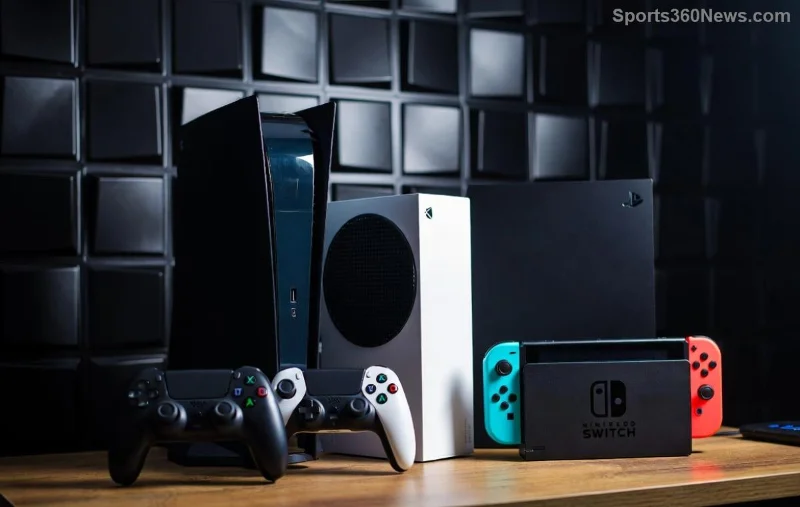
The Primary PS4 is your account's "home base" console. Once activated, any account on that PS4 can play your digital games—even offline. It's Sony's way of letting you share games PS4 style without limits on downloads or players (as long as one is online).
- ⭐ Key Benefits:
- Share AAA titles like God of War or FIFA with family—no extra purchases!
- Offline play for everyone on the primary console.
- Switch primaries if you upgrade consoles (deactivate first).
- Perfect for households with multiple gamers.
Pro tip: Only one primary PS4 per account, so choose wisely—your main living room rig!
Step-by-Step: How to Enable Primary PS4 Right Now 👉
Grab your controller; this takes under 2 minutes. Ensure you're signed in with the account owning the games (PSN primary account).
- Power Up and Sign In: Boot your PS4, go to home screen, and select your main PSN account from the top-right. Need multiple accounts? Add them via Settings > Account Management > Add Other User.
- Head to Settings: Scroll to Settings (gear icon) > Account Management > Activate as Your Primary PS4.
- Activate It: Select Activate as Your Primary PS4. Boom—confirmation pops up! If it's already primary, it'll say so.
- Test the Magic: Sign in with a secondary account on the same PS4. Download or launch a game from your primary library. Offline? It works!
![Close-up of PS4 settings menu for activating Primary PS4 feature]()
👍 Success? High-five! Now your squad can grind together.
Deactivate Primary PS4: When and How
Selling your console or moving? Deactivate remotely via web—no PS4 needed.
| Action | Steps | Notes |
|---|
| Deactivate on Console | Settings > Account Management > Deactivate | Quick local fix |
| Remote Deactivate | Account.Sony.com > Device Management > PS4 > Deactivate | Up to 50 consoles/account; resets after 6 months inactivity |
| Other Devices | PS5/Vita similar path | Check all linked devices |
Limit: 1 primary PS4 per account. Deactivate old ones to activate new. For official steps, visit PlayStation Support.
Troubleshooting Primary PS4 Game Sharing Issues ❌
Stuck? Common fixes:
- Error "Already Activated": Deactivate remotely first.
- Games Won't Play on Secondary: Ensure primary account is linked and online once for license check.
- PS5 Hybrid: PS5 shares similarly via Console Sharing—activate there too!
- Network Glitch: Restart PS4, check PSN status.
![PS4 game library shared across accounts after Primary PS4 activation]()
If issues persist, factory reset (backup saves!) or contact PlayStation Support.
Pro Tips to Maximize PS4 Game Sharing ⭐
Elevate your experience:
- Family Sharing: Use multiple PSN accounts—one primary owner.
- PS Plus Perks: Share online multiplayer access too!
- Backup Saves: USB or PS Plus Cloud—never lose progress.
- Combine with PS5: Primary PS4 + PS5 sharing = ultimate library.
- Stay Updated: Latest firmware ensures smooth game sharing PS4.
Bonus: Share DLCs and pre-orders seamlessly. Your wallet (and friends) will thank you! 😉
FAQs: Your Primary PS4 Questions Answered
| Question | Answer |
|---|
| Can I have multiple primaries? | No, 1 per PSN account. Deactivate to switch. |
| Does it work offline? | Yes, on primary console for all users. |
| PS4 Pro vs Slim? | Works on all PS4 models. |
| Share with non-family? | Yes, any accounts on the console. |
| Lost console? | Remote deactivate via Sony account. |
Still gaming solo? Time to share the joy! Activating Primary PS4 transforms your setup into a shared paradise. Drop a comment below—what game will you share first? Let's keep the convo going. Game on! 😀