Ultimate Guide: How to Get Your Xbox Game Refund FAST in 2026! ๐Ÿš€

Ever bought an Xbox game that just didn't click? ๐Ÿ˜ฉ Don't worryโ€”Microsoft's refund system is gamer-friendly and straightforward. Whether it's a mismatched title or a glitchy launch, you can often get your money back quickly. This guide breaks down how to request a refund for an Xbox game with the latest steps, tips, and tricks to maximize success. Stick around for pro tips that keep you playing smarter! โญ

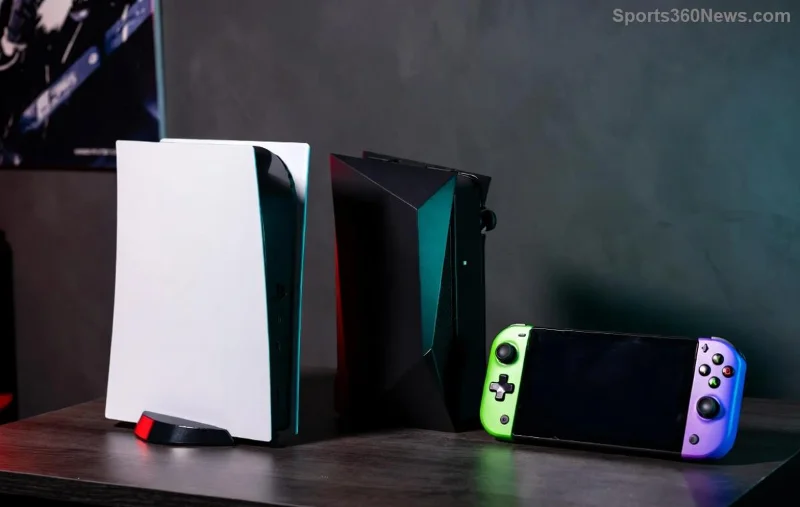
Xbox controller with refund icon overlay

Understanding the Xbox Game Refund Policy

Microsoft offers refunds for digital Xbox games purchased from the Microsoft Store, but there are key rules to follow:

  • Time Limit: Request within 14 days of purchase.
  • Play Time: Less than 2 hours of gameplay.
  • No Exploits: One refund per game per year; repeated requests may be denied.
  • Pre-Orders: Eligible before release if unclaimed.

Physical games? Return to the retailer. These rules ensure fair play for everyone. Pro tip: Check your playtime in your account settings before requesting! ๐Ÿ‘

Prerequisites Before Requesting Your Xbox Refund

Ready to dive in? Ensure you're set:

  1. 1๏ธโƒฃ Active Microsoft account linked to your Xbox.
  2. 2๏ธโƒฃ Purchase made via Microsoft Store (not third-party).
  3. 3๏ธโƒฃ Device: Xbox console, PC, or web browser.

If your game exceeds limits, consider support chat for exceptionsโ€”like major bugs. Now, let's get to the good stuff!

Step-by-Step: How to Request a Refund for an Xbox Game

Follow these exact steps for a smooth Xbox game refund. It takes under 5 minutes! โฑ๏ธ

Option 1: Via Web Browser (Easiest for All Devices)

  1. Log In: Head to account.microsoft.com and sign in with your Microsoft account.
  2. Find Order: Click "Services & subscriptions" > "Order history." Spot your Xbox game.
  3. Select & Request: Click the game > "Request a refund." Explain briefly (e.g., "Didn't meet expectations").
  4. Submit: Review and hit send. Expect email response in 24-48 hours!

Option 2: On Xbox Console

  1. My Games & Apps: Press Xbox button > "Store" > Recent purchases.
  2. Manage Game: Highlight game > Menu button > "Manage game and add-ons."
  3. Request Refund: Go to account.microsoft.com on a browser (console links out).

Option 3: Microsoft Store App on PC

Step Action
1 Open Microsoft Store > Library.
2 Right-click game > "Get refund."
3 Follow prompts and submit.

Success rate? High if within policy. Track status in your email or order history!

Step-by-step Xbox refund process illustration

What If Your Xbox Refund Request Gets Denied? ๐Ÿšซ

Bummer, but not the end! Here's how to bounce back:

  • Appeal: Reply to denial email with more details (screenshots of issues).
  • Live Chat: Visit Xbox Support for agent helpโ€”mention bugs or family sharing errors.
  • Exceptions: Major launch issues? Community backlash often sways decisions.

Gamers report 70%+ approval on first try when following rules. Persistence pays off! ๐Ÿ’ช

Pro Tips to Boost Your Xbox Game Refund Chances

โญ Tip 1: Screenshot purchase confirmation and playtime.

โญ Tip 2: Be honestโ€” "Not my style" works better than vague reasons.

โญ Tip 3: Use incognito mode for fresh login if glitches occur.

โญ Tip 4: Bundle refunds? Request separately for better odds.

FAQ: Common Questions on Xbox Game Refunds

Question Answer
Can I refund after 14 days? Rarely, but contact support for defects. Policy is strict!
What about Xbox Game Pass? No refundsโ€”cancel subscription instead.
Refund to original payment? Yes, usually within 5-10 business days.
Multiple consoles? One account policy applies across devices.

Still got questions? Drop a comment belowโ€”we're all gamers here! ๐Ÿ‘‡

Why Gamers Love This Refund Process

Microsoft's system empowers you to try before committing fully. Next time, check reviews and demos first. Now you're armedโ€”go reclaim your credits and snag that perfect game! ๐ŸŽฎโœจ

Stay tuned for more Xbox tips. Happy gaming!


Leave a Comment

Why Your PlayStation Controller Wonโ€™t Connect: Proven Fixes to Get Back in the Game Fast!

Why Your PlayStation Controller Wonโ€™t Connect: Proven Fixes to Get Back in the Game Fast!

Struggling with PlayStation controller wonโ€™t connect issue? Discover the top reasons why your DualSense or DualShock fails to pair and step-by-step fixes for PS5, PS4 controllers. Quick troubleshooting guide for gamers.

Ultimate Guide: How to Get Your Xbox Game Refund FAST in 2026! ๐Ÿš€

Ultimate Guide: How to Get Your Xbox Game Refund FAST in 2026! ๐Ÿš€

Struggling with a bad buy? Discover exactly how to request a refund for an Xbox game step-by-step. Quick, easy, and backed by the latest Microsoft policies for hassle-free returns!

How to Permanently Delete Your PlayStation Network Account: Ultimate Step-by-Step Guide

How to Permanently Delete Your PlayStation Network Account: Ultimate Step-by-Step Guide

Discover how to permanently delete your PlayStation Network account safely and completely. Follow our expert step-by-step guide, including prerequisites, what happens next, and tips to avoid mistakes for a smooth PSN account deletion process.

Is the PlayStation 5 Still Worth It in 2026? The Shocking Truth Every Gamer Needs to Know! ๐ŸŽฎ

Is the PlayStation 5 Still Worth It in 2026? The Shocking Truth Every Gamer Needs to Know! ๐ŸŽฎ

Wondering if the PlayStation 5 is still worth the money in 2026? Dive into our ultimate guide covering performance, games, deals, and why the PS5 remains a top choice for gamers today.

๐Ÿš€ Unlock PSN Instantly: Bypass Sign-In Problems with Simple DNS Changes!

๐Ÿš€ Unlock PSN Instantly: Bypass Sign-In Problems with Simple DNS Changes!

Tired of PSN sign-in errors blocking your games? Discover how to bypass PSN sign-in problems with DNS changes. Proven steps for PS5, PS4, routers & more. Fast, easy fixes for gamers!

Xbox Series X Secrets Revealed: Spot Refurbished vs New in Seconds! ๐Ÿš€

Xbox Series X Secrets Revealed: Spot Refurbished vs New in Seconds! ๐Ÿš€

Master how to spot a refurbished Xbox Series X vs new one with expert tips. Check packaging, serial numbers, and more to avoid fakes and score the best deal for gamers. Updated with latest checks!

๐Ÿš€ Ultimate Guide: How to Reset Xbox One Network Settings to Default in Minutes!

๐Ÿš€ Ultimate Guide: How to Reset Xbox One Network Settings to Default in Minutes!

Stuck with Xbox One connection woes? Master how to reset Xbox One network settings to default with this step-by-step guide. Fix Wi-Fi issues, lag, and NAT errors fast โ€“ get back to epic gaming sessions!

๐Ÿš€ Epic Flex: How to Show Your Xbox Game Status on Discord Instantly!

๐Ÿš€ Epic Flex: How to Show Your Xbox Game Status on Discord Instantly!

Master how to show your Xbox game status on Discord with this simple guide. Display your current Xbox games, wow friends, and boost your gaming squad vibes effortlessly.

Master PlayStation Game Sharing: Ultimate Step-by-Step Guide to Share Games Effortlessly!

Master PlayStation Game Sharing: Ultimate Step-by-Step Guide to Share Games Effortlessly!

Unlock the full potential of your PlayStation library with this comprehensive step-by-step guide to game sharing on PlayStation. Learn PS5 console sharing, setup tips, troubleshooting, and pro tricks to share games seamlessly with friends and family. Save money and maximize fun!

๐Ÿ”’ Ultimate Guide: How to Change Your Xbox Password for Ironclad Gaming Security

๐Ÿ”’ Ultimate Guide: How to Change Your Xbox Password for Ironclad Gaming Security

Discover step-by-step instructions on how to change your Xbox password quickly and securely. Boost your account protection, enable 2FA, and safeguard your gaming world from threats with our expert tips. Perfect for every gamer!