Home
» 🎮 Esports
»
Gen.G vs. Invictus Gaming: Worlds 2026 Swiss Match Preview
Gen.G vs. Invictus Gaming: Worlds 2026 Swiss Match Preview
Gen.G Esports and Shanghai Invictus Gaming Meituan meet in a Round 1 best-of-one at the 2026 League of Legends World Championship Swiss Stage. Riot lists the match for Friday, October 23, 2026, at 12:00 p.m. in Allen, Texas—Central Daylight Time (CDT, UTC−05:00), or 17:00 UTC. The fixture is still unstarted in the official schedule, so there is no confirmed winner or final score to report yet.
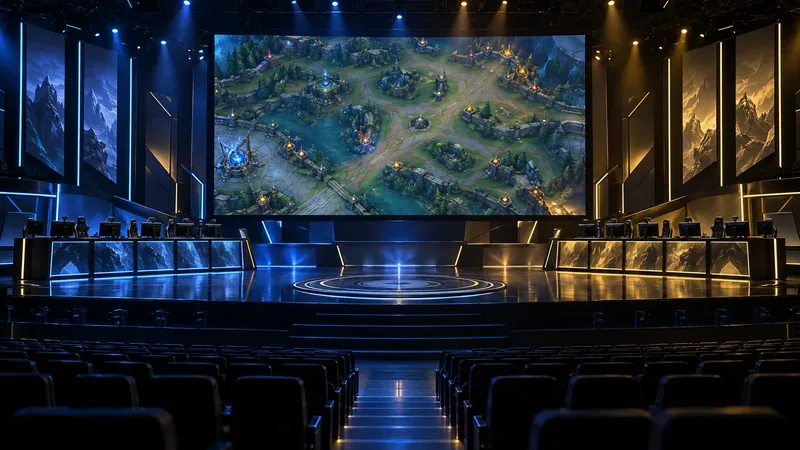
A fantasy battle map fills the central screen above rows of player stations at an esports arena.
Gen.G vs. Invictus Gaming: match details
Event: 2026 League of Legends World Championship, Swiss Stage, Round 1
Match: Gen.G Esports (GEN) vs. Shanghai Invictus Gaming Meituan (IG)
Format: Best of one (Bo1)
Scheduled start: Friday, October 23, 2026, 12:00 p.m. CDT (UTC−05:00) / 17:00 UTC
Venue: Credit Union of Texas Event Center, Allen, Texas, United States
The match puts the LCK’s Gen.G from South Korea against China’s LPL representative Invictus Gaming. Riot’s Worlds primer lists Gen.G in the first draw tier and IG in the fourth; Round 1 pairs teams from Tier 1 against Tier 4. That setup makes this an early cross-region test between teams seeded at opposite ends of the opening draw, but it does not by itself predict how the game will go.
The Swiss Stage has five rounds. Teams need three match wins to reach the Knockout Stage, while three losses mean elimination. The opening result therefore gives each side its first record: a win begins at 1–0, and a loss begins at 0–1. Later Swiss opponents are selected from teams with the same record, so a single opening game helps shape each team’s next pairing.
Because this is a Bo1, the match ends after one game. There is no second or third game in which to adjust a draft or correct an early mistake. A well-prepared champion select, clear early-game plan, and disciplined execution can matter more than they would across a longer series, where teams have additional chances to respond.
What to watch in the game
The first question is how each team approaches the draft. In a one-game format, a team may prioritize comfort picks and a familiar composition, or choose a matchup intended to disrupt the opponent’s usual plan. Until Riot confirms the starting players and the draft begins, specific champion picks or lane matchups remain speculation.
Once the game starts, watch how the teams use their early vision and movement around the river. Those choices can show whether a side wants to contest objectives, protect a scaling composition, or create pressure in a side lane. The opening minutes will also reveal how aggressively each jungler supports the lanes and whether either team can turn a small advantage into control of the map.
Neither team needs to win every early exchange to take the game. In a single match, a measured response after a lost skirmish can be just as important as an early lead: teams can trade objectives, defend their carries, and look for a later fight on better terms. That makes the transition from lanes to midgame a useful point for viewers to assess whether an initial draft plan is working.
Lineups and score: what is confirmed
At the time this preview was prepared, Riot’s public match listing confirmed the teams, Round 1 Swiss placement, Bo1 format, date, and scheduled start, but it did not publish a match-specific starting five. Do not treat projected rosters from third-party pages as official starters. Check the official LoL Esports fixture or the broadcast graphics for the final lineup once Riot releases it.
The same official fixture still showed the match as upcoming, with no completed result. A final score should only be added after the game has finished and Riot’s live standings or match page records the outcome. For schedule updates and the eventual result, use the LoL Esports schedule and the Worlds 2026 primer.
For viewers planning around the local start, the key time is noon in Allen, Texas, on Friday, October 23. Texas is on daylight time on that date, so the venue’s time is CDT (UTC−05:00); the same scheduled instant is 17:00 UTC. The official schedule may display a time based on the viewer’s selected or configured time zone, so check the zone label before converting it for a watch party.