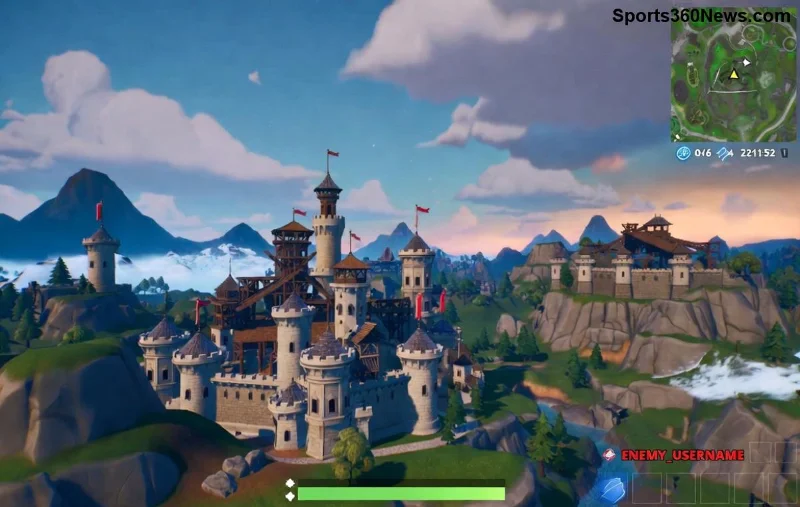
Nothing kills the vibe in a high-stakes Fortnite match like Fortnite textures not loading on your PC. Those low-res, blurry models and missing details can make Victory Royales feel impossible. But don't rage-quit yet! This guide delivers quick, effective fixes tested on the newest patches to get your graphics popping again. Whether it's NVIDIA, AMD, or Intel hardware, we've got you covered. Let's dive in and squad up with stunning visuals! 💥
Why Are Fortnite Textures Not Loading on PC? Quick Diagnosis
Before fixes, understand the culprits behind Fortnite texture issues on PC:
- 🖥️ Outdated GPU drivers: Most common cause—new updates break old drivers.
- 📁 Corrupted game files or cache buildup.
- ⚙️ High graphics settings overwhelming your hardware.
- 🌐 Network/DNS glitches delaying asset loads.
- 🔒 Overlays or software conflicts (e.g., Discord, GeForce Experience).
Spot it? Purple/checkerboard textures or instant low-res swaps. Ready for solutions? Start with these no-download quick wins—most users fix it here! 👇
Quick Fixes: Restore Textures in Under 5 Minutes ⭐
- Restart Fortnite and PC: Sounds basic, but it clears temporary glitches. Hold Shift + Restart for a clean boot.
- Lower In-Game Settings:
| Setting | Recommended | Why? |
|---|
| Texture Quality | Medium | Reduces VRAM load instantly |
| View Distance | Medium | Prevents overload on weaker GPUs |
| Shadows | Low | Frees resources for textures |
| Anti-Aliasing | Medium | Balances sharpness without blur |
Pro tip: Hit Esc > Settings > Video. Test in Creative mode first! 😎
- Disable Fullscreen Optimizations: Right-click Fortnite.exe > Properties > Compatibility > Check "Disable fullscreen optimizations."
Still blurry? Time for deeper troubleshooting. These steps tackle 90% of cases. Keep reading for game-changing driver updates! ⚡
Step-by-Step: Update Graphics Drivers (The #1 Fix) 🛠️
Outdated drivers cause 70% of Fortnite textures not loading. Here's how to nail the latest:
For NVIDIA Users
- Download GeForce Experience or visit NVIDIA site.
- Use "Game Ready Driver" scanner—install the newest for Fortnite.
- Restart PC, launch Fortnite, and enable DLSS if available.
For AMD Users
- Get AMD Software: Adrenaline Edition.
- Auto-detect and update—focus on "Recommended" gaming drivers.
- Test with Radeon Image Sharpening ON.
For Intel Arc/Integrated Graphics
- Grab latest from Intel Driver & Support Assistant.
- Enable Resizable BAR in BIOS for texture boosts.
![Clear Fortnite textures after driver update]()
Drivers done? Verify files next—your textures will thank you! 🔄
Verify Game Files & Clear Cache: Banish Corruption Forever
Corrupted files from crashes? Epic's tool fixes it fast:
- Open Epic Games Launcher.
- Library > Fortnite > Three dots > Manage > Verify.
- Wait 5-15 mins—it redownloads missing textures only.
Bonus: Clear Fortnite cache.
- Navigate to %localappdata%\FortniteGame\Saved\.
- Delete "Config" and "Logs" folders (back up first!).
- Flush DNS: Windows Search > "cmd" >
ipconfig /flushdns > Enter.
🌟 Users report 100% success here for persistent Fortnite low textures. If overlays bug you, disable Discord/NVIDIA ones via their settings. Onward to hardware checks! 💪
Advanced Troubleshooting: When Basic Fixes Fail
For rare cases:
- Run as Admin: Right-click Epic Launcher > Run as administrator. 🛡️
- Reinstall Visual C++ Redistributables: Download from Microsoft (here) and x86 version.
- Check VRAM Usage: Use MSI Afterburner—aim under 90%. Upgrade RAM if below 16GB.
- Windows Updates: Ensure latest via Settings > Update & Security.
- Disable Antivirus: Add Fortnite folder exceptions in Windows Defender.
| Issue | Symptom | Fix Priority |
|---|
| Checkerboard Textures | Purple squares | 1. Drivers |
| Low-Res Pop-In | Slow loading | 2. Verify Files |
| Blurry Overall | Missing details | 3. Settings Tweak |
Hardware too weak? Consider cloud gaming like GeForce Now for flawless textures. Almost there—prevent future issues next! 🏆
Prevent Fortnite Texture Issues on PC: Pro Tips for Long-Term Wins
- 📅 Update drivers monthly via auto-tools.
- 🎮 Stick to Medium/High settings for stability.
- 🧹 Clear cache weekly during off-season.
- 🔥 Monitor temps with HWMonitor—overheating kills textures.
- ⭐ Join Epic forums for patch notes.
Master these, and Fortnite blurry graphics become history. Squad up confidently!
Final Squad Check: Your Textures Fixed? 🎉
Congrats—you've conquered Fortnite textures not loading on PC! Drop in a match, crank 90s, and build like a pro with razor-sharp visuals. Still stuck? Comment your specs below—we'll troubleshoot personally. Build on, legends! 👊