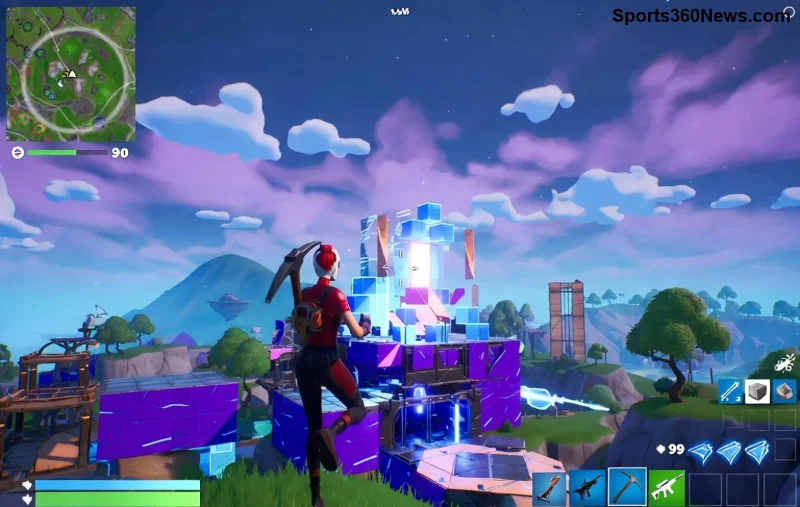
Hey, fellow Fortnite warriors! 😎 Imagine grinding for that perfect Victory Royale, snagging exclusive skins, and carrying your progress everywhere – from your PlayStation couch to Xbox squad nights. That's the power of linking your Epic Account to Fortnite. No more starting from scratch! This guide delivers crystal-clear steps to link your Epic Account to Fortnite on PlayStation and Xbox, so you can dive back into Battle Royale with all your loot intact. Ready to level up? Let's squad up and get it done! 🎮
Why Link Your Epic Account to Fortnite? The Game-Changing Perks
Linking isn't just a checkbox – it's your ticket to Fortnite freedom! Here's why every serious player does it:
- ✅ Cross-Progression: Battle Pass levels, V-Bucks, and unlocks follow you across PC, mobile, Switch, and consoles.
- ⭐ Shared Inventory: Rock your favorite emotes and gliders on PlayStation and Xbox.
- 🔥 Cross-Play: Team up with friends on any platform without barriers.
- ⚡ Future-Proof: Epic's latest updates make linking smoother than ever for seamless logins.
Pro tip: If you haven't created an Epic Account yet, head to Epic's site – it's free and takes 2 minutes. Now, let's tackle the consoles!
Step-by-Step: How to Link Your Epic Account to Fortnite on PlayStation (PS5 & PS4)
PlayStation players, this is your moment! Epic made it super intuitive in the latest Fortnite patches. Follow these steps right from your lobby – no browser needed. 👇
- Launch Fortnite: Fire up the game on your PS5 or PS4. Make sure it's updated to the newest version via the PlayStation Store.
- Head to Settings: From the main menu, hit the gear icon (top right) → Go to the Account tab.
- Select Link Accounts: Choose "Link Your Epic Account" or "Connect Epic Games Account". If prompted, sign out of any existing PSN-linked account first.
- Scan QR Code or Enter Code: Epic displays a code or QR. Grab your phone, open the Epic Games app (or epicgames.com/link), and scan/enter it.
- Confirm & Log In: Enter your Epic login details. Boom! You're linked. Restart Fortnite to verify.
Stuck? Double-check your PSN privacy settings allow online play. PlayStation linking syncs instantly – test by checking your Locker for cross-saved items! 🎉
| PlayStation Linking Quick Checklist |
|---|
| ✅ Fortnite Updated? | Check PlayStation Store |
| ✅ Epic Account Ready? | epicgames.com |
| ✅ PSN Online Access? | Settings → Users → Privacy |
Effortless Guide: Link Your Epic Account to Fortnite on Xbox (Series X|S & One)
![Xbox Fortnite Epic Account connection interface]()
Xbox squad, you're next! Microsoft's integration with Epic is rock-solid. Here's the foolproof path to Xbox Fortnite Epic linking:
- Boot Up Fortnite: Start the game on Xbox Series X|S or Xbox One. Epic auto-updates, but confirm in My Games & Apps.
- Access Account Menu: Lobby → Gear icon → Account and Privacy section.
- Choose Link Option: Hit "Link Your Accounts". If it's your first time, select Epic Games.
- Use Xbox App or Browser: A code pops up. Open xbox.com/link or the Xbox app on your phone/PC, enter it, then log into Epic.
- Authorize & Sync: Approve the connection. Exit and relaunch Fortnite – your progress is live!
Xbox users love how this enables Game Pass perks too. Verify by jumping into Creative mode and spotting your saved islands. 🚀
| Xbox Linking Quick Checklist |
|---|
| ✅ Game Updated? | My Games & Apps |
| ✅ Microsoft Account? | Linked to Xbox profile |
| ✅ Epic Login? | Ready on phone/PC |
Common Hiccups? Quick Fixes for Linking Epic Account to Fortnite on Consoles
Even pros hit snags. Don't rage quit – here's your troubleshoot toolkit:
- ❌ "Account Already Linked"? Go to epicgames.com/connections → Disconnect PSN/Xbox → Retry.
- ❌ Code Not Working? Clear cache: PS → Settings → Storage → Clear Fortnite data (saves cloud-sync). Xbox → Manage game → Reset.
- ❌ No QR? Use manual code entry on Epic's site.
- ❌ Region Issues? Ensure Epic and console accounts match regions (EU, NA, etc.).
For official troubleshooting, check Epic's Fortnite Help. 99% of issues vanish with a restart!
Post-Link Wins: Maximize Your Fortnite Crossplay Empire
Congrats, legend! 🎊 Your Epic Account is now fused with Fortnite on PlayStation and Xbox. Next level? Squad up cross-platform, grind that Chapter battle pass, and flex those universal cosmetics. Pro move: Enable 2FA on Epic for bulletproof security.
Questions? Drop 'em in the comments – we're all in this Battle Bus together. Now go drop hot and claim those crowns! 👑 What's your first cross-progression W? Share below!