
๐Ÿš€ Ultimate Guide: How to Email PlayStation Support for Technical Issues & Get Fast Fixes!

Hey fellow gamer! ๐Ÿ˜Ž Nothing ruins the vibe like a PlayStation technical issue โ€“ whether it's a frozen PS5, endless loading screens, or account glitches. But don't rage quit yet! Learning how to email PlayStation support is your secret weapon for quick fixes. This guide cuts through the noise with precise steps, pro tips, and everything you need to get back in the game ASAP. Let's dive in and turn that frustration into victory! ๐ŸŽฎ

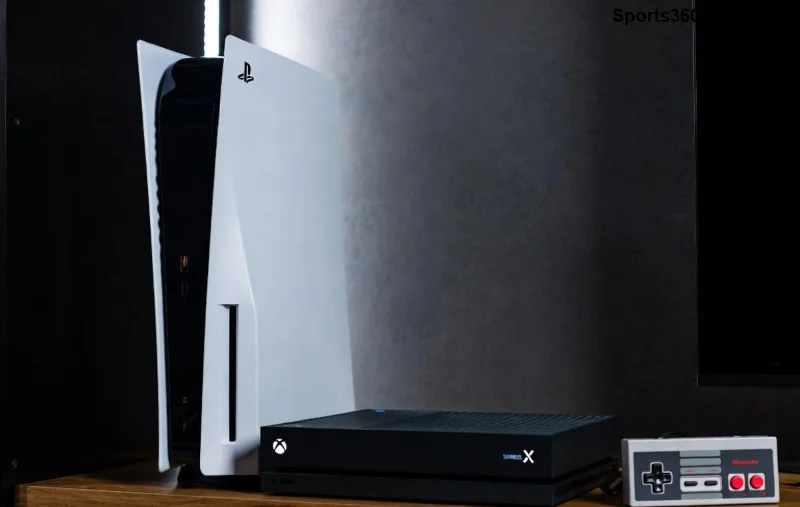
PlayStation console with support interface

Why Choose Email for PlayStation Support Technical Issues? โญ

Email (via PlayStation's support ticket system) beats live chat or phone for detailed technical issues. You can attach screenshots, logs, and videos without rushing. Plus, it creates a trackable thread for follow-ups. Perfect for complex problems like:

  • PS5/PS4 crashes or black screens
  • Network connectivity fails
  • Game save corruption
  • Trophy sync errors

Pro tip: PlayStation's official support site handles millions of requests yearly โ€“ emailing right ensures you're in the priority queue! ๐Ÿ‘†

Step-by-Step: How to Email PlayStation Support for Technical Issues ๐ŸŽฏ

Ready to fire off that email? Follow these exact steps using PlayStation's official portal. No apps needed โ€“ just your browser!

  1. ๐Ÿ‘‰ Visit the Official PlayStation Support Site
    Head to support.playstation.com. Select your region (e.g., US, UK) for localized help.
  2. ๐Ÿ” Search or Select Your Issue
    Use the search bar for "technical issues" or pick categories like "PS5 Hardware" or "Account & Network." This auto-fills your ticket smartly.
  3. ๐Ÿ“ Submit a Support Ticket (Your "Email")
    Click "Contact Us" > "Email" or "Submit Request." Log in with your PSN account for personalized details. Fill the form โ€“ they'll reply to your registered email!
  4. ๐Ÿ“Ž Attach Evidence
    Upload console error codes, photos, or videos. Note your console model, firmware version, and game/title affected.
  5. โœ… Send & Track
    Hit submit! Check your email inbox/spam for a confirmation ticket number. Reply in-thread for updates.
Step Action Pro Tip
1. Access Site Go to support.playstation.com Use incognito mode if logged out
2. Choose Issue PS5 > Technical Help Filter by console for accuracy
3. Log In & Submit Enter details & attach files Keep subject line clear: "PS5 Crash Error CE-108255-1"
4. Confirm Reply to ticket email Response time: 24-72 hours typically

That's it! Your PlayStation support email is en route. ๐Ÿš€

Gamer emailing PlayStation support on laptop

What to Include in Your PlayStation Technical Support Email for Best Results ๐Ÿ“ง

Make your ticket stand out! Vague emails get delayed โ€“ be specific like a boss level walkthrough.

  • Subject Line: "Urgent: PS5 Won't Boot - Error Code [XXXX]" โญ
  • Description: What happened? When? Steps to reproduce? (e.g., "Crashes during Fortnite load after update.")
  • Console Info: Model (PS5 Digital/Slim), Serial #, System Software Version.
  • Account Details: PSN ID (no password!).
  • Proof: Screenshots of errors, safe mode attempts.

Example Email Body:
"Hi PlayStation Team,
My PS5 Slim (Serial: ABC123) crashes with error WS-116522-5 on boot. Happens post-firmware update. Tried safe mode rebuild โ€“ no fix. Video attached. PSN: GamerPro123. Thanks!"

Common PlayStation Technical Issues & Quick Pre-Email Checks โš ๏ธ

Before emailing, try these fixes to impress support:

Issue Symptom Quick Fix Email If...
Network Error Can't connect online Restart router, check NAT type Persistent after tests
Game Crash Freezes mid-game Clear cache, reinstall game Every session
Controller Drift Stick moves alone Update firmware, clean Hardware fault suspected
Trophy Bug Not syncing Sign out/in PSN Server-side issue

Still stuck? How to email PlayStation support with these details speeds things up! ๐Ÿ‘

Pro Tips for Faster PlayStation Support Responses โฑ๏ธ

  • Timing: Submit during US business hours (PST) for quicker replies.
  • Polite & Concise: Say "Appreciate your help!" โ€“ agents respond faster to positives. ๐Ÿ˜Š
  • Follow Up: Reply to your ticket email after 48 hours if no reply.
  • Multiple Devices: Test on another console/network to rule out local issues.
  • Community First: Check PlayStation forums for similar fixes before emailing.
Happy gamer with fixed PlayStation console

Alternatives if Email PlayStation Support is Slow ๐Ÿ› ๏ธ

Email not cutting it? Try:

  1. Live Chat: Available 24/7 on support site (faster for simple queries).
  2. Phone: US: 1-800-345-SONY (wait times vary).
  3. Twitter: @AskPlayStation for public nudges.
  4. Self-Fix: Download latest firmware via USB.

For hardware woes, authorized centers via the support site.

Wrap-Up: Conquer Technical Issues Like a Pro Gamer! ๐Ÿ†

There you have it โ€“ your complete blueprint on how to email PlayStation support for technical issues. Follow these steps, pack your ticket with details, and you'll be fragging foes in no time. Got a success story? Drop it in the comments below โ€“ let's help each other level up! ๐ŸŽ‰ Stay epic, gamers!


Leave a Comment

Fix Screen Tearing on PlayStation Portal: Ultimate Guide for Seamless Gaming!

Fix Screen Tearing on PlayStation Portal: Ultimate Guide for Seamless Gaming!

Tired of screen tearing ruining your PlayStation Portal sessions? Get proven, step-by-step fixes for smooth, tear-free Remote Play. Boost your gaming experience today!

Valorant Crashing on Xbox Series X? 7 Proven Fixes to Stop Crashes Instantly!

Valorant Crashing on Xbox Series X? 7 Proven Fixes to Stop Crashes Instantly!

Tired of Valorant crashing on Xbox Series X mid-match? Uncover the top reasons why Valorant keeps crashing and follow our step-by-step fixes for smooth gameplay. Get back to winning!

๐Ÿš€ Ultimate Guide: How to Fix Xbox Browser Crashing & Freezing in Minutes!

๐Ÿš€ Ultimate Guide: How to Fix Xbox Browser Crashing & Freezing in Minutes!

Frustrated by Xbox browser crashing and freezing during streams or gaming? Get instant, proven fixes for smooth Microsoft Edge on Xbox. Step-by-step guide with latest troubleshooting tips!

Xbox Future Revolution: Next-Gen Consoles, Game Pass Evolution & Cloud Gaming Shifts

Xbox Future Revolution: Next-Gen Consoles, Game Pass Evolution & Cloud Gaming Shifts

Explore the future of Xbox: next-gen hardware innovations, Game Pass dominance, cloud gaming breakthroughs, and multi-platform strategies set to redefine gaming in 2026 and beyond. Essential insights for every gamer.

๐Ÿš€ Fix PlayStation Black Screen After Booting: Ultimate Gamers Guide to Instant Recovery!

๐Ÿš€ Fix PlayStation Black Screen After Booting: Ultimate Gamers Guide to Instant Recovery!

Tired of PlayStation black screen after booting? Get proven, step-by-step fixes for PS5 & PS4 black screen issues. Restore your gaming setup fastโ€”no tech skills needed!

๐Ÿš€ Unlock Epic Gaming: Use Reward Points to Score Your Xbox Live Subscription for Free!

๐Ÿš€ Unlock Epic Gaming: Use Reward Points to Score Your Xbox Live Subscription for Free!

Discover how to use Microsoft Reward Points to buy your Xbox Live subscription effortlessly. Save money, earn fast, and dive into endless gaming with Xbox Game Pass Core or Ultimate. Step-by-step guide for gamers!

Unlock US PlayStation Store from Anywhere: Fast VPN Guide for Gamers

Unlock US PlayStation Store from Anywhere: Fast VPN Guide for Gamers

Discover how to access the US PlayStation Store from anywhere using the best VPNs. Get exclusive deals, cheaper games, and region-locked titles effortlessly. Step-by-step guide for PS5/PS4 users.

Shocking Truth: Why PlayStation Services Were Shut Down and What It Means for Gamers

Shocking Truth: Why PlayStation Services Were Shut Down and What It Means for Gamers

Discover the real reasons behind PlayStation services shut down, from outdated tech to cost savings. Get expert insights on affected games, Sony's plans, and tips to keep playing your favorites. Essential read for PS fans!

How to Score the Best Price on Xbox Live Subscriptions โ€“ Save Big on Epic Gaming!

How to Score the Best Price on Xbox Live Subscriptions โ€“ Save Big on Epic Gaming!

Master the art of getting the best price on Xbox Live subscriptions. From Game Pass Core deals to Ultimate discounts, unlock massive savings for non-stop gaming thrills.

Ultimate Guide: Best Rewards to Spend Your PlayStation Stars Points On in 2026

Ultimate Guide: Best Rewards to Spend Your PlayStation Stars Points On in 2026

Discover the absolute best rewards to redeem with your PlayStation Stars points. From PSN credit to exclusive games and merch, maximize your points for unbeatable gaming value and excitement.