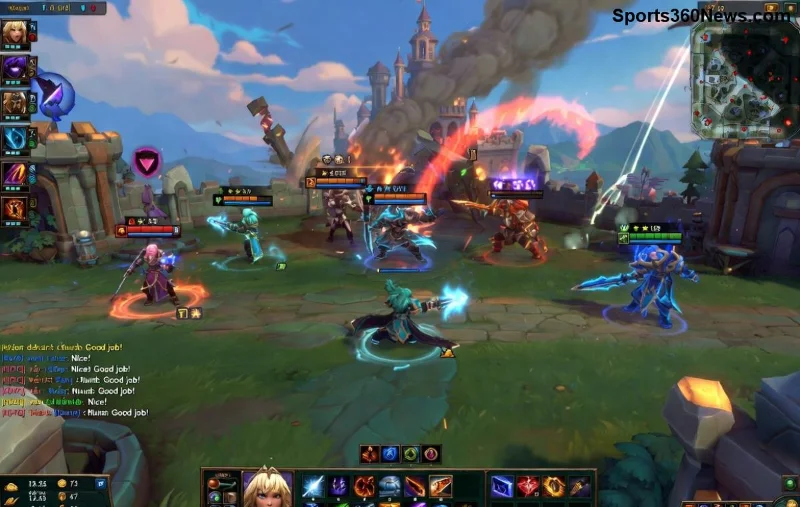
Hey, fellow Summoner! 😤 Nothing kills the vibe mid-game like a dreaded League of Legends Bug Splat Error. That annoying crash screen with the blue bug splat? We've all been there—right when you're about to ace a teamfight or secure that pentakill. But don't rage quit yet! This guide packs the latest fixes to smash that LoL Bug Splat for good. Follow these steps, and you'll be back dominating the Rift in minutes. Let's dive in and reclaim your games! 🎮
What is the League of Legends Bug Splat Error?
The League of Legends Bug Splat Error is a crash issue where the game abruptly closes, showing a "bug splat" dialog. It's Riot's way of saying something went wrong in the code. Common in high-stakes matches, it hits Windows PCs hardest due to driver conflicts or corrupted files. No worries—most cases are fixable without tech wizardry. Stick around for fixes that work on the newest patches!
Quick Wins: Basic Fixes for LoL Bug Splat 🛠️
Start here—these solve 80% of League of Legends Bug Splat issues. Test after each step.
- 🔄 Restart Everything: Close LoL completely (Task Manager > End Riot Client/League processes). Restart your PC. Launch fresh. Simple, but it clears temp glitches.
- 👑 Run as Administrator: Right-click Riot Client > "Run as administrator." This fixes permission bugs blocking file access.
- ⚙️ Verify Game Files: In Riot Client, go to LoL profile > Settings (gear icon) > "League of Legends: Repair." It scans and replaces corrupted files. Takes 5-10 mins—game-changer! ⭐
Graphics & Driver Fixes: Tackle the Root Cause
Bug Splat often stems from outdated GPU drivers clashing with Riot Vanguard (LoL's anti-cheat). Update now:
- NVIDIA Users: Download GeForce Experience or visit NVIDIA site. Install latest driver, clean install option checked.
- AMD Users: Use Radeon Software or AMD support.
- Intel Arc/Integrated: Check Intel Driver Assistant.
Pro Tip: After updating, set LoL to High Performance in Windows Graphics Settings (Search "Graphics settings" > Add LeagueClient.exe).
![Fixing League of Legends Bug Splat via driver updates]()
Disable Overlays & Conflicting Software 💥
Overlays like Discord, MSI Afterburner, or GeForce Experience cause massive LoL Bug Splat spikes. Here's your hit list:
| Software |
How to Disable |
| Discord Overlay |
User Settings > Overlay > Turn OFF |
| Razer Synapse/Corsair iCUE |
Close completely or disable in-game overlays |
| Antivirus (e.g., Norton) |
Add LoL folder to exclusions |
| Riot Vanguard |
Services.msc > vgc > Restart (Admin CMD: sc stop vgc & sc start vgc) |
Bonus: Uninstall recent apps. If Vanguard is the culprit, check Riot's official guide via Riot Support.
Advanced Troubleshooting: When Basics Fail ⚡
Still crashing? Level up:
- Clean Boot: Search "msconfig" > Services > Hide Microsoft > Disable all. Restart & test LoL. Re-enable one-by-one to find the offender.
- Delete Config Files: Navigate to %LOCALAPPDATA%\Riot Games\League of Legends\Config. Delete PersistedSettings.json & Game.cfg. Relaunch—resets without losing progress.
- Reinstall LoL: Uninstall via Riot Client, delete leftover folders (C:\Riot Games\League of Legends), reinstall. Fresh start!
- Hardware Check: Run MemTest86 for RAM, CrystalDiskInfo for HDD/SSD health. Overheating? Clean fans & use HWMonitor.
![Advanced fixes for League of Legends Bug Splat Error]()
Prevention Tips: Stay Splat-Free Forever 🛡️
- Keep drivers & Windows updated weekly. 📅
- Use wired internet—WiFi lag amplifies crashes. 🌐
- Lower in-game settings if on older hardware. 🎛️
- Join Riot's beta for early patches. (Profile > Beta Opt-in)
- Monitor temps: Under 80°C GPU/CPU ideal. 🔥
Implement these, and League of Legends Bug Splat Error becomes ancient history. Imagine clutching games without fear—pure bliss! 👏
Still Stuck? Next Steps
If nothing works, grab your crash dump: Event Viewer > Windows Logs > Application. Submit a ticket at Riot Support with details. Community heroes on Reddit's r/leagueoflegends swear by these fixes too.
You're now armed to conquer the Rift. Drop a comment if this saved your ranked climb—what was your fix? Let's keep the summoner's rift crash-free! GG WP! 🏆