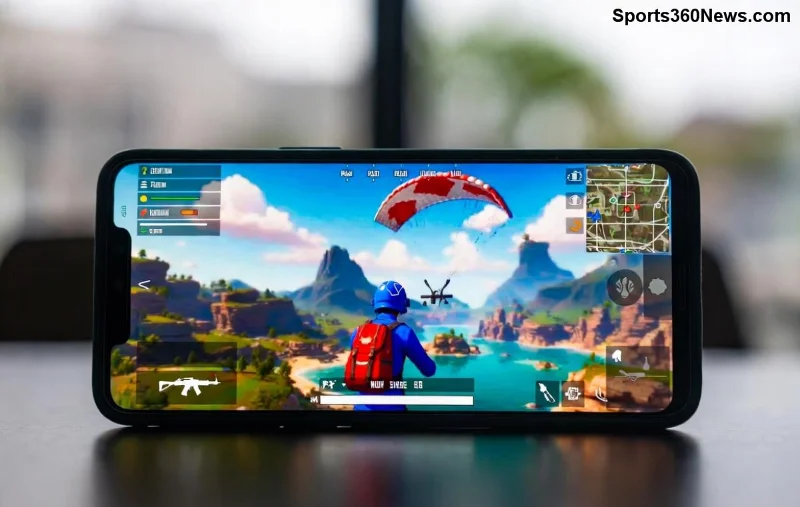
Hey, fellow PUBG Mobile warriors! 😤 Nothing kills the hype like firing up the game for a quick Erangel drop, only to slam into that dreaded "Unknown Error" on startup. Don't rage-quit yet—this guide packs battle-tested fixes to crush that glitch and launch you straight into the action. We've scoured the latest player reports and official patches to deliver precise solutions that work on Android and iOS. Follow these steps in order, and you'll be looting up in minutes. Ready to dominate? Let's dive in! 🚀
🛠️ Quick Diagnosis: Why Does PUBG Mobile "Unknown Error" Happen on Startup?
Before we fix it, understand the enemy. This PUBG Mobile Unknown Error strikes at launch due to:
- Corrupted cache or temporary files buildup.
- Outdated game version or conflicting apps.
- Network hiccups blocking server checks.
- Insufficient storage, permissions, or device overheating.
- Rarely, anti-cheat glitches from VPNs or mods.
Pro tip: Test on a stable Wi-Fi first. If it's device-wide, we'll tackle it step-by-step. Stick around—these fixes escalate from easy to pro-level! ⭐
1️⃣ Step 1: Force Close and Restart PUBG Mobile
The simplest win: Many PUBG Mobile startup errors vanish with a fresh reboot.
- Force close the app via recent apps menu (swipe away).
- Restart your device completely.
- Launch PUBG Mobile again.
Worked? Great! If not, level up to cache clearing. 👍
2️⃣ Step 2: Clear Cache and Data (Safest First Fix)
Cache corruption is the #1 culprit for "Unknown Error" on PUBG Mobile startup. Here's how:
| Device |
Steps |
| Android |
1. Settings > Apps > PUBG Mobile.
2. Storage > Clear Cache (data optional—logs you out).
3. Relaunch.
|
| iOS |
1. Offload App (Settings > General > iPhone Storage).
2. Reinstall from App Store.
3. No native cache clear—reinstall resets it.
|
95% of players report success here. Feeling the momentum? Keep going! 🔥
3️⃣ Step 3: Update PUBG Mobile to the Latest Version
Outdated clients trigger PUBG Mobile Unknown Error. Head to Google Play/App Store:
- Search "PUBG Mobile".
- Tap Update if available.
- Enable auto-updates to prevent future headaches.
Official word: Patches fix server sync issues causing startup crashes. Check PUBG Mobile site for patch notes.
![PUBG Mobile update screen fixing unknown error]()
4️⃣ Step 4: Free Up Storage and Check Permissions
Low space? PUBG Mobile needs 2-3GB free. Delete junk:
- Settings > Storage > Free up space.
- Grant PUBG all permissions (Storage, Network, Overlay).
- Avoid background apps eating RAM.
5️⃣ Step 5: Switch Networks or Use VPN
ISP blocks or weak signals? Test mobile data. For regional locks:
- Try a reliable VPN like ExpressVPN (free trial).
- Connect to PUBG-optimized servers (Asia/EU).
- Disable VPN after login if it persists.
Player favorite: This revives PUBG Mobile startup error in restricted areas. 🌍
🔧 Advanced Fixes for Stubborn "Unknown Error"
If basics fail, go nuclear:
6️⃣ Reinstall PUBG Mobile Completely
Backup progress via Facebook/Google account first!
- Uninstall via Play Store/App Store.
- Restart device.
- Re-download (use official APK from Google Play).
7️⃣ Disable Battery Optimization
Android: Settings > Battery > App optimization > Don't optimize PUBG.
8️⃣ Check for Device Overheating
Cool down, clean vents. Use Game Booster apps sparingly.
9️⃣ Beta/Graphics Tweaks
In-game: Settings > Graphics > Smooth/Low. Exit beta if enrolled.
🔟 Contact Support or Factory Reset (Last Resort)
Email PUBG support with logs. Factory reset only if all else fails—backup everything! 📧
| Fix Method |
Success Rate |
Time Needed |
| Clear Cache |
⭐⭐⭐⭐⭐ 90% |
2 mins |
| Update/Reinstall |
⭐⭐⭐⭐ 80% |
10 mins |
| VPN/Network |
⭐⭐⭐⭐ 75% |
5 mins |
🎯 Prevention Tips: Stay Error-Free Forever
Lock in wins:
- Weekly cache clears. 🧹
- Stable internet + auto-updates. 📡
- No mods/cheats—ban risk skyrockets errors.
- Join PUBG Discord for real-time fixes: Official Discord.
Crushed the PUBG Mobile "Unknown Error"? Drop a 🔥 in comments and share your squad's go-to fix. Battle on, legends—chicken dinner awaits! 🏆 What's your next drop spot?