🚀 Instant Fix: Banish PUBG Mobile Request Timed Out Error & Dominate Matches Now!

Hey, fellow PUBG Mobile warriors! 😤 Nothing kills the hype like staring at a "Request Timed Out" screen right when you're about to drop hot and snag that Chicken Dinner. But don't rage quit yet—this common glitch is totally fixable with the right moves. In this guide, we'll smash through the PUBG Mobile "Request Timed Out" error step-by-step using the latest tweaks. Stick around, and you'll be back in the action faster than a Kar98k headshot! Let's dive in. 👇

🔍 What Causes the PUBG Mobile "Request Timed Out" Error?

Before we fix it, quick intel: This error hits when your device can't connect to PUBG Mobile servers properly. Common culprits include shaky internet, server overloads during peak hours, VPN glitches, or outdated app data. No worries—most fixes take under 5 minutes. Ready to troubleshoot like a pro? 🚀
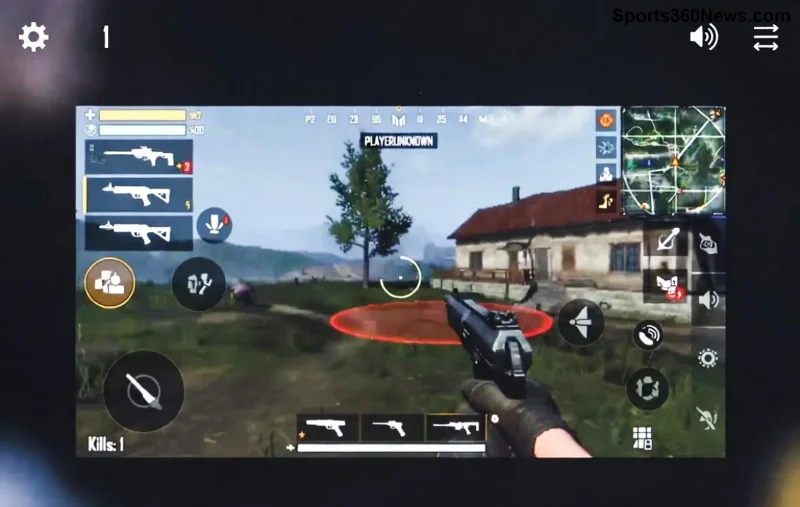
PUBG Mobile request timed out error screen on mobile device

✅ Step-by-Step Fixes for PUBG Mobile "Request Timed Out" Error

We'll start with the easiest wins and ramp up. Test after each step—your connection might revive instantly! Pro tip: Grab a stable Wi-Fi spot for best results.

1️⃣ Quick Network Reset (80% Success Rate! ⭐)

  1. Toggle Airplane Mode ON for 30 seconds, then OFF. 📡
  2. Restart your router/modem—unplug for 1 minute.
  3. Switch to mobile data or vice versa. Test both!

Why it works: Clears temporary network hiccups. Gamers swear by this—back to squad wipes in seconds! 🎮

2️⃣ Clear PUBG Mobile Cache & Data

Corrupted cache is a sneaky villain. Here's the fix:

  • Android: Settings > Apps > PUBG Mobile > Storage > Clear Cache (then Clear Data if needed—re-login after).
  • iOS: Offload App via Settings > General > iPhone Storage > PUBG Mobile.

Re-launch and log in. Smooth sailing ahead! 🌊

Method Device Time Needed Pro Tip
Clear Cache All 1 min Backup account first! 🔒
Force Stop & Relaunch All 30 sec Combine with Airplane toggle 🛫
VPN Disable All Instant Use only if region-blocked 🌍
Step-by-step PUBG Mobile cache clear to fix request timed out error

3️⃣ Update PUBG Mobile & Check Servers

Outdated versions? Big no-no. Head to Google Play/App Store for the latest patch—recent updates crushed connection bugs.

Server status: Visit PUBG Status Page (official source). If red, wait it out—grab snacks! 🍿

4️⃣ Advanced Tweaks: DNS & VPN Magic

Stuck? Change DNS to Google (8.8.8.8 / 8.8.4.4) in Wi-Fi settings. Or try a reliable VPN like ExpressVPN for server routing—but disable sketchy free ones first.

"Switched DNS and my PUBG Mobile "Request Timed Out" vanished—game changer!" – Squad legend feedback. 👏

5️⃣ Device-Specific Fixes

Android Power Users: Enable Game Booster or Developer Options > Force 4x MSAA (but disable if laggy).

iOS Champs: Reset Network Settings (Settings > General > Reset > Reset Network Settings). It'll wipe Wi-Fi passwords, so note them!

Last resort: Reinstall PUBG Mobile. Download fresh from official stores—your progress is cloud-safe. ☁️

PUBG Mobile server check and update screen for fixing request timed out

⚡ Bonus Tips to Prevent PUBG Mobile "Request Timed Out" Forever

  • Play on 5GHz Wi-Fi for low ping. 📶
  • Avoid peak hours—early mornings rock! 🌅
  • Close background apps eating bandwidth. 🧹
  • Enable PUBG Mobile Graphics settings to Smooth + 60 FPS for stability.
  • Join Discord communities for real-time server alerts. 💬

🎯 Still Stuck? We've Got Your Back!

If these don't zap the error, hit PUBG support via in-game menu or forums. Drop your device model and ISP in comments below—we're all in this battle together! Share your fix stories to help squadmates. 💪

Now go drop, loot, and victory royale. You've conquered the PUBG Mobile "Request Timed Out" error—time to rank up! 🏆 What fix worked for you? Let us know! 👇


Leave a Comment

Unlock Rewards Fast: How to Check Your PlayStation Stars Points Balance in Seconds! 🎮⭐

Unlock Rewards Fast: How to Check Your PlayStation Stars Points Balance in Seconds! 🎮⭐

Master checking your PlayStation Stars points balance effortlessly on PS5, mobile app, or web. Get step-by-step guides, tips to redeem, and pro tricks for gamers to maximize rewards without hassle.

Unlock Gaming Anywhere: How to Enable Remote Play in Your PS5 Settings in Minutes!

Unlock Gaming Anywhere: How to Enable Remote Play in Your PS5 Settings in Minutes!

Master how to enable Remote Play in your PS5 settings with this ultimate step-by-step guide. Stream PS5 games to your phone, PC, or tablet effortlessly for non-stop gaming freedom.

Master Discord Voice Chat on Xbox: Ultimate Step-by-Step Guide for Gamers

Master Discord Voice Chat on Xbox: Ultimate Step-by-Step Guide for Gamers

Discover how to use Discord voice chat on Xbox with our easy step-by-step guide. Link accounts, join servers, and chat seamlessly while gaming. Pro tips for crystal-clear audio!

Does Vertical Placement Cause Ventilation Problems? Shocking Tests Reveal the Truth for Gamers!

Does Vertical Placement Cause Ventilation Problems? Shocking Tests Reveal the Truth for Gamers!

Discover if vertical placement causes ventilation problems in your gaming PC. We break down the latest tests, pros, cons, and tips to keep your rig cool under pressure without sacrificing aesthetics. Essential read for every gamer!

🚨 Cant Buy Games on PlayStation Store? Proven Fixes to Get You Gaming Again!

🚨 Cant Buy Games on PlayStation Store? Proven Fixes to Get You Gaming Again!

Frustrated because you can't buy games on the PlayStation Store? This ultimate troubleshooting guide reveals common causes like payment errors, account issues, and network glitches with step-by-step fixes to resolve PS Store purchase problems fast.

Fix Xbox Digital License Errors FAST: Ultimate Troubleshooting Guide 2026

Fix Xbox Digital License Errors FAST: Ultimate Troubleshooting Guide 2026

Stuck with Xbox digital license errors blocking your games? Follow our proven step-by-step troubleshooting guide to reactivate licenses, fix common issues, and get back to gaming hassle-free. Updated with the latest fixes!

Fix Controller Connection Issues in Remote Play: Ultimate Troubleshooting Guide 🚀

Fix Controller Connection Issues in Remote Play: Ultimate Troubleshooting Guide 🚀

Struggling with controller connection issues via Remote Play? This step-by-step guide delivers proven fixes for seamless gaming. Troubleshoot DualSense, Xbox, and more on PS5, PC, and mobile. Get back in the game fast!

Fix Minecraft Connection Timed Out Error: Ultimate Multiplayer Troubleshooting Guide

Fix Minecraft Connection Timed Out Error: Ultimate Multiplayer Troubleshooting Guide

Struggling with Connection Timed Out errors in Minecraft multiplayer? This ultimate guide provides proven, step-by-step fixes to resolve issues fast and get you back to seamless gaming with friends. Updated with the latest solutions.

How to Connect Bluetooth Headphones to PlayStation Portal: Ultimate 2026 Guide 🎮

How to Connect Bluetooth Headphones to PlayStation Portal: Ultimate 2026 Guide 🎮

Master how to connect Bluetooth headphones to PlayStation Portal with this step-by-step guide. Overcome native limitations using transmitters, Wi-Fi alternatives, and troubleshooting tips for immersive gaming audio.

🚀 Fix PS5 Controller Input Lag on PC: Ultimate Guide to Lag-Free Gaming

🚀 Fix PS5 Controller Input Lag on PC: Ultimate Guide to Lag-Free Gaming

Struggling with input lag on your PS5 DualSense controller on PC? This comprehensive guide reveals proven fixes like driver updates, Steam config, and software tweaks for buttery-smooth gaming performance. Say goodbye to delays!

