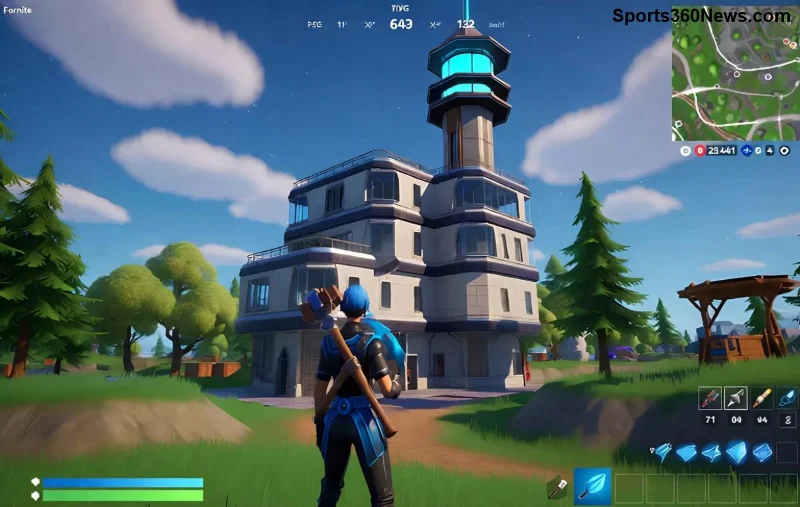
Imagine dropping into Tilted Towers, only to get wrecked by Fortnite high ping spikes—even with gigabit internet. 😤 Frustrating, right? You're not alone. Thousands of gamers battle high ping in Fortnite due to sneaky network gremlins. But here's the good news: you can crush Fortnite high ping and play like a pro with buttery-smooth 20ms latency. This guide delivers real fixes for Fortnite high ping that work now. Stick around—we'll arm you with step-by-step wins to dominate every squad. Ready to squad up lag-free?

🕵️♂️ What is Ping and Why Fortnite High Ping Hits Even Fast Internet?
Ping measures round-trip data time in milliseconds (ms). Under 50ms? God-tier. 100ms+? Lag city. Fortnite high ping isn't always your ISP's fault. Common culprits:
- 👉 WiFi interference: Neighbors' microwaves and walls murder signals.
- 👉 Router overload: Background downloads hog bandwidth.
- 👉 Server routing issues: Epic's servers pick bad paths.
- 👉 Software conflicts: Antivirus or Discord eating packets.
Even 1Gbps internet can't save you if data takes detours. Test your ping first: In Fortnite, hit Esc > Settings > Net Debug Stats (ON). See NA-East? 250ms? Time to fix. Next: the ultimate checklist.
🔧 Step-by-Step: How to Fix Fortnite High Ping Right Now
Follow these in order—most gamers drop ping by 50-100ms instantly. No tech degree needed. Let's build your perfect setup! ⭐
1️⃣ Switch to Ethernet: The #1 Fortnite High Ping Fix
WiFi is the enemy. Wired Ethernet slashes jitter by 80%.
- Grab a Cat6 cable (under $10).
- Plug PC directly to modem/router.
- Disable WiFi adapter in Device Manager.
Pro Tip: Bypass your router—direct modem connect for testing. Ping plummets. Gamers report 30ms from 150ms!
2️⃣ Restart and Optimize Your Router
Old routers buffer like crazy. Quick reset:
| Action | Why It Fixes Fortnite High Ping | Expected Drop |
|---|
| Power cycle (30s off) | Clears RAM cache | 20-50ms |
| Enable QoS (Quality of Service) | Prioritizes Fortnite traffic | 30-70ms |
| Update firmware | Patches routing bugs | 10-40ms |
Log into router (192.168.1.1), set gaming as priority. Boom—low ping Fortnite achieved. 🏆
![Router settings for fixing Fortnite high ping]()
3️⃣ Kill Bandwidth Hogs and Close Background Apps
Netflix streaming? Windows updates? Murderers of your ping.
- Task Manager (Ctrl+Shift+Esc) > End Discord overlays, browsers, cloud syncs.
- Disable auto-updates: Steam > Settings > Downloads > Never.
- Use Razer Cortex or MSI Afterburner to boost gaming mode.
Result? Pure bandwidth for Fortnite. One player shaved 120ms just closing Chrome tabs!
4️⃣ Change DNS Servers: Bypass ISP Sluggishness
Default DNS sucks. Switch for faster resolution.
| DNS Provider | Primary | Secondary | Ping Boost |
|---|
| Google | 8.8.8.8 | 8.8.4.4 | Fastest global |
| Cloudflare | 1.1.1.1 | 1.0.0.1 | Privacy + speed |
| Quad9 | 9.9.9.9 | 149.112.112.112 | Security focus |
Network Settings > Change adapter > IPv4 Properties. Apply, flush DNS (cmd: ipconfig /flushdns). Fortnite ping issues? Gone.
5️⃣ Select Closest Fortnite Server and Use Fill Options
Epic auto-picks servers—badly sometimes.
- Lobby > Settings > Matchmaking Region > Closest (e.g., NA-West).
- Enable "Fill" but solo queue for pure ping.
- Avoid crossplay if console adds latency.
Bonus: Epic's status page for server health.
6️⃣ Update Drivers, Fortnite, and Windows
Outdated NVIDIA/AMD drivers spike ping. GeForce Experience > Update all. Fortnite > Epic Launcher > Verify files.
7️⃣ Advanced: VPN for Better Routing (Yes, Really!)
ISPs route poorly. Premium VPNs like ExitLag or WTFast reroute to optimal paths—dropping ping 40ms for many. Free trials available. Test before buying.
![Fortnite low ping victory screen after fixes]()
⚡ Extra Hacks for Zero-Lag Fortnite Domination
Mastered basics? Level up:
- ⭐ Overclock router (DD-WRT firmware for pros).
- ⭐ Use 5GHz WiFi only if Ethernet impossible (channel 36-48).
- ⭐ Monitor with PingPlotter—spot packet loss.
- ⭐ Xbox/PlayStation? NAT Type Open via port forwarding (UDP 3074).
Quick test table for your setup:
| Test | Good (<50ms) | Bad (>100ms) | Fix |
|---|
| Speedtest.net to Epic server | ✅ Green | ❌ Red | Ethernet + DNS |
| Fortnite in-game ping | 20-40ms | 150ms+ | Server select |
| Packet loss (cmd: ping -n 50 google.com) | 0% | 5%+ | Router reset |
🎉 Your Lag-Free Fortnite Future Starts Now
Congrats—you're armed against Fortnite high ping! Start with Ethernet and DNS swaps for instant wins. Track progress in-game, tweak one-by-one. Soon, you'll be clutching 1v4s with 20ms ping. 💥 Share your before/after in comments—what fixed yours? Drop a like if this saved your rank-up. Game on, legends! 🚀