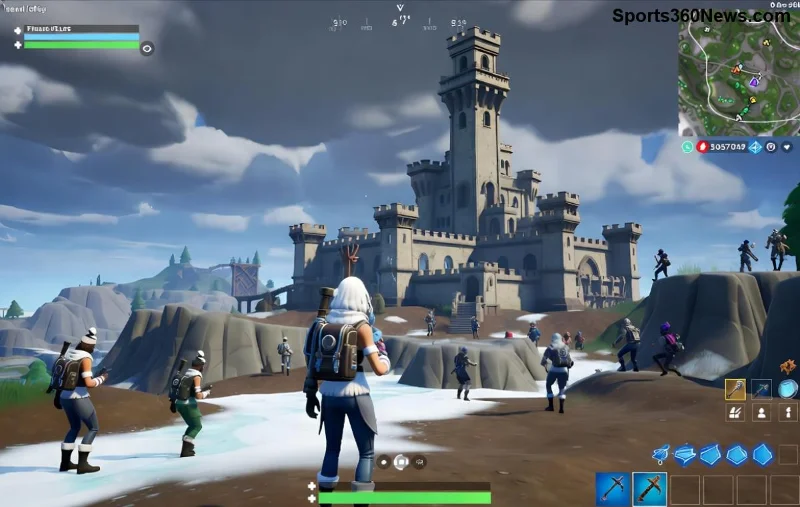
Imagine dropping into Fortnite's latest battle royale only to face brutal Fortnite lag and massive FPS drops that ruin your Victory Royale chances. If your low-end PC is choking on Epic's demanding graphics, you're not alone. But here's the good news: with these targeted fixes, you can transform your rig into a lag-slaying machine. We'll cover everything from quick in-game tweaks to system overhauls, all tested for maximum impact on budget hardware. Ready to crank up those frames? Let's dive in! 🚀
1️⃣ Update Drivers, Game, and Windows – Your First Line of Defense
Outdated software is the #1 culprit behind Fortnite FPS drops. Start here for instant gains.
- Graphics Drivers: Download the latest from NVIDIA GeForce Experience, AMD Software, or Intel Arc Control. These newest updates include Fortnite-specific optimizations that can boost FPS by 20-30% on low-end GPUs like GTX 1050 or RX 570.
- Fortnite Updates: Launch Epic Games Launcher and hit "Update" – the latest patches fix performance bugs, especially in high-traffic modes like Zero Build.
- Windows Updates: Go to Settings > Update & Security. Enable Game Mode and Hardware-Accelerated GPU Scheduling for smoother frame delivery.
Pro Tip: Use NVIDIA's site or equivalent for clean installs – avoid bloatware!
2️⃣ Master Fortnite Low-End Settings – The FPS Booster Table
Fortnite's default settings murder low-end PCs. Dial them down strategically for 60+ FPS without sacrificing fun. Here's a battle-tested Fortnite low end settings table:
| Setting |
Recommended (Low-End PC) |
FPS Gain |
| Window Mode |
Fullscreen |
+10-15 FPS |
| Resolution |
1280x720 or 1920x1080 (scaled 80%) |
+20 FPS |
| Graphics Quality Preset |
Low |
+30 FPS |
| View Distance |
Medium |
+5 FPS |
| Shadows |
Off |
+15 FPS |
| Anti-Aliasing & Super Resolution |
Medium |
+10 FPS |
| Textures/Post Processing/Effects |
Low |
+25 FPS combined |
| V-Sync |
Off |
Eliminates input lag |
| Frame Rate Limit |
Unlimited or 60 |
Stable performance |
Apply these in Fortnite Settings > Video. Test in Creative mode – you'll see reduce Fortnite lag immediately. ⭐
3️⃣ Kill Background Apps & Optimize Windows for Peak Performance
Resource hogs like Chrome tabs and Discord overlays steal FPS from Fortnite. Here's how to improve Fortnite FPS:
- Task Manager Takedown: Ctrl+Shift+Esc > Processes. End Discord, browsers, RGB software. Use Razer Cortex or MSI Afterburner for one-click cleanup (free tools!).
- Power Plan: Search "Power Options" > High Performance. This unleashes your CPU/GPU.
- Disable Startup Junk: Task Manager > Startup. Disable non-essentials.
- Xbox Game Bar Off: Settings > Gaming > Captures > Off. Frees 5-10% CPU.
Bonus: Run sfc /scannow in Command Prompt (admin) to fix corrupted files causing stutters.
4️⃣ Hardware Hacks for Low-End PCs – No Expensive Upgrades Needed
Even on integrated graphics or old GPUs, squeeze more juice:
- Clean Your PC: Dust buildup throttles temps – use compressed air for +10 FPS.
- RAM Upgrade Check: Fortnite loves 16GB. If under, close everything else.
- SSD Swap: Install on SSD for faster load times, less hitching.
- NVIDIA/AMD Control Panel: Set Power Management to "Prefer Maximum Performance" for Fortnite.exe.
Feeling the heat? Undervolt your GPU with MSI Afterburner – safe and effective for low-end rigs.
![Before and after FPS comparison on low-end PC fixing Fortnite lag]()
5️⃣ Advanced Fixes: Network Tweaks & Monitoring Tools
If Fortnite lag fix PC still eludes you, tackle network and monitoring:
- Network Optimization: Use Ethernet over Wi-Fi. In Fortnite Settings > Matchmaking Region: Auto or closest server. Close VPNs.
- Monitoring Must-Haves: CapFrameX or MSI Afterburner overlay to spot bottlenecks (CPU vs GPU).
- Verify Game Files: Epic Launcher > Fortnite > Three dots > Verify. Fixes corrupted assets causing drops.
- DirectX 12 Switch: In-game Video settings – test DX11 vs DX12 for your hardware.
For packet loss, check Epic's official troubleshooter. 👍
Quick Wins Checklist – Print & Conquer Lag!
| ✅ Action |
Expected FPS Boost |
| Update Drivers | 20% |
| Low Settings | 50% |
| Kill Backgrounds | 15% |
| High Power Plan | 10% |
| Clean Hardware | 10% |
Stack these for 100%+ improvement. Track with in-game FPS counter!
![Gamer celebrating high FPS in Fortnite after lag fixes on low-end PC]()
Final Boss: Your Smooth Fortnite Awaits
Congrats, squad! Implementing these steps has turned countless low-end PCs into Fortnite beasts. Start with settings and updates for quick wins, then layer on system tweaks. Drop a comment below: What fixed your Fortnite FPS drops? Share your before/after FPS for the community. Now, queue up and dominate – those Victory Royales are yours! 🎉
Pro Gamer Tip: Bookmark this Fortnite performance guide and revisit after patches. Game on!