Hey, fellow gamer! 👋 Are you ready to dive into the multiplayer madness but stuck on where to snag your next Xbox Live subscription? Whether it's Xbox Game Pass Core (the evolved powerhouse replacing Live Gold) or those classic codes, the choice between Buying Xbox Live from the Microsoft Store vs. Retailers can make or break your wallet. We'll break it down with real pros, cons, and insider tips to help you score the best deal. Stick around – by the end, you'll know exactly how to buy Xbox Live like a pro! 🚀
1️⃣ What is Xbox Live Today? Quick Refresher
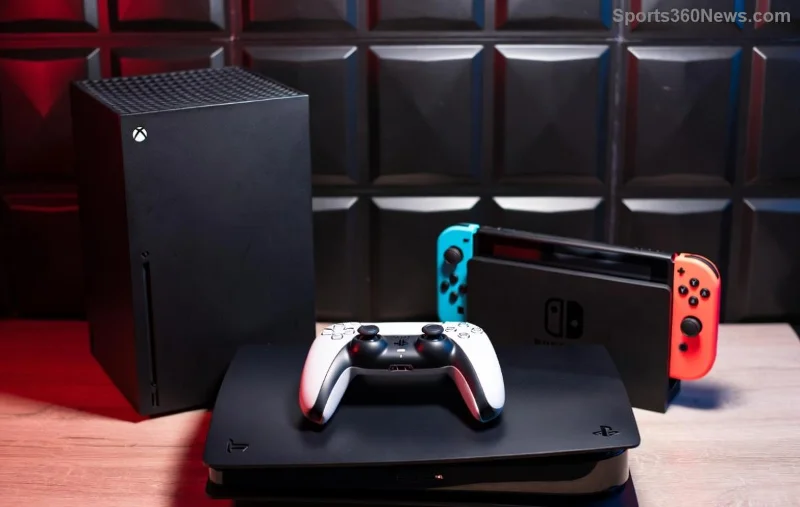
Let's set the stage. Xbox Live has leveled up to Xbox Game Pass Core – your ticket to online multiplayer, cloud saves, and a rotating library of 25+ high-quality games. Subscriptions come in 1-month, 3-month, or 12-month flavors. No more plain Live Gold; this is the new standard for core gaming perks. Check Xbox's official page for the latest bundles.
2️⃣ Microsoft Store: Instant Gratification or Premium Price?
Buying Xbox Live from the Microsoft Store is like hitting "A" for seamless action. Here's why gamers love (and sometimes hesitate) it:
- ⭐ Instant Activation: Redeem codes right from your console or PC app. No waiting for shipping!
- 👍 Auto-Renew & Management: Link to your Microsoft account for easy upgrades to Ultimate and family sharing options.
- 💰 Pricing Snapshot (Latest Deals): 1-month Core at $9.99, 12-month at $59.99. Frequent digital sales drop it lower – watch for 20-30% off during events.
- ⚠️ Downside: Rarely the cheapest upfront; auto-renew can sneak up if you're not careful.
Pro Tip: Stack with Microsoft Rewards points for free months. It's a gamer's dream for convenience!
3️⃣ Retailers: Hunt for Discounts or Deal with Hassles?
Now, the thrill of the hunt! Buying Xbox Live from Retailers like Amazon, Best Buy, GameStop, or Walmart means physical/digital cards often at rock-bottom prices.
- 💸 Epic Savings: Spot 12-month cards for $40-50 (up to 30% off MSRP). Third-party sites like CDKeys or Eneba push it even lower during flash sales.
- 🎁 Gift-Friendly: Perfect for stocking stuffers or gifting – no account linking needed upfront.
- 🛒 Variety: Bundles with controllers or games sweeten the pot.
- ❌ Watch Out: Shipping delays (1-7 days), region locks on codes, and scam risks from shady sellers.
Always verify retailer ratings on sites like Trustpilot. Real gamers save hundreds yearly this way! 😎
![Comparison of Xbox Live subscription cards from retailers]()
4️⃣ Head-to-Head: Microsoft Store vs. Retailers Comparison Table
Time for the ultimate showdown. Here's a clear Buying Xbox Live from the Microsoft Store vs. Retailers breakdown:
| Feature |
Microsoft Store |
Retailers |
| Price (12-Mo Core) |
$59.99 (sales ~$45) |
$40-55 (deals ~$35) |
| Activation Speed |
Instant 📱 |
1-7 days 🚚 |
| Convenience |
Top-tier (app/account sync) |
Good, but manual redeem |
| Risks |
Auto-renew traps |
Fakes/region issues |
| Best For |
Quick buys & upgrades |
Budget hunters |
Clear winner? Depends on you – speed or savings? Keep reading for personalized picks! 👇
5️⃣ Which Should You Choose? Gamer Scenarios
Go Microsoft Store if:
- You need it now for that raid party. Instant = zero downtime.
- You stack with Game Pass Ultimate for 100+ games + EA Play.
Pick Retailers if:
- You're stocking up for the year – those $35 12-month steals are legendary.
- Hunting bundles: Amazon's "Buy console, get 3 months free" vibes.
![Xbox gamer redeeming subscription code on console]()
Bonus Hack: Use retailer codes first, then upgrade via Store for hybrid wins. Track prices with CamelCamelCamel for Amazon drops!
6️⃣ Pro Tips to Maximize Your Xbox Live Bucks 💰
- Haggle Deals: Sign up for retailer newsletters – Black Friday echoes hit year-round.
- ⭐ Avoid Scams: Stick to authorized sellers; check "Microsoft Authorized" badges.
- Family Power: Share Core with up to 5 others via home console setup.
- Upgrade Path: Core to Ultimate for $5 more/month – cloud gaming heaven!
🎮 Final Verdict: Level Up Smart!
In the battle of Buying Xbox Live from the Microsoft Store vs. Retailers, retailers edge out for pure savings, but Microsoft wins for hassle-free vibes. Mix both for god-tier value! Ready to squad up? Head to your fave spot now and drop a comment below: Store loyalist or deal hunter? Let's game on! 🎉
Stay frosty, gamers. More Xbox guides dropping soon! 👀