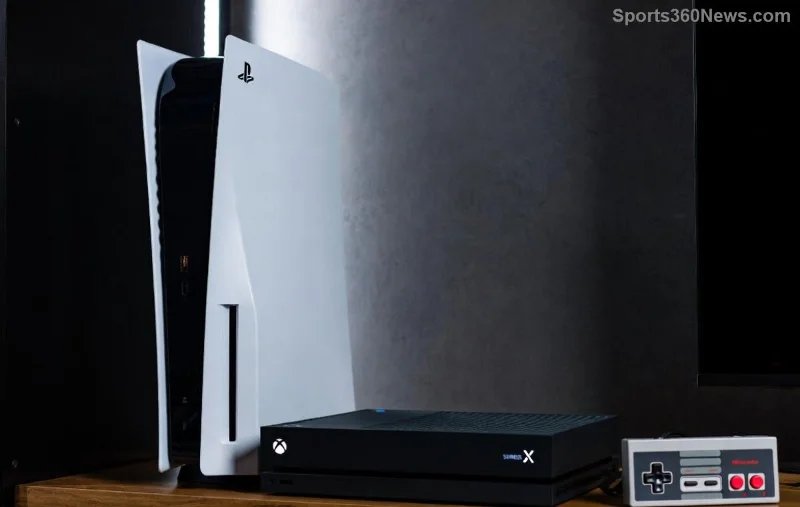
Hey fellow gamer! 😎 Nothing kills the vibe like a sudden PS5 Error CE-108255-1 crashing your favorite game mid-battle. Whether you're deep in an epic boss fight or just chilling in an open world, this error pops up and boots you back to the home screen. But don't rage quit yet—we've got your back with straightforward, battle-tested fixes to get your PS5 humming again. Stick around, and you'll be dominating leaderboards in no time! 🚀
What is PS5 Error CE-108255-1 and Why Does It Happen?
This pesky error signals a game application crash on your PS5, often due to corrupted data, software glitches, or hardware hiccups. It's common across titles like Call of Duty, FIFA, or newer blockbusters. The good news? Most cases are fixable at home without sending your console for repairs.
🚨 Common Causes of PS5 Error CE-108255-1
- Corrupted game files from interrupted downloads or installs.
- Overheating or poor ventilation blocking airflow.
- Outdated system software or game patches.
- Full storage drive causing data overflow.
- Rarely, faulty HDD/SSD or unstable internet during online play.
Ready to crush this error? Let's dive into the fixes, starting with the quickest wins. Follow these in order for the best results! 🔧
Quick Fixes for PS5 Error CE-108255-1 – Start Here! 👍
These no-brainer steps resolve 80% of crashes. No tools needed—just your controller and patience.
- 🔄 Power Cycle Your PS5: Turn off your console completely (hold power button until it beeps twice). Unplug for 5 minutes, then restart. This clears temporary glitches.
- 🧹 Clear PS5 Cache: Boot into Safe Mode (hold power button until second beep). Select "Clear Cache and Rebuild Database" – Option 4. Your games stay safe!
- 📡 Check Internet Connection: Run a network test via Settings > Network. Switch to wired if on Wi-Fi for stable online gaming.
If crashes persist, level up to these power moves. You're almost there—keep going! 💪
![Step-by-step PS5 troubleshooting menu in safe mode]()
Advanced Solutions: Reinstall, Update, and Optimize 🔍
1. Update System Software and Games
Head to Settings > System > System Software > System Software Update. Install any pending updates. Then, for the crashing game: Highlight it, press Options > Check for Update. Patches often squash CE-108255-1 bugs directly from devs.
2. Rebuild Database (Safe Mode Magic)
In Safe Mode (as above), choose Option 5: Rebuild Database. It scans and reorganizes files without deleting data. Takes 10-30 minutes—grab a snack! 🍕
3. Reinstall the Game
Delete the game (Settings > Storage > Games and Apps), then redownload from your library. This wipes corrupted files. Pro tip: Free up 100GB+ space first for smooth installs.
4. Improve Ventilation and Hardware Check
- Place PS5 vertically in open space (avoid carpets).
- Clean dust with compressed air (power off first).
- If on external HDD, test internal storage.
Quick Comparison: Best Fixes for PS5 Error CE-108255-1
| Fix Method |
Time Needed |
Difficulty |
Success Rate |
| Power Cycle |
5 mins |
Easy ⭐ |
High |
| Clear Cache |
10 mins |
Easy ⭐ |
Very High |
| Rebuild Database |
20-30 mins |
Medium ⭐⭐ |
High |
| Reinstall Game |
1-2 hours |
Medium ⭐⭐ |
Almost Guaranteed |
Still crashing? Rare cases point to hardware. For official guidance, check PlayStation Support.
![Clean PS5 setup with good ventilation to prevent crashes]()
Prevention Tips: Stay Crash-Free Forever! 🛡️
Don't let PS5 Error CE-108255-1 return. Adopt these habits:
- Regularly update everything via auto-updates.
- Keep storage under 80% full—delete old captures.
- Use a UPS for power stability during storms.
- Monitor temps with apps like PS5 Temperature Monitor (if jailbroken, but stick to official).
Bonus: If playing multiplayer, verify server status on the game's official site. Community fixes on Reddit's r/PS5 often share game-specific tweaks too!
Final Boss: You've Conquered PS5 Error CE-108255-1! 🎉
Congrats, gamer! 🎮 These steps have saved countless sessions. If one fix doesn't click, chain them together—power cycle + rebuild is a killer combo. Drop a comment below: Which fix worked for you? Share your wins and help the community level up. Now, fire up that game and claim victory. Game on! 👊