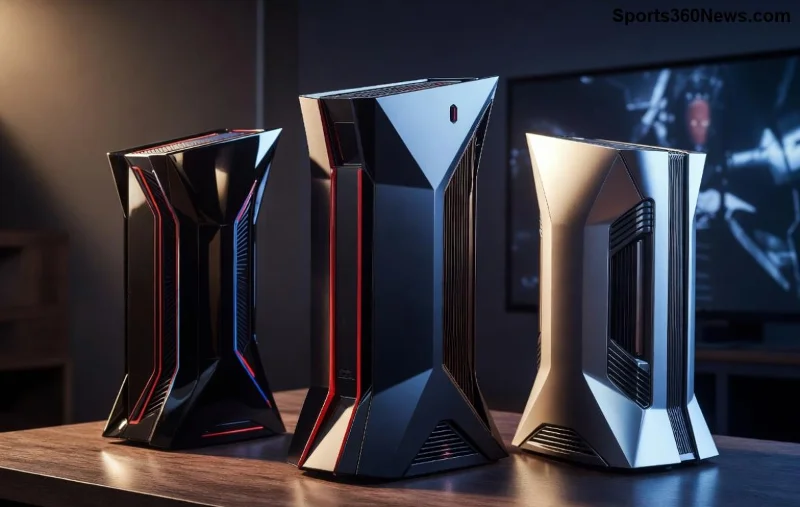
Unlock Portable PS5 Bliss: How PlayStation Portal Masters Remote Play

Imagine firing up your favorite PS5 titles from a coffee shop, airport lounge, or even your backyard—without lugging your console. That's the magic of PlayStation Portal with Remote Play. 🎮 This sleek handheld device streams your PS5 games over Wi-Fi, delivering console-quality action in a portable package. If you're a game thủ craving freedom, stick around as we break down exactly how it works, from setup to pro tips that keep you immersed. Ready to level up your mobility? Let's dive in!

PlayStation Portal handheld streaming PS5 games via Remote Play

What Is PlayStation Portal and Why Pair It with Remote Play?

PlayStation Portal isn't a full console—it's a dedicated streamer designed exclusively for PS5 Remote Play. With its vibrant 8-inch LCD screen, responsive DualSense controls, and haptic feedback, it feels like holding your PS5 in your hands. The star feature? Remote Play, Sony's tech that mirrors your PS5's power to any compatible device.

Why does this combo thrill game thủ?

  • Zero game installs needed on Portal—everything runs from your PS5.
  • 🎮 Full DualSense immersion: Adaptive triggers, haptics, and gyro aiming shine through.
  • 1️⃣ Play anywhere with Wi-Fi: Couch co-op to cross-country commutes.

In the latest updates, Sony has optimized latency and stability, making Remote Play smoother than ever. But how does the handshake happen between Portal and your PS5? It all starts with a rock-solid connection.

System Requirements for Flawless PlayStation Portal Remote Play

To unleash peak performance, ensure your setup meets these must-haves. Here's a quick-reference table for clarity:

Component Minimum Specs Recommended for Best Experience
PS5 Console Any PS5 model, updated firmware PS5 with SSD for faster loads
Internet (PS5 Home) 5Mbps upload/download 15Mbps+ upload/download, wired Ethernet
Internet (Portal) 5Mbps download 15Mbps+ Wi-Fi 5/6, low interference
PlayStation Network Active PSN account PS Plus for online multiplayer
PlayStation Portal Charged, latest software Fully updated via PS5 or PC

Pro tip: Test your network with the official PlayStation speed test. Slow speeds? Time to upgrade your router! 😎

Step-by-Step: Setting Up PlayStation Portal with Remote Play

Getting started is a breeze—under 10 minutes if you're prepped. Follow these numbered steps for instant access:

  1. Prep Your PS5: Go to Settings > System > Remote Play > Enable Remote Play. Link your PSN account if prompted.
  2. Power Up Portal: Charge it fully, then hold the power button. Connect to Wi-Fi during initial setup.
  3. Sign In: Use the same PSN credentials as your PS5. Boom—Portal detects your console automatically.
  4. Test Connection: Wake your PS5 (it must be in Rest Mode or on). Select a game from the Portal home screen.
  5. Tweak Settings: In Portal menu, adjust resolution (up to 1080p), frame rate, and battery saver for optimal play.

✅ First session success? You're streaming! But what powers this wireless wizardry under the hood?

Close-up of PlayStation Portal interface showing Remote Play streaming

How Remote Play Tech Works on PlayStation Portal: The Magic Revealed

At its core, PlayStation Portal Remote Play uses video encoding magic. Your PS5 renders the game, compresses the video/audio stream (H.264 or HEVC), and beams it via your router to Portal. Controls? Sent back as input data packets. Latency? As low as 50-80ms on prime Wi-Fi—feels native!

Key tech highlights:

  • Cloud-Routed Streaming: Sony's servers relay if direct connection fails (no port forwarding needed).
  • DualSense Fidelity: Full controller passthrough preserves every rumble and trigger resistance.
  • Adaptive Quality: Auto-adjusts bitrate based on signal strength—no lag spikes mid-boss fight.

Latest firmware boosts 60fps stability at 1080p, perfect for fast-paced titles like Spider-Man 2 or Call of Duty. Feeling the hype? Wait till you hear optimization secrets...

Pro Tips to Maximize Your PlayStation Portal Remote Play Experience

Elevate from good to god-tier gaming with these game-changer hacks:

  • Use 5GHz Wi-Fi: Ditch 2.4GHz for lower ping. Enable QoS on your router to prioritize gaming traffic.
  • 🎮 Rest Mode Magic: PS5 auto-wakes via internet—set in Remote Play settings for on-demand play.
  • 1️⃣ Battery Boost: Dim screen, lower res for 4+ hours of untethered fun.
  • 2️⃣ Hotspot Hero: Mobile hotspot works, but cap data usage for epic road trips.
  • 👆 Multi-Device? No Prob: Stream to Portal while friends play locally on PS5 (one at a time).

Traveling? Portal's travel case (sold separately) keeps it safe. Game thủ rejoice: Your backlog is now truly portable! 🚀

Troubleshooting Common PlayStation Portal Remote Play Hiccups

Even pros hit snags. Quick fixes for top issues:

Issue Solution
❌ Connection fails Restart PS5/Portal, check NAT type (aim for Type 2), update firmware
📉 Lag or stutter Wired PS5 Ethernet, close bandwidth hogs, use 5GHz Wi-Fi
🔇 No audio Enable headphones on Portal, check PS5 audio output
⚡ Battery drains fast Enable power save, lower brightness/FPS

Still stuck? Hit Sony's Remote Play support page. Most fixes take seconds—back to gaming ASAP! 🙌

Why PlayStation Portal with Remote Play Is a Game Thủ's Dream

In a world of bulky handhelds, PlayStation Portal stands tall by leaning on your PS5's muscle. No storage limits, no subscriptions beyond PS Plus—pure streaming bliss. Whether grinding RPGs or multiplayer mayhem, it delivers that console rush anywhere Wi-Fi flows.

Future-proofed with ongoing updates, it's evolving into the ultimate companion. Craving more? Experiment with party chat integration or share clips mid-stream. Your PS5 library awaits—grab your Portal and conquer the world, one stream at a time! What's your first game to remote? Drop thoughts below and keep the adventure rolling. 🎯


Leave a Comment

Unlock Seamless Gaming: Best Ways to Play PS5 Games Remotely Anywhere!

Unlock Seamless Gaming: Best Ways to Play PS5 Games Remotely Anywhere!

Dive into the top methods for playing PS5 games remotely with zero lag. Compare PS Remote Play, PlayStation Portal, and more for the ultimate mobile gaming freedom. Essential tips inside!

PlayStation Portal Exposed: Is It REALLY Just a Remote Play Device? Shocking Truth Revealed!

PlayStation Portal Exposed: Is It REALLY Just a Remote Play Device? Shocking Truth Revealed!

Uncover the truth: Is the PlayStation Portal just a Remote Play device? Explore its unique features, cloud streaming capabilities, and why it's revolutionizing PS5 gaming for handheld enthusiasts. Essential read for gamers!

Unlock Epic Gaming Anywhere: How PlayStation Portal Revolutionizes Remote Play!

Unlock Epic Gaming Anywhere: How PlayStation Portal Revolutionizes Remote Play!

Dive into how the PlayStation Portal works with Remote Play for seamless PS5 streaming. Master setup, tips, and troubleshooting for lag-free gaming on the go. Essential guide for every gamer!

Ultimate Guide: Best Ways to Play PS5 Games Remotely – Zero Lag, Epic Wins! 🎮

Ultimate Guide: Best Ways to Play PS5 Games Remotely – Zero Lag, Epic Wins! 🎮

Master choosing the best way to play PS5 games remotely with PS Remote Play, PlayStation Portal, and cloud streaming. Compare speed, setup, and features for seamless gaming anywhere in 2026.

PlayStation Portal Remote Play: Pros & Cons Exposed – Must-Have for PS5 Gamers?

PlayStation Portal Remote Play: Pros & Cons Exposed – Must-Have for PS5 Gamers?

Uncover the real pros and cons of the PlayStation Portal for Remote Play. Perfect for PS5 owners craving portable gaming – discover if it's your next game-changer!

PlayStation Portal vs Phone Remote Play: Ultimate PS5 Gaming Showdown – Which Wins? 🎮

PlayStation Portal vs Phone Remote Play: Ultimate PS5 Gaming Showdown – Which Wins? 🎮

PlayStation Portal vs Phone Remote Play: Dive into the ultimate comparison for PS5 gamers. Discover latency, battery life, controls, and more to pick the best remote play option for seamless gaming anywhere.

🚀 Ultimate Fix: Banish Console Not Found Error on PlayStation Portal Forever!

🚀 Ultimate Fix: Banish Console Not Found Error on PlayStation Portal Forever!

Tired of the frustrating "Console Not Found" error on your PlayStation Portal? Discover proven, step-by-step fixes to reconnect your device to PS5 instantly and dive back into seamless remote gaming. No tech skills required!

🔥 Fix Free Fire Overheating & Battery Drain FAST: Ultimate Guide for Non-Stop Booyah Wins!

🔥 Fix Free Fire Overheating & Battery Drain FAST: Ultimate Guide for Non-Stop Booyah Wins!

Struggling with Free Fire overheating and battery drain? This ultimate guide reveals proven, step-by-step fixes to cool your device, save battery, and dominate matches without interruptions. Perfect for every Free Fire squad.

🚨 PS5 Wont Turn On? Fix Blinking Blue Light FAST – Proven Steps for Gamers!

🚨 PS5 Wont Turn On? Fix Blinking Blue Light FAST – Proven Steps for Gamers!

Is your PS5 won’t turn on with a blinking blue light? Discover proven, step-by-step fixes to get your console back online quickly. Troubleshoot power issues and resume gaming without hassle!

Unlock Portable PS5 Bliss: How PlayStation Portal Masters Remote Play

Unlock Portable PS5 Bliss: How PlayStation Portal Masters Remote Play

Dive into how PlayStation Portal works with Remote Play for seamless PS5 streaming on the go. Get setup tips, performance secrets, and troubleshooting to game anywhere like a pro.

🚀 Ultimate Fix: Stop Free Fire Sensitivity Resetting After Every Match & Dominate Now!

🚀 Ultimate Fix: Stop Free Fire Sensitivity Resetting After Every Match & Dominate Now!

Tired of Free Fire sensitivity resetting after every match? Get proven, step-by-step fixes to permanently save your settings, boost aim accuracy, and crush opponents. Works on all devices!

Minecraft NoClassDefFoundError: Fix Lang Java Class Crashes in Seconds!

Minecraft NoClassDefFoundError: Fix Lang Java Class Crashes in Seconds!

Struggling with NoClassDefFoundError in Minecraft Java? Discover proven fixes for Lang Java class crashes, step-by-step guides, and tips to keep your game running smoothly. Say goodbye to frustrating crashes!

🚀 Unlock Roblox Domination: Master How to Analyze Your Game Stats for Explosive Growth

🚀 Unlock Roblox Domination: Master How to Analyze Your Game Stats for Explosive Growth

Learn exactly how to analyze your Roblox game stats like a pro. Discover key metrics, tools, and strategies in the Roblox Creator Dashboard to boost visits, retention, and revenue. Start optimizing today!

🔒 Robux Under Attack? Ultimate Guide to Keep Your Robux Safe from Hackers in Roblox

🔒 Robux Under Attack? Ultimate Guide to Keep Your Robux Safe from Hackers in Roblox

Discover proven strategies on how to keep your Robux safe from hackers. Master Roblox security tips, avoid common scams, and protect your hard-earned Robux with expert advice for ultimate peace of mind.

Unlock Pro Dominance: Master PUBG Mobile Crouch + Peek Combo for Epic Wins!

Unlock Pro Dominance: Master PUBG Mobile Crouch + Peek Combo for Epic Wins!

Elevate your PUBG Mobile game with our ultimate guide to mastering the Crouch + Peek combo. Learn pro techniques, avoid mistakes, and dominate gunfights like a legend. Boost KD now!

🚀 Fix 422 Download Minecraft Error: Glitched Gets in Minutes – Ultimate 2026 Guide for Gamers!

🚀 Fix 422 Download Minecraft Error: Glitched Gets in Minutes – Ultimate 2026 Guide for Gamers!

Tired of 422 Download Minecraft Error: Glitched Gets ruining your game? Discover proven, step-by-step fixes to download Minecraft smoothly on PC, Mac, or console. Get back to crafting!

Why PUBG Mobile is Swapping Gritty Realism for Dazzling Fantasy Skins – Gamers Ultimate Guide

Why PUBG Mobile is Swapping Gritty Realism for Dazzling Fantasy Skins – Gamers Ultimate Guide

Discover why PUBG Mobile is moving away from realism to fantasy skins. Explore revenue boosts, player engagement, and epic collaborations that make fantasy skins a game-changer for battle royale fans.






