How to Fix Free Fire High Ping on Mobile Data

Fix Free Fire high ping on mobile data with practical connection checks, LTE vs. 5G tests, background download fixes, and tips for reporting persistent lag.
Ever poured hours into platinum trophies, only to sweat over a simple PSN email change? 😰 Don't worry, gamer – your digital glory isn't going anywhere. In this guide, we'll break down what happens to your trophies after changing PSN email, using the latest official info. Stick around for peace of mind and pro tips to safeguard your profile. Let's dive in!
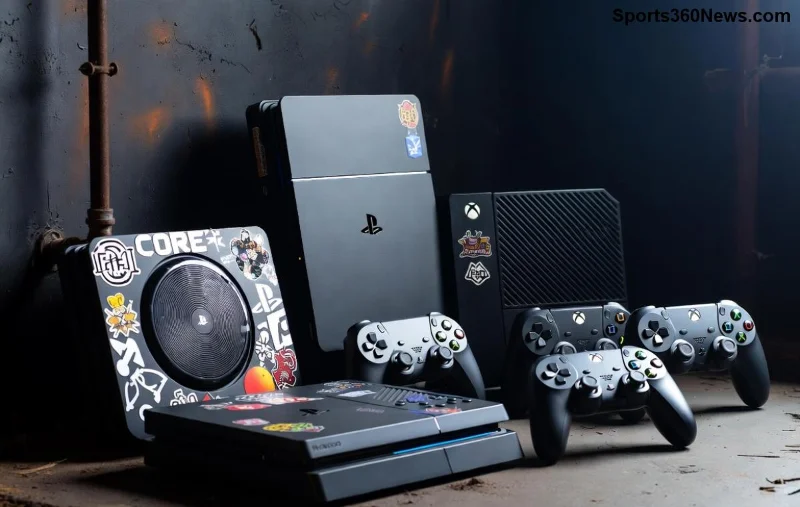
Your PSN account has two key identifiers: the Online ID (your username like "GamerPro123") and the sign-in ID (your email). Changing PSN email updates only the sign-in ID – the email you use to log in. Trophies? They're tied to your unique account, not the email.
✅ Official fact: Sony confirms trophies remain intact. No deletions, no resets. Your progress syncs across PS4, PS5, and the web trophy list via your account core.
Pro tip: If offline for long, force a sync post-change. Your platinum awaits! ⭐
Forum panic is real. Here's the truth in a quick table:
| Myth | Fact |
|---|---|
| Trophies delete on email swap ❌ | Trophies are account-bound, email is just login. Safe! ✅ |
| Can't access old trophies ❌ | Full access via new email. Web profile unchanged. |
| PS Plus trophies vanish ❌ | Subscription ties to account, not email. All good. |
| Multi-account mess-up ❌ | One account per console user. No crossover issues. |
Follow these steps for zero drama:
🎮 Feeling empowered? Your PSN trophies are tougher than a boss fight.
Sometimes, sync delays happen (network hiccups). Solution:
In the rarest cases (like account flags), trophies stay – Sony doesn't purge for email updates. Recent user reports on PlayStation Support confirm 100% retention.
Sony's architecture links achievements to your account's unique ID. Email changes? Cosmetic. Even Online ID swaps (separate process) don't touch trophies – with a 24-hour reversal window if needed.
Long-term gamers rejoice: Cross-gen sync (PS4 to PS5) preserves everything. Keep grinding; your legacy is locked in.
Q: Do trophies transfer if I change PSN email?
A: Yes, fully. No action needed.
Q: What about shared accounts?
A: Each user profile separate. Primary account unaffected.
Q: PSN email change affect leaderboards?
A: Nope – tied to Online ID.
Q: Lost email access entirely?
A: Recovery via Sony: Provide old details, prove ownership. Trophies safe during process.
Your PSN trophies aren't fragile glass – they're steel-clad achievements. Changing PSN email is a breeze with zero losses. Sync up, update confidently, and chase that next platinum. 👏
Got a story? Drop it below – let's celebrate those epic hunts! Ready for more PS tips? Explore our guides next.
Fix Free Fire high ping on mobile data with practical connection checks, LTE vs. 5G tests, background download fixes, and tips for reporting persistent lag.
Brawl Stars opens to a black screen on your iPad? Try these safe checks for the app, connection, iPadOS, and updates before reinstalling or contacting Supercell.
Learn how to clear Free Fire’s cache on Android, what iPhone users can do, and how to avoid deleting game data while troubleshooting lag.
Find confirmed LoL Worlds, VALORANT, CS2 and Dota 2 events for October 19–25, with local kickoff times, UTC conversions, matchups and bracket stakes where published.
Compare balanced, steady, and fast-drag Free Fire sensitivity profiles on the 0–200 scale, then tune General and scope values to your device.
Save Dota 2 camera spots to keys, jump back to lanes or objectives, and troubleshoot missing or conflicting camera position binds.
Fix a TFT Mobile black screen after loading with official server checks, updates, cache troubleshooting, compatibility guidance, and safe reinstall steps.
Reduce Marvel Rivals DirectX 12 shader stutter with preload, driver, cache, and file checks. Learn when a cache reset helps and which older advice to avoid.
Enable PUBG’s network statistics HUD to monitor ping and packet loss in a match. See where to find it, what the numbers mean, and what they cannot diagnose.
Learn how to import VALORANT crosshair codes, compare presets with manual settings and spectator copy, and fix common import issues.






