How to Fix Free Fire High Ping on Mobile Data

Fix Free Fire high ping on mobile data with practical connection checks, LTE vs. 5G tests, background download fixes, and tips for reporting persistent lag.
🚀 Imagine dominating browser games on Xbox with the pinpoint accuracy of a PC setup—no controller drift, just pure precision. Whether you're sniping in web-based shooters or strategizing in MMOs, pairing your Xbox with a keyboard and mouse elevates your game. This guide delivers everything you need: from setup to pro tips, so you can jump in and crush lobbies today. Let's gear up and level up! 💥
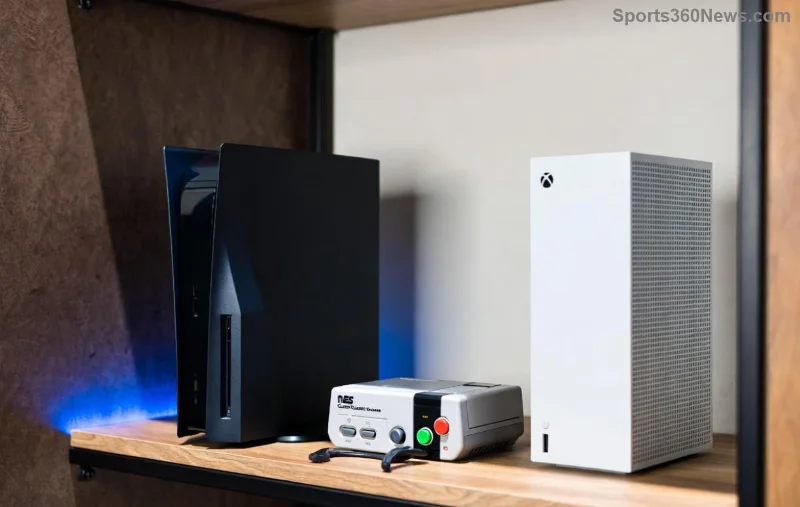
Most modern Xbox consoles shine with keyboard and mouse support. Xbox Series X|S and even updated Xbox One models handle USB or Bluetooth peripherals seamlessly. Microsoft has optimized this for gaming, including browser games on Xbox via Edge.
Getting wired? Super simple. Plug into any USB port on your Xbox—drivers load automatically. For wireless freedom:
🎉 Boom—your setup is live! Sensitivity sliders let you tweak for FPS precision or MOBA control.
Xbox's built-in Microsoft Edge is your gateway. No downloads required—perfect for instant play.
Edge supports fullscreen (F11 key) and hardware acceleration for 60FPS+ in most titles. Feeling pumped? Your first match awaits!
These web gems shine on Xbox—zero installs, endless fun. Here's a quick comparison:
| Game | Genre | Why KB+M Rules | Site |
|---|---|---|---|
| Krunker.io | FPS | Ultra-precise aiming, quick scopes | krunker.io |
| Agar.io | IO | Smooth mouse dragging for blobs | agar.io |
| Slither.io | Survival | WASD mastery for snake domination | slither.io |
| Shell Shockers | Shooter | Recoil control like a pro PC gamer | shellshock.io |
| Diep.io | Tank Battle | Mouse turret precision owns lobbies | diep.io |
Load these up and feel the power shift. Which one's your new addiction? 👀
Don't stop at basics—optimize for victory:
Bonus: For controller hybrids, switch inputs mid-game via Xbox menu. Versatility = wins!
Stuck? Quick fixes keep you fragging:
| Issue | Solution |
|---|---|
| Mouse not detected | Replug USB or re-pair Bluetooth; update Xbox firmware. |
| Lag in games | Lower browser zoom (Ctrl + mouse wheel); check internet speed. |
| Keys not registering | Disable Steam Input if using compatible mice; test in Xbox menu. |
| Edge crashes | Clear cache: Edge menu > Settings > Privacy. |
Still issues? Xbox support has your back—search their official docs.
With this setup, how to play browser games on Xbox with keyboard and mouse is unlocked forever. Precision aiming, fluid controls, and endless free titles await. Grab your gear, fire up Edge, and show web arenas who's boss. Share your top scores in comments—what game will you master first? Game on, legends! 🏆
Fix Free Fire high ping on mobile data with practical connection checks, LTE vs. 5G tests, background download fixes, and tips for reporting persistent lag.
Brawl Stars opens to a black screen on your iPad? Try these safe checks for the app, connection, iPadOS, and updates before reinstalling or contacting Supercell.
Learn how to clear Free Fire’s cache on Android, what iPhone users can do, and how to avoid deleting game data while troubleshooting lag.
Find confirmed LoL Worlds, VALORANT, CS2 and Dota 2 events for October 19–25, with local kickoff times, UTC conversions, matchups and bracket stakes where published.
Compare balanced, steady, and fast-drag Free Fire sensitivity profiles on the 0–200 scale, then tune General and scope values to your device.
Save Dota 2 camera spots to keys, jump back to lanes or objectives, and troubleshoot missing or conflicting camera position binds.
Fix a TFT Mobile black screen after loading with official server checks, updates, cache troubleshooting, compatibility guidance, and safe reinstall steps.
Reduce Marvel Rivals DirectX 12 shader stutter with preload, driver, cache, and file checks. Learn when a cache reset helps and which older advice to avoid.
Enable PUBG’s network statistics HUD to monitor ping and packet loss in a match. See where to find it, what the numbers mean, and what they cannot diagnose.
Learn how to import VALORANT crosshair codes, compare presets with manual settings and spectator copy, and fix common import issues.






