Home
» 🎮 Esports
»
League of Legends: Hanwha Life Esports vs. TOP Esports — Worlds 2026 Preview
League of Legends: Hanwha Life Esports vs. TOP Esports — Worlds 2026 Preview
Worlds 2026 opens its Swiss stage with a cross-region League of Legends match: Hanwha Life Esports versus TOP Esports. The pairing is scheduled for Friday, October 23, at the Credit Union of Texas Event Center in Allen, Texas. Riot lists the game as Swiss Round 1 and best-of-one (Bo1). Its scheduled start is 18:00 UTC, which is 1:00 p.m. CDT (UTC−05:00) in Allen on that date.
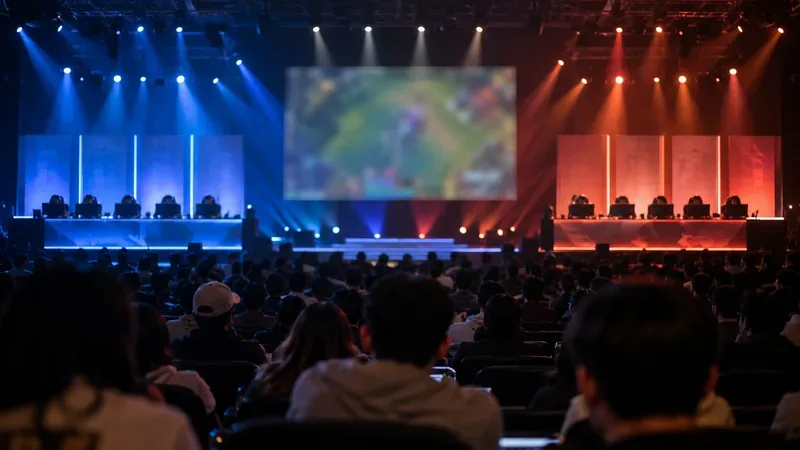
An esports arena prepared for competition, shown as general tournament atmosphere.
Match details
Match: Hanwha Life Esports (HLE) vs. TOP Esports (TES)
Event: 2026 League of Legends World Championship, Swiss Round 1
Format: Best-of-one
Scheduled start: Friday, October 23, 2026, 1:00 p.m. CDT (UTC−05:00) in Allen; 18:00 UTC
Venue: Credit Union of Texas Event Center, Allen, Texas, United States
Official score status: 0–0 in the available fixture; no final result confirmed
Why this Swiss opener matters
HLE represents Korea’s LCK, while TES represents China’s LPL. Riot’s Worlds 2026 Primer placed HLE in the second Round 1 draw tier and TES in the third. The tiered draw paired those groups, and Riot’s rules prevent same-region meetings in this first round. That gives the match an immediate international edge without making the result a knockout verdict.
The Swiss stage runs for five rounds. Teams need three match wins to reach the Knockout Stage, while three losses mean elimination. HLE and TES begin at 0–0, so the winner moves into the 1–0 group and the loser starts the next pairing at 0–1. Neither team is eliminated by losing this opener, but a win gives the winner a more comfortable position heading into the next round.
That distinction matters when judging the pressure. Both teams want to avoid opening with a loss, especially in a short format where every result shapes the next draw. But this first game does not decide whether either side advances. The larger test is whether a team can turn a strong opening into a run of wins across the Swiss stage.
What to watch in a best-of-one
A Bo1 removes the usual series cushion. There is no second game for a team to adjust its draft after seeing the opponent’s approach, so early preparation and in-game decisions carry extra weight. Fans can focus on the draft’s shape, the first rotations around lane pressure, and whether either team can convert an early advantage into control of the map.
Draft priorities
Watch which champions each side removes and what it chooses early in the draft. Those choices can signal the team’s preferred way to start fights, protect a carry, or create pressure on the side lanes. A single game is too small a sample to prove a team has solved its opponent, so the draft is best read as a plan for this matchup rather than a statement about the entire tournament.
Early map movement
The first minutes can show how the teams want to manage lane priority and jungle access. Look for coordinated movement toward river vision and neutral-objective setups, then note whether either side trades an objective for pressure elsewhere. In a one-game match, a controlled trade can matter more than forcing a fight simply because an objective is available.
Composure after a setback
A lost skirmish or early objective does not automatically decide the game. The useful signal is how the team responds: whether it resets vision, protects its next power spike, and chooses a clear route back into the map. Since there is no game two, discipline after a mistake becomes part of the one-game test.
Starting lineups and final score
Riot’s current tournament listing confirms HLE against TES but does not identify the match-day starters. The HLE team profile and TES team profile provide team information; those pages should not be mistaken for an official starting lineup for this specific game. No final score is available while the fixture remains listed 0–0. Check the official Worlds Swiss standings for the confirmed result after the match.
Confirm the time and event details
The time above is tied to the venue, not to a reader’s assumed location: Allen, Texas observes Central Daylight Time in late October. U.S. daylight saving time continues through November 1 in 2026, so the October 23 fixture uses CDT at UTC−05:00. Riot’s tournament schedule identifies Allen and the Swiss stage, while the venue’s event page lists the Worlds Swiss dates. For the game’s scheduled start, use the exact 18:00 UTC fixture timestamp and its 1:00 p.m. CDT conversion.