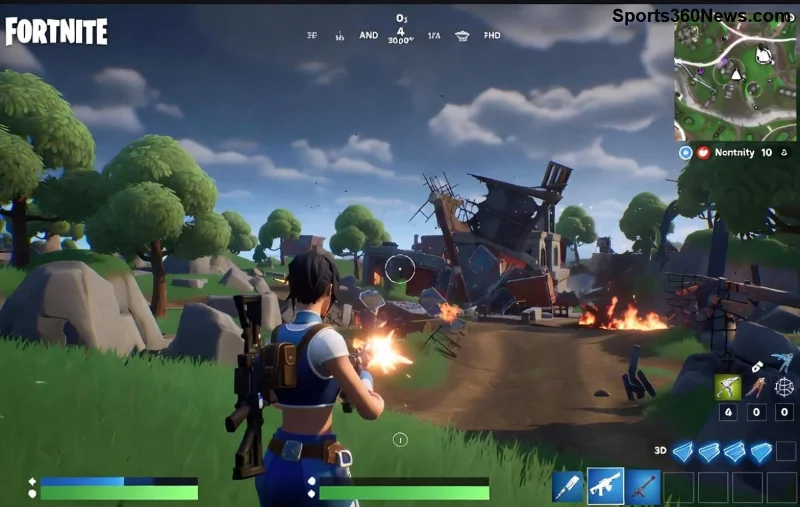
Banned from Fortnite? Ultimate Appeal Guide to Get Back in the Battle Bus!

Imagine dropping into Tilted Towers only to face a dreaded Fortnite ban screen. Heartbreaking, right? 😢 But don't rage quit yet! If you've been banned in Fortnite, you're not alone. Thousands of players face this every day, and many successfully appeal. This Fortnite Appeal Guide breaks down what happens if you get banned in Fortnite, from instant consequences to recovery steps. Stick around for actionable advice that could save your squad and your sanity.

Fortnite ban notification screen

🚫 What Happens Immediately When You Get Banned in Fortnite?

Your game crashes to a ban message: "You've been banned from Fortnite." Access denied—no Battle Royale, no Creative mode, nada. Here's the breakdown:

  • Account Lockout: Can't log in on that Epic account. Progress, skins, V-Bucks? Frozen.
  • Multi-Platform Impact: Affects PC, console, mobile—cross-progression means one ban hits everywhere.
  • Friends & Squads Affected: Your crew queues without you. Ouch! 👎

Bans aren't random. Epic Games enforces strict rules via their terms. Common triggers? Cheating, toxicity, or exploits.

📊 Types of Fortnite Bans: Know Your Enemy

Not all bans are equal. Epic categorizes them by severity. Use this table to identify yours:

Type Duration Cause Appeal Success Rate
Temporary Ban 3-30 days Toxicity, teaming, minor exploits High ✅
Extended Ban 30 days - 6 months Repeated offenses, account sharing Medium ⚠️
Hardware ID (HWID) Ban Permanent Cheats, aimbots, macros Low ❌
IP Ban Permanent (rare) Mass cheating networks Very Low

HWID bans are the toughest—they tie to your device's unique fingerprint, blocking new accounts on the same hardware. Check your ban reason in-game or Epic's launcher for clues.

❌ Common Reasons for Getting Banned in Fortnite

  1. Cheating & Hacks: Aim assist abuse, wallhacks—Epic's anti-cheat (Easy Anti-Cheat & BattlEye) detects 99% of these.
  2. Toxicity: Spam, hate speech in chat/voice. Report button works!
  3. Exploits & Glitches: Intentional bug abuse for wins.
  4. Account Trading/Sharing: Against ToS, risks permanent flags.
  5. V-Buck Scams: Fake generators lead to bans.

Pro Tip: 👆 Always play fair. Epic's safety page lists full rules.

✨ Step-by-Step Fortnite Appeal Guide: How to Fight Back

Ready to appeal? Epic reviews tickets manually. Success hinges on honesty and evidence. Follow these steps for the best shot:

1️⃣ Verify Your Ban
Log into Epic Account Portal. Note ban ID, date, reason.
Fortnite appeal process flowchart
2️⃣ Submit Appeal via Epic Support
Go to Epic Support:
  • Select "Fortnite" > "Account & Profile" > "Ban Appeal."
  • Provide ban ID, detailed explanation (e.g., "Accidental toxicity during frustration—first offense").
  • Attach screenshots, videos proving innocence.

Appeal Timeline: 24-72 hours for temp bans; weeks for permabans. Only one appeal per ban—spam gets ignored!

3️⃣ Craft a Winning Appeal Letter
Keep it short (300 words max):
- Admit fault if true.
- Explain context.
- Promise better behavior.
- Highlight clean history.

Example Snippet: "I was reported for teaming in Solo, but it was a misunderstanding with a random duo. Here's replay footage showing fair play."

💡 Pro Tips to Boost Your Fortnite Appeal Success

  • Be Honest: Lies = auto-deny.
  • Gather Evidence: Killcams, match history from Fortnite Tracker.
  • ⚠️ Avoid VPNs During Appeal: Flags as evasion.
  • 👥 Get Witnesses: Squadmates can vouch via support tickets.
  • 🔄 Wait It Out: Temp bans auto-lift—appeal only if wrongful.

Stats show 40-60% success for first-time temp bans if appealed properly. HWID? Tougher—consider new PC or Epic's hardware change request (rarely granted).

🚨 What NOT to Do After a Fortnite Ban

  • ❌ Create smurf accounts—leads to chain bans.
  • ❌ Rage-buy new accounts—wasted V-Bucks.
  • ❌ Harass support—perma-blacklist.
  • ❌ Use cheats to "test"—digs deeper hole.

🏆 What If Your Appeal Fails? Next Steps

Denial email stings, but options remain:

  • Temp Ban: Grind other modes or wait.
  • Permanent: New legit account (different HWID/IP). Buy cheap from official sources only.
  • ⭐ Join communities: Reddit's r/FORTniteBR for ban stories & tips.
  • Prevention is key—enable 2FA, avoid shady sites. Epic updates anti-cheat constantly for fair play.

    🎉 Final Thoughts: Victory Royale Awaits!

    Getting banned in Fortnite feels like endgame, but with this Fortnite Appeal Guide, you've got a fighting chance. Act fast, stay calm, and play smart. Dropping soon? 👇 Comment your ban story below—we're in this together! For more guides, explore our Fortnite hub.

    Stay epic, Battle Bus buddies! 🚀


Leave a Comment

Unlock Epic Savings: Best Trade-In Deals for the Newest Xbox Revealed

Unlock Epic Savings: Best Trade-In Deals for the Newest Xbox Revealed

Score the best trade-in deals for the newest Xbox at top retailers like GameStop, Best Buy, and Microsoft Store. Maximize your credit, save big, and upgrade your gaming setup today with our expert guide.

🔋 Top 10 Best External Battery Packs for PS5 DualSense Controller – Unlimited Gaming Power!

🔋 Top 10 Best External Battery Packs for PS5 DualSense Controller – Unlimited Gaming Power!

Discover the best external battery packs for your DualSense controller. Extend your PS5 gaming sessions with top-rated portable chargers, detailed reviews, comparisons, and expert tips for non-stop play. Perfect for every gamer!

PS5 Blinking Blue Light Panic? Exact Moments to Contact Support & Fast Fixes!

PS5 Blinking Blue Light Panic? Exact Moments to Contact Support & Fast Fixes!

Struggling with a Blinking Blue Light on your PS5? Learn when to contact support, step-by-step troubleshooting, common causes, and pro tips to resume gaming without delay. Save your console today!

Reset PS5 for Sale: Ultimate Step-by-Step Guide to Get Top Dollar Fast! 🚀

Reset PS5 for Sale: Ultimate Step-by-Step Guide to Get Top Dollar Fast! 🚀

Master resetting your PS5 for sale with this complete guide. Backup data, factory reset safely, and boost your selling price. Essential tips for gamers selling consoles.

Ultimate Guide: How to Connect Xbox Controller to Tesla Effortlessly! 🚀

Ultimate Guide: How to Connect Xbox Controller to Tesla Effortlessly! 🚀

Discover the easiest way to connect an Xbox controller to your Tesla. Step-by-step instructions for seamless gaming on the go. Unlock epic sessions with Xbox controller Tesla integration now!

PS5 Game Sharing Not Working? Ultimate Troubleshooting Guide to Fix It Now! 🎮

PS5 Game Sharing Not Working? Ultimate Troubleshooting Guide to Fix It Now! 🎮

Struggling with Game Sharing not working on PS5? Discover proven fixes for primary console issues, license errors, and more. Get back to sharing games fast with this step-by-step troubleshooting guide.

🔒 Ultimate Guide: Best Carrying Cases for PlayStation Portal & PSVR2 – Protect Your Gear Like a Pro!

🔒 Ultimate Guide: Best Carrying Cases for PlayStation Portal & PSVR2 – Protect Your Gear Like a Pro!

Explore the best carrying cases for PlayStation Portal and PSVR2. Get expert picks on durable, custom-fit protection for your remote play handheld and VR headset to keep them safe on the go. Top-rated options with features, pros, cons, and buying tips.

🚀 Fix Xbox App Remote Play Connection Errors FAST: Ultimate Gamers Guide to Seamless Play!

🚀 Fix Xbox App Remote Play Connection Errors FAST: Ultimate Gamers Guide to Seamless Play!

Tired of Xbox App Remote Play connection errors ruining your gaming session? Get proven, step-by-step fixes for NAT issues, lag, disconnections & more. Play anywhere, anytime!

Boost Your Game: Optimizing Your Router for Perfect PlayStation Portal Streaming!

Boost Your Game: Optimizing Your Router for Perfect PlayStation Portal Streaming!

Master optimizing your router for PlayStation Portal streaming with proven tips. Eliminate lag, ensure stable connections, and enjoy buttery-smooth Remote Play on your PS5 anywhere. Expert guide inside!

🚀 Ultimate Guide: Cancel PlayStation Plus Subscription & Get Refund in Minutes!

🚀 Ultimate Guide: Cancel PlayStation Plus Subscription & Get Refund in Minutes!

Master how to cancel PlayStation Plus subscription and get a refund effortlessly. Step-by-step instructions, eligibility tips, and expert advice to save your money on PS Plus today.






