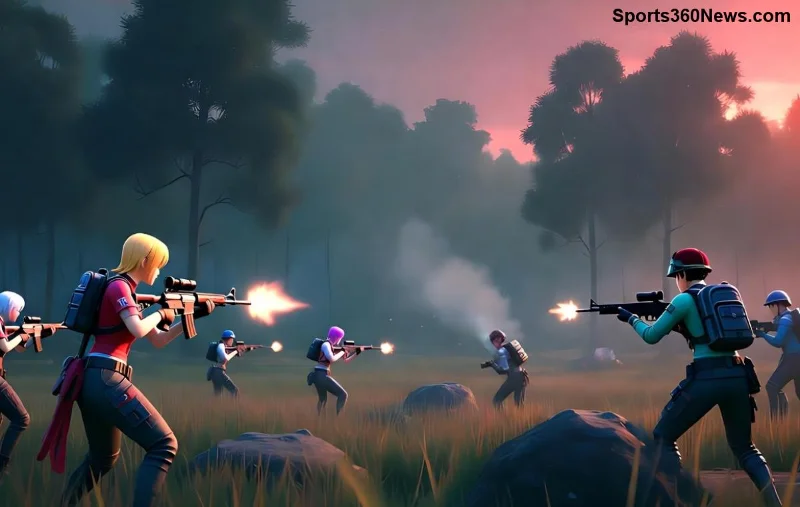
Nothing kills the thrill of a Free Fire teamfight like a sudden screen freeze—your squad's pushing, enemies closing in, and bam! You're stuck watching chaos unfold. 😩 But don't rage quit yet, fellow Garena warrior. This guide delivers battle-tested fixes to banish Free Fire screen freezing forever, so you can clutch those 1v4s with buttery-smooth performance. Let's dive in and reclaim your throne! 👑
🔍 Why Does Free Fire Screen Freezing Happen in Teamfights?
Teamfights crank up graphics, particles, and CPU load, exposing hidden issues. Common culprits include:
- 🔥 Overheating: High-intensity battles heat your device, triggering thermal throttling.
- 📱 Low RAM/Outdated Hardware: Free Fire demands 2GB+ RAM; background apps starve it.
- ⚙️ High Graphics Settings: Maxed visuals overwhelm budget phones during explosions and smokes.
- 🌐 Network Hiccups: Ping spikes mimic freezing in chaotic fights.
- 🗑️ Cache Buildup: Corrupted data from endless matches clogs the system.
Spotting these means faster fixes. Ready to crush them? Follow these steps in order for 90% success rate. ⭐
🛠️ Step-by-Step: How to Fix Free Fire Screen Freezing During Teamfights
Start simple, escalate if needed. Test in a custom room post-fix to confirm zero freezes.
1️⃣ Quick Device Cool-Down & Restart
Overheat is enemy #1 in teamfights. Pause, remove case, play in AC, or use a cooling pad. Restart your phone—wipes temp files instantly. Pro Tip: Avoid charging during plays; it doubles heat! 👍
2️⃣ Optimize Free Fire Graphics Settings
Dial down visuals for teamfight stability. Here's a recommended settings table for mid-range devices:
| Setting |
Best for No Freezing |
Why? |
| Graphics Quality |
Smooth / Standard |
Reduces GPU strain in smokes/explosions |
| High FPS |
Medium (30-45 FPS) |
Balances smoothness without overload |
| Auto-adjust Graphics |
ON |
Dynamically lowers during heat spikes |
| Shadows / Effects |
Low / Classic |
Cuts particle load in teamfights |
| Visual Effects |
Minimal |
Eliminates freeze triggers like fire |
Access via Settings > Display. Boom—teamfights feel reborn! 🚀
3️⃣ Clear Cache & Free Up RAM
Background apps + game cache = freeze fest. On Android:
- Settings > Apps > Free Fire > Storage > Clear Cache (not data!)
- Force stop Free Fire.
- Close all apps via recent tabs.
- Enable Game Booster if available (e.g., Game Turbo on Xiaomi).
For iOS: Offload app or restart. Expect 20-30% FPS boost. Test it mid-teamfight next drop! 💥
![Free Fire player adjusting settings to fix screen freezing]()
4️⃣ Update Game & System for Latest Patches
Garena rolls out anti-freeze optimizations regularly. Update Free Fire via Play Store/App Store. Also patch your OS—newer versions handle teamfight loads better. Stuck? Check Garena's site for changelogs.
5️⃣ Network Tweaks for Fake Freezes
High ping feels like freezing. Switch to 4G/5G (WiFi often lags in fights). Use Game Mode apps like GFX Tool for ping stabilization. VPN? Only if ISP throttles—test Ping in-game first.
6️⃣ Advanced Fixes: Reinstall or Hardware Check
If freezes persist:
- Reinstall Free Fire (backup progress via Google Play Games/FB).
- Factory reset as last resort (backup first!).
- Upgrade if under 4GB RAM—Free Fire shines on 6GB+ beasts.
Bonus: Tools like GFX Tool let you force low-res for epic stability.
⚡ Pro Gamer Tips to Prevent Future Free Fire Freezing in Teamfights
Stay ahead:
- ⭐ Pre-game ritual: Clear cache weekly.
- 🔋 Battery saver OFF—full power mode crushes freezes.
- 📊 Monitor with apps like CPU-Z; aim under 80°C in fights.
- 🎮 Squad sync: All on similar settings for fair plays.
- 🏆 Daily warm-up: 10-min classic to prime your device.
Implement these, and you'll be the unbreakable anchor in every Free Fire teamfight. Imagine dropping hot, no freezes, pure headshots. Who's ready to rank up? 🔥
🎉 Final Clutch: Your Path to Freeze-Free Victory
Mastered the fixes? Free Fire screen freezing during teamfights is now history. Start with graphics tweaks and cache clear—most see results in minutes. Share your wins below or tweak for your setup. Dominate the battlefield, legend. You've got this! 🏆
Still freezing? Drop device model in comments—we'll squad up fixes. Play on! 👊