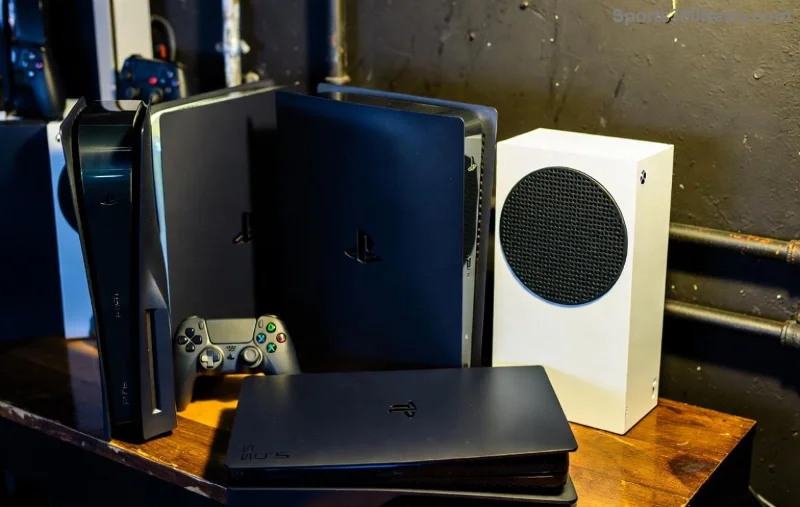
Hey fellow gamer! 👋 Nothing kills the vibe faster than a controller that won't sync to your shiny new Xbox console. Whether you're upgrading to Xbox Series X|S or switching to a fresh Xbox One, mastering how to sync your Xbox controller to a new console is a game-changer. It's quick, painless, and gets you back to dominating in seconds. Stick around – we'll cover wireless, wired methods, troubleshooting, and pro tips to keep your setup flawless. Let's dive in! 🚀

Why Syncing Matters: Get Instant Control Over Your New Rig
Syncing pairs your controller via Bluetooth or Xbox Wireless for lag-free play. New consoles require this reset to avoid old pairings. Fun fact: One controller can sync across multiple consoles – no limits! Ready for the steps? Let's make it effortless. ✅
Step-by-Step: How to Sync Xbox Controller Wirelessly (Easiest Method)
Most modern Xbox controllers (post-2016) use Xbox Wireless. No cables needed!
- 🔧 Power on your new console: Press the Xbox button. Ensure it's updated for best compatibility.
- Locate the sync buttons: On console – small button near USB port (top or side). On controller – top edge, next to charge port (looks like a tiny arrow pair).
- Press console sync button: Light bar blinks rapidly – it's listening! ⏳
- Press controller sync button: Hold 3 seconds until Xbox button flashes. Magic happens – it pairs!
- Success! Xbox button stays lit solid. You're synced. 🎮 Test in a game.
Pro Tip: For Xbox Series X|S, it's identical to Xbox One. Supports up to 8 controllers simultaneously. Impressed? Keep reading for wired backup. 😎
Wired Sync: Foolproof Backup for Any Xbox Controller New Console Setup
Batteries dead? No problem. Use a micro-USB or USB-C cable (Series controllers often USB-C).
| Method |
Steps |
Best For |
| Automatic Wired |
1. Plug cable into controller & console.
2. Xbox button lights up – auto-syncs! |
Quick charge + play |
| Manual Wired |
1. Plug in.
2. If no sync, press Xbox power button on controller.
3. Follow wireless steps if needed. |
Stubborn pairings |
This charges while syncing. Perfect for marathon sessions! 🔋
![Xbox Series X console with controller sync ports]()
Sync Xbox Controller to Series X|S: Special Tips for Next-Gen
Series X|S controllers shine with haptic feedback. Sync process? Same as above. But:
- ✅ Update controller firmware via Xbox Accessories app (PC or console).
- ⭐ Elite Series 2? Extra buttons auto-map.
- ⚠️ Older Xbox 360 controllers? Need adapter – skip to troubleshooting.
Bluetooth bonus: Sync to PC, mobile too. One controller rules them all! 🌟
Troubleshooting: Fix Xbox Controller Sync Issues Like a Pro
Sync failing? Don't rage quit. Common fixes:
- Restart everything: Console off 10s, controller batteries out/in. Retry. 🔄
- Interference check: Move away from Wi-Fi routers, microwaves.
- Reset controller: Remove batteries, hold sync button 10s, reinsert.
- Update console: Settings > System > Updates.
- Multiple controllers?: Sync one at a time – label them!
Still stuck? Factory reset console (Settings > System > Console info > Reset > Keep games). Last resort! 💪
For official help, check Xbox Support.
Bonus: Sync Multiple Controllers & Advanced Hacks
Party time? Sync extras:
- Sync first controller.
- Repeat for others – console handles up to 8.
- Assign profiles: Hold Xbox button > Profile & System > Add new.
Hack: Use AA rechargeable batteries or official play-and-charge kit for endless power. Level up your setup! 🏆
FAQ: Quick Answers on How to Sync Your Xbox Controller
Q: Can I sync Xbox One controller to Series X?
A: Yes! Backward compatible magic. ✨
Q: Bluetooth sync possible?
A: Series controllers yes (to non-Xbox devices). Console uses proprietary wireless.
Q: What if controller won't charge?
A: Try different cable/port. Clean ports gently.
Q: Sync to old Xbox 360?
A: Wireless adapter required – buy official.
Wrap-Up: You're Now a Sync Master!
Congrats! 🎉 You nailed how to sync your Xbox controller to a new console. No more setup headaches – just pure gaming bliss. Share your wins in comments, drop questions, or try these tips today. What's your go-to game on the new rig? Game on! 👊