What Overwatch 2 Gameplay Is Actually Like in 2026
Overwatch 2 gameplay is a team shooter built around distinct heroes, fast team fights, and map objectives. You are not simply trying to top the kill count: your team has to take space, use abilities together, and complete the goal on the map. In 2026, Blizzard’s live game is branded as Overwatch, though many players still search for it as Overwatch 2. The familiar hero-based combat remains, with more ways to play than the old “every match is 5v5” summary suggests.
The standard Core Role Queue is a 5v5 match with one Tank, two Damage heroes, and two Supports. The live game also has 6v6 Open Queue options, plus Stadium, a separate round-based mode with upgrades and a different camera perspective. The playlist you choose changes the pace and team composition, but teamwork and objective control remain central.
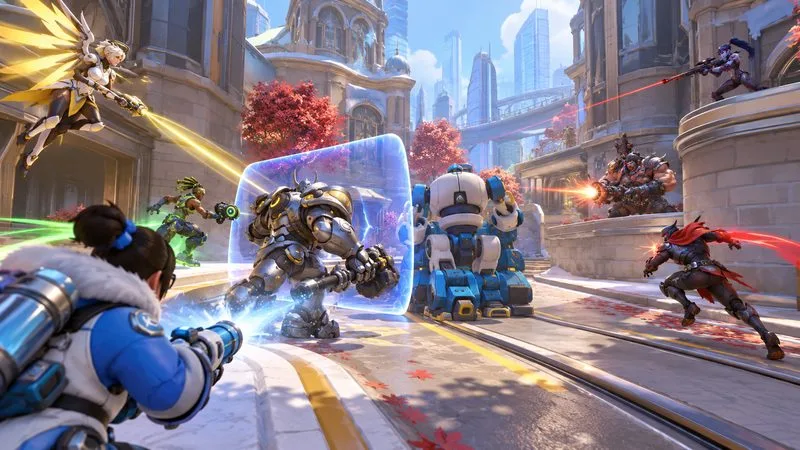
What a typical Overwatch 2 match feels like
A Core match moves in bursts. Teams leave spawn, approach a choke point or objective, and look for an advantage before committing. One player may pressure an exposed opponent; a Tank may block a lane or force defenders away from cover; Supports keep teammates active or add utility. If one side wins the fight, it can advance the payload, capture the point, or take control of the next area. If the fight goes badly, regrouping is usually stronger than entering one at a time.
That rhythm makes Overwatch gameplay feel different from a conventional military shooter or a battle royale. Aim is valuable, but the game also rewards knowing sightlines, tracking enemy cooldowns, staying near teammates, and deciding when to push or retreat. Eliminations create an opening; the objective turns that opening into progress.
Overwatch roles: Tank, Damage, and Support
In 5v5 Role Queue, you select a role before matchmaking, and the team composition is locked to one Tank, two Damage heroes, and two Supports. Each role has a broad job, but heroes within it can play very differently.
| Role | What the role contributes | What it often feels like |
|---|---|---|
| Tank | Creates room to move, challenges enemy positions, and helps the team cross dangerous areas. | You lead or disrupt the frontline and decide when your team can advance. |
| Damage | Applies pressure, finishes vulnerable opponents, and threatens key angles or targets. | You look for openings and use aim, timing, or mobility to turn pressure into eliminations. |
| Support | Heals and enables allies while adding defensive or offensive utility. | You balance keeping teammates alive with watching threats and contributing to fights. |
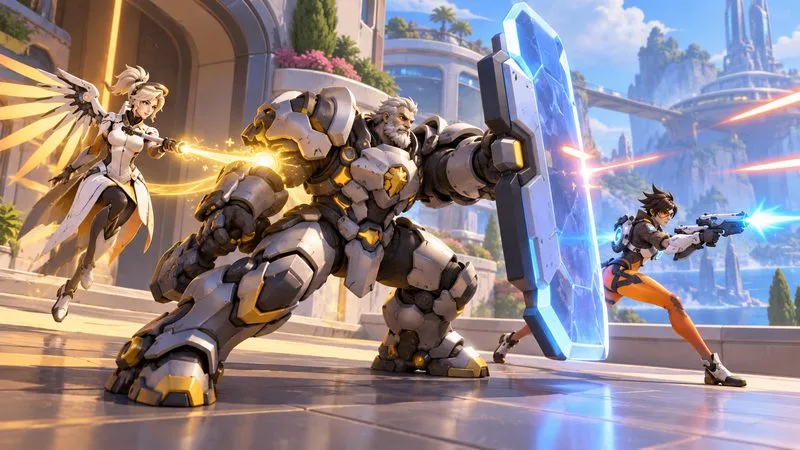
In 2026, the role system has more detail than those three labels alone: Blizzard introduced hero sub-roles with their own passive effects. Heroes also have signature weapons, cooldown abilities, and a powerful ultimate that charges during a match. The result is a roster where two heroes in the same role may approach a fight in opposite ways. Seasonal balance updates can change individual matchups, so treat old “always pick this counter” advice as a starting point rather than a rule. See Blizzard’s 2026 overview of the new hero sub-roles and the current retail patch notes for live changes.
Abilities, ultimates, Perks, and hero swaps
Every hero has a different kit. Some can fly, teleport, dive into a backline, build defenses, set traps, or heal at range. Abilities generally have cooldowns, so using one to escape or block damage may leave you without it for the next engagement. Ultimates have a larger impact and are strongest when timed with a team push, a defensive response, or another hero’s ultimate. Using one after a fight is already lost can waste the advantage it was meant to create.
Perks add another decision layer in Core play: as a match progresses, you can choose upgrades that adjust how your hero’s kit works. They do not replace the hero’s identity, but they can shift which approach is most useful in a particular match. In many Core modes, you can also swap to another hero at spawn. Changing picks to answer an enemy threat or fit the map is a normal part of play. Blizzard introduced Perks as a core gameplay system and continues to tune them in live updates; its Perks announcement explains the idea behind the system.
Game modes make the objective change
The exact goal depends on the map. Core modes ask teams to contest space in different ways, which keeps the match from becoming a simple deathmatch:
- Control: capture and hold a point through a series of rounds.
- Escort: attackers move a payload along a route while defenders try to stop it.
- Hybrid: capture an initial point, then escort the payload that unlocks.
- Push: fight over a robot that moves a barricade toward the opposing team’s side.
- Flashpoint: rotate between several capture areas on a larger map.
- Clash: battle over a sequence of capture points as the front line shifts across the map.
So the best position is not always the place with the most enemies in view. On an Escort map, controlling a corner ahead of the payload can matter more than chasing a distant opponent. In Control, leaving the point to pursue one elimination can give the enemy team the objective. Blizzard’s Flashpoint introduction and Clash patch notes describe two of the modes that broadened the objective rotation.
5v5, 6v6, and Stadium: which version are you playing?
“Overwatch 2 is 5v5” describes the main Role Queue format, but it is incomplete in 2026. Blizzard’s format update lists both 5v5 Role Queue and 6v6 Open Queue in ranked and unranked play. Open Queue gives teams more freedom over their role mix; that flexibility can make team fights less predictable. Queue availability and special playlists can change, so check the in-game mode menu if you are looking for a particular ruleset. The official format update explains how the current options differ.
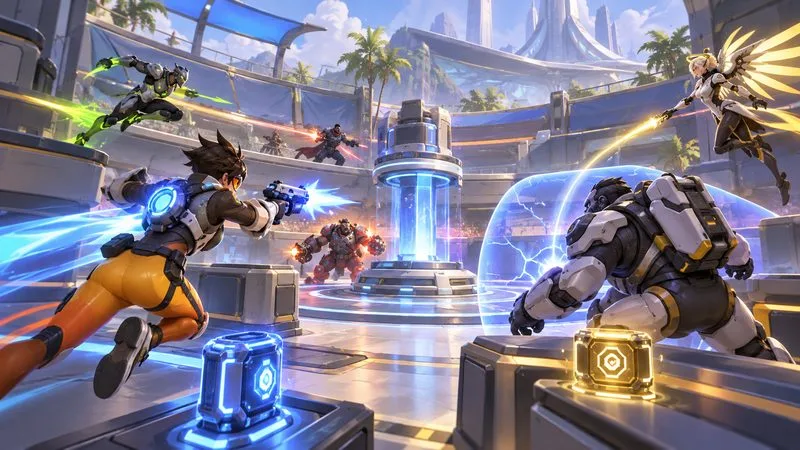
Stadium is a separate mode rather than a normal Core match with a new map. It is a best-of-seven series in which teams earn in-mode currency and use the Armory to buy items and powers that reshape a hero’s build. Stadium also lets players switch between first- and third-person views. Its rounds, upgrades, and team planning make it feel more like a tactical arena brawl than the quick objective cycles of Core. Blizzard’s Stadium overview outlines the mode’s rules and current features.
What beginners should expect
The learning curve comes less from complicated controls than from the number of heroes, abilities, and situations to read at once. A few habits make early matches easier to understand:
- Stay close enough to regroup with your team after a fight; staggered solo entries often give the other side an easy advantage.
- Watch the objective and the kill feed together. A won fight is useful because it creates time and space to complete the map goal.
- Learn a small set of heroes across roles before trying to master the entire roster.
- Use abilities with a purpose. Save a movement or defensive cooldown when you may need it to escape or protect an ally.
- Try Quick Play or other unranked queues while learning, then choose Competitive when you want a more structured ranked experience.
You do not need perfect aim to contribute. Aim-heavy Damage heroes reward precision, while many Tanks and Supports emphasize positioning, ability timing, and reading the fight. Every role still involves combat, and teamwork matters on all of them.
Is Overwatch 2 gameplay a good fit for you?
Try it if you like switching between distinct characters, coordinating short team fights, and adapting your plan as the objective or enemy lineup changes. It may be less appealing if you want a slow tactical shooter, a solo campaign as the main experience, or a match where personal kills matter more than the team’s goal. The appeal is the constant trade-off between individual hero skill and team decisions: a strong play can win a fight, but the team still has to convert it into objective progress.
In short, what Overwatch 2 gameplay is actually like depends on the mode you queue for, but the core idea is consistent: pick a hero, use that hero’s kit with your team, and win space around an objective. The 2026 game adds more formats and build choices, while the fast, character-driven team fights remain its defining feature.









