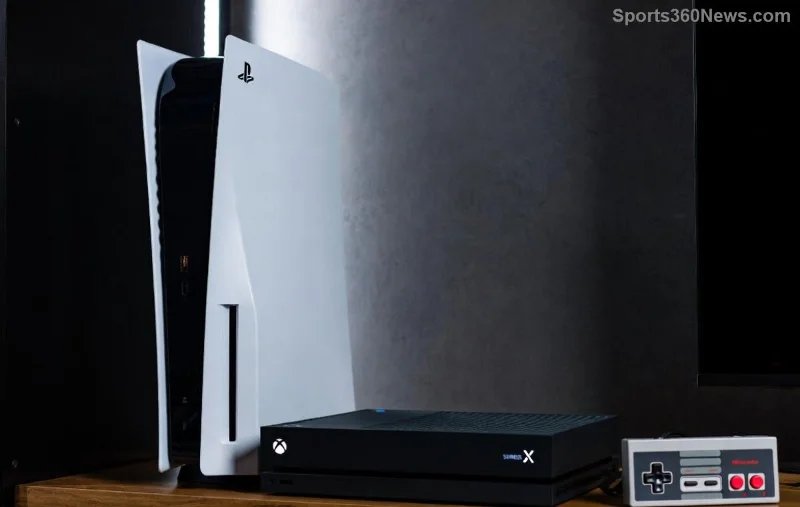
Imagine diving into blockbuster titles like Starfield or Forza Horizon 5 with your squad, all on one subscription. Sharing your Game Pass subscription turns solo grinding into legendary group sessions. Whether you're on Xbox, PC, or cloud, Microsoft makes it easy (and legal) to spread the gaming love. No more FOMO—let's break down the best methods step-by-step. 🚀
What Makes Game Pass Sharing a Game-Changer?
Xbox Game Pass Ultimate isn't just 100+ games at your fingertips—it's designed for social play. With features like cloud gaming and multiplayer cross-play, sharing Game Pass maximizes value. Save cash, build memories, and level up friendships. But stick to official methods to avoid bans. Ready to squad up? 👥
Method 1: Home Xbox Sharing – The Easiest Way to Share Game Pass
This is the go-to for console owners. One Ultimate sub lets multiple profiles on your home Xbox access the full library. Perfect for households or frequent gamer swaps. ⭐
- 👉 Sign in with your Microsoft account on the Xbox.
- Go to Settings > General > Personalization > My home Xbox.
- Select Make this my home Xbox. Boom—anyone signed in plays your games offline!
- Friends add their profiles, download games, and play. You can switch home Xbox every 3 months if needed.
Pro Tip: Ultimate includes EA Play and cloud streaming, so share those battle royales anywhere. Works best if friends visit often.
Method 2: Game Pass Friends & Family Plan – Squad Subscriptions
In select regions (like Brazil, Colombia, and expanding markets), snag the Game Pass Friends & Family plan. One low-price sub for up to 5 people—friends or family. Each gets their own profile and saves. Check availability via the Xbox app or site.
Steps to join:
- ✅ Open Xbox app or xbox.com/gamepass.
- Search for Friends & Family plan.
- Invite up to 4 buddies via email—they accept and boom, shared access!
It's cheaper per person than individual Ultimates. Not everywhere yet? Use Home Sharing as backup. 😎
Sharing Game Pass on PC and Cloud – No Console Needed
PC gamers rejoice! Install the Xbox app on Windows, link your Ultimate sub, and share via family Microsoft accounts. Multiple users on one PC can access games.
- Download Xbox app from Microsoft Store.
- Sign in, go to profile > Settings > Account > Family settings.
- Add family members (up to 5)—they install and play your library.
- Cloud gaming? Stream to phones/browsers. Share links for quick sessions. 📱
![PC gamers sharing Game Pass library]()
Bonus: Cross-save progress means seamless switches between devices.
Compare Plans: Which Game Pass Sharing Fits Your Crew?
| Feature |
Home Xbox |
Friends & Family |
PC Family Share |
| Max Users |
Unlimited profiles (one console) |
5 slots |
5 family members |
| Cost |
Standard Ultimate (~$15/mo) |
Lower per person (region-specific) |
Standard Ultimate |
| Offline Play |
✅ Yes |
✅ Yes |
Partial (online req for some) |
| Best For |
Household/gatherings |
Split cost with buds |
Remote sharing |
Top Tips for Seamless Game Pass Subscription Sharing ✅
- Upgrade to Ultimate: Core/Standard don't share as well.
- Avoid account sharing—risks suspensions. Use official methods only!
- Enable multiplayer privacy: Settings > Account > Privacy & online safety.
- Track usage: Xbox app shows playtime per profile.
- 🎮 Host game nights—share controllers, not subs.
![Group of gamers celebrating shared Game Pass wins]()
Frequently Asked Questions About Sharing Game Pass with Friends
Q: Can I share Game Pass internationally?
A: Home sharing is global; Friends & Family is region-locked. VPNs? Not recommended.
Q: What if my friend has their own sub?
A: Merge libraries via multi-profile—play both!
Q: Does sharing work for Game Pass Core?
A: Limited to online multiplayer, not full library.
For latest deets, visit Xbox Support.
Level Up Your Squad Now!
Sharing your Game Pass subscription isn't just smart—it's the ultimate bro move. Pick your method, invite the crew, and conquer worlds together. What's your first shared game? Drop in comments! 👇
Game on, legends. 🎉