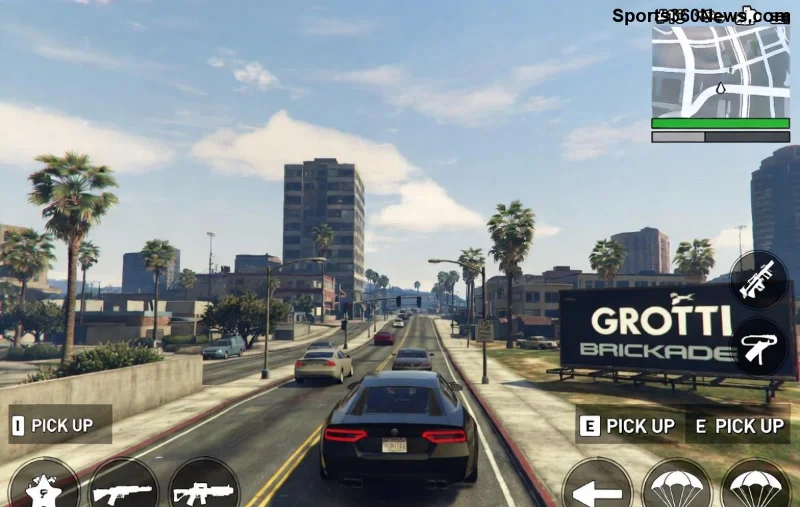
The hype for GTA 6 is electric, but why hit pause on GTA Online? 🚀 Smart players are turning Los Santos into a launchpad for Vice City vibes. This guide delivers actionable steps to stack cash, sharpen skills, and gear up seamlessly. Let's dive in and keep the momentum rolling!
1. Supercharge Your GTA Online Economy: Stack Cash for GTA 6
Your GTA Online empire is your ticket to GTA 6 dominance. Focus on high-ROI businesses to amass millions without burnout.
- 👉 Agency VIP Contracts: Quick $1M+ payouts every hour. Pair with Security Contracts for passive income.
- ⭐ Acid Lab: Easiest setup, explosive profits post-relocation.
- ⭐ Nightclub Warehouse: Hands-off goldmine if technicians are maxed.
| Business |
Startup Cost |
Hourly Profit (Solo) |
Why for GTA 6 Prep? |
| Acid Lab |
$750K (post-setup) |
$300K+ |
Mobile, low maintenance |
| Agency |
$2M+ |
$1M (Payphone Hits) |
Fast cash bursts |
| Nightclub |
$1M+ |
$50K passive |
Scales with other ops |
Pro tip: Sell full stocks during double-money weeks. Aim for $50M+ bankroll to snag GTA 6 editions on day one. Keep grinding—your future self will thank you! 😎

2. Level Up Your Arsenal and Vehicles
Don't just hoard cash—invest wisely. GTA 6 rumors hint at deeper customization, so perfect your loadout now.
- Oppressor Mk II: Grind for it if you haven't. Essential for heists and evasion.
- Weaponized Igneous: Top-tier for PvP and missions.
- Arena War Vehicles: Future-proof for multiplayer chaos.
Complete the Cayo Perico Heist weekly—solo-friendly and pays $1.5M+. These tools transfer skills directly to GTA 6's open world.
3. Optimize Hardware and Settings for Seamless Transition
GTA 6 demands beast-mode specs. Use GTA Online to test and upgrade.
- 📈 Target 4K/60FPS: RTX 3070+ GPU, i7 CPU, 16GB RAM.
- 🎮 Controller tweaks: Enable aim assist but master manual for precision.
- 💾 SSD storage: Lightning loads keep you immersed.
Monitor Rockstar Newswire for PC requirements hints. Play at max settings now to benchmark.
![High-end PC setup ready for GTA 6 while playing GTA Online]()
4. Hone Skills with Current Meta Content
Practice makes perfect. GTA Online's latest updates mirror GTA 6 potential.
👊 Dive into Bottom Dollar Bounties: Sharpens combat reflexes.
⭐ Auto Shop Contracts: Stealth and driving mastery.
1️⃣ Daily Objectives: Free RP and cash.
2️⃣ Adversary Modes: PvP edge.
These build muscle memory for GTA 6's rumored advanced AI and physics.
5. Stay Plugged into the Community and Leaks
Knowledge is power. Engage without spoilers.
- 🌐 Reddit's r/GTAOnline and r/GTA6: Tips and hype threads.
- 📱 YouTube creators like TGG: Grind guides updated weekly.
- 🔥 Discord servers: Real-time event alerts.
Follow official channels for teases. Speculation fuels excitement—join the conversation to vibe with fellow fans! 🎉
Final Boost: Why This Prep Wins Big
Balancing GTA Online grind with GTA 6 prep means you're not just ready—you're thriving. Cash-loaded, skilled-up, and hyped, you'll launch into the next era like a pro. What's your first GTA 6 move? Drop thoughts below and keep the grind alive! 💪