How to Check Real-Time Server Latency in the PUBG HUD

Enable PUBG’s network statistics HUD to monitor ping and packet loss in a match. See where to find it, what the numbers mean, and what they cannot diagnose.
Kiting in League of Legends means dealing damage while moving to keep a safer position. Orb walking is the repeated attack-and-move rhythm that makes it possible: start a basic attack, let its wind-up complete, then move during the recovery before attacking again. You do not cancel the attack itself; you cancel only the portion of the animation that no longer affects the shot or hit. Practice that timing in the Practice Tool before trying to do it under pressure.
| Term | What you do | Why it helps |
|---|---|---|
| Orb walking | Alternate a basic attack with a movement command during its recovery. | Keep repositioning between attacks instead of standing still. |
| Kiting | Use that attack-and-move rhythm to maintain distance or change angle as a threat approaches. | Keep attacking while reducing the time an enemy can spend on top of you. |
| Attack move | Issue an attack command toward the cursor using the relevant hotkey or click. | It can make attack commands easier to repeat, but you still need to watch which unit gets selected. |
Players sometimes use “orb walking” and “kiting” interchangeably. The useful distinction is that orb walking describes the input rhythm, while kiting describes how you use movement and spacing in a fight. Neither technique grants extra attack speed or makes a champion immune to being caught.
A basic attack has a wind-up and a recovery. During the wind-up, your champion commits to the attack. If you move too early, the attack may be canceled. Once a ranged projectile has launched—or a melee hit has connected—you can usually give a movement command during the remaining recovery and begin the next attack when it is ready. The precise timing changes with the champion and attack speed, so learn the visual and audio cue instead of relying on a fixed number of frames.
Think of the loop as attack, confirm, move, attack. If you cancel before the shot is released, you lose damage. If you wait through the whole recovery every time, you give up useful movement. Smooth commands matter more than frantic clicking.
Open the in-game Options menu with Esc and choose Hotkeys or Keybindings. If your key list includes an Attack Move Click command, try binding it to a comfortable unused key; the best key depends on your hand position and existing abilities. Keep ordinary movement available as well, because a direct ground click gives you precise control over your next step. Test the binding on a target before taking it into a live match.
Riot’s Hotkeys FAQ describes where to find in-game keybindings. Point & Click remains League’s default input, while Riot’s Keyboard (WASD) FAQ describes WASD as an alternative available in Practice Tool. If you use WASD, rehearse the same attack-then-reposition idea with your chosen input scheme rather than copying a mouse-only sequence.
Load Practice Tool with a familiar ranged champion, such as Ashe or Jinx. Use a target dummy if one is available in your setup, and stand at a distance where your basic attacks connect. Start with your normal attack command; do not add attack move, abilities, or extra attack-speed effects yet. Notice the distance at which the champion stops to fire. This gives you a clean baseline for the next drills.
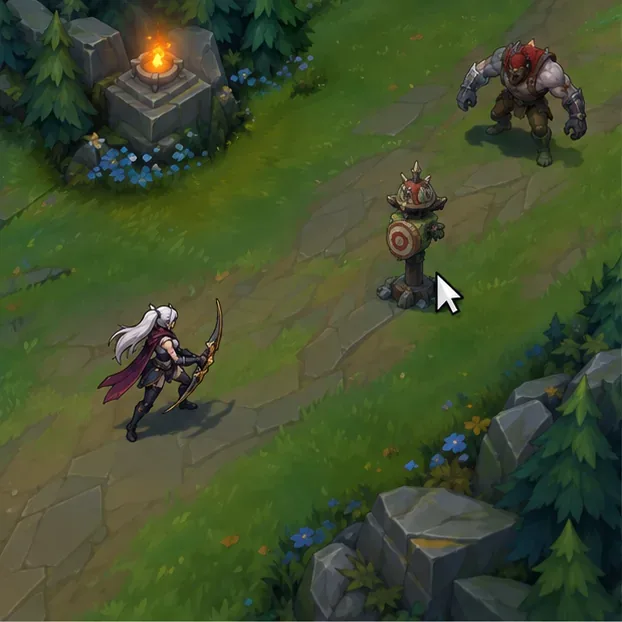
Click the dummy and watch the champion’s attack animation. With a ranged champion, wait until the projectile leaves the champion; with a melee champion, wait until the hit lands. Repeat slowly until you can identify that moment without guessing. This drill protects the most important part of kiting: the attack must actually happen before you move.
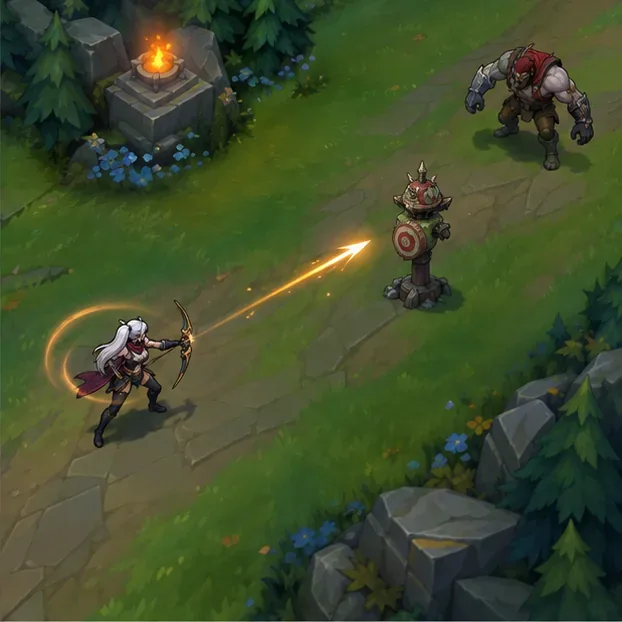
As soon as the attack has committed, click a safe point on the ground. Begin with a straight step away from the dummy, then try a short diagonal step. When the champion is ready to attack again, target the dummy and repeat. If you see the attack start but no projectile appears, slow down: you are moving during the wind-up. If you are standing still after every shot, move a little earlier in the recovery.
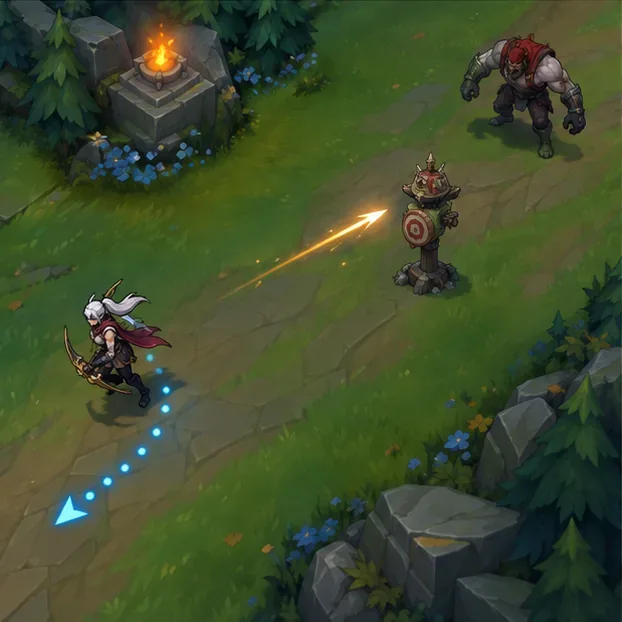
Repeat the attack-and-move cycle while alternating between backward and sideways movement. Then try the attack-move key you bound and check which unit it selects when a dummy, minions, or another target are nearby. Attack move can choose the wrong unit if your cursor or target settings are careless, so use a direct target click when you need a particular champion hit. Add an enemy bot or a custom-game opponent only after the basic rhythm stays reliable.
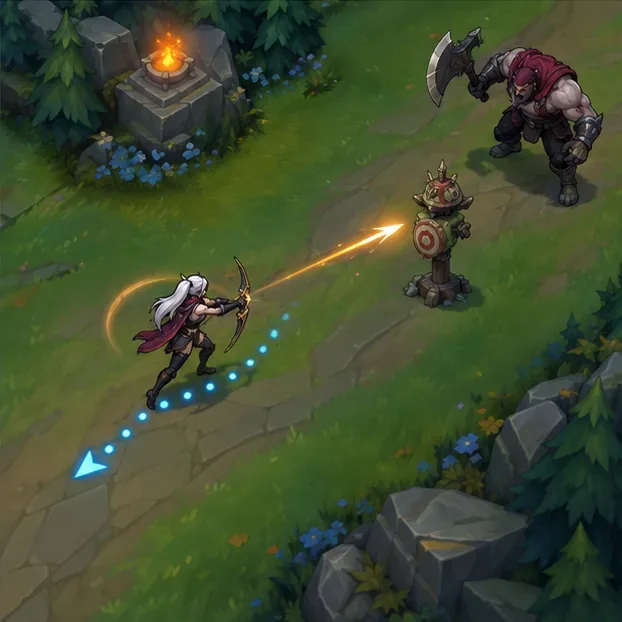
Move toward open ground and your teammates, not automatically straight backward. A diagonal step can help avoid a skillshot, but it also changes your distance and may put you closer to another enemy. Keep enough room to retreat, and avoid clicking behind walls or through a dangerous area where pathing can carry you into the fight.
When several enemies are nearby, prioritize the closest target you can hit safely. A marksman who stays alive and damages a frontline target can contribute more than one who walks into danger to chase the back line. Use a direct attack on a specific champion when target choice matters; use attack move when it improves your rhythm and the nearby units make its selection predictable. Kiting is a spacing decision as much as a mechanical one.
| Champion | Practice focus |
|---|---|
| Ashe | Her slowing attacks make it easier to notice how spacing changes while you kite. |
| Jinx | Practice staying mobile while managing her different attack ranges; keep the weapon switch out of the first timing drill. |
| Caitlyn | Use her range to rehearse cursor placement and retreat paths; learn her attack cadence separately from faster champions. |
| Vayne | Add her after the basics feel comfortable. Her shorter range and repositioning tools make mistakes more punishing. |
These are practice suggestions, not a ranking of the strongest marksmen. Champion balance and item builds change, but the basic attack-and-move skill transfers across ranged champions.
Use a focused 10-minute warm-up: spend two minutes identifying the attack-commit point, three minutes attacking and moving in a straight line, three minutes adding diagonal steps, and two minutes checking attack-move target selection near other units. If one drill becomes messy, return to the previous one. Once the rhythm is comfortable on a dummy, practice it in a custom game and then apply it in normal matches. Review a replay for canceled attacks, missed movement commands, and moments when chasing pulled you away from safety.
It cancels the remaining recovery animation after the attack has committed. Moving during the wind-up can cancel the attack itself, so wait for the projectile launch or melee hit.
No. You can kite with direct attack clicks and ground movement. Attack move is an optional input that some players find easier to repeat; use the method that lets you control both timing and target choice.
Yes. The same timing and spacing concepts help ranged champions in other roles, although their attack patterns and risk tolerance differ. Start with a champion whose basic attacks are familiar.
Reliable orb walking comes from letting each attack commit, moving during its recovery, and choosing a route that keeps you safe. Build the rhythm slowly in Practice Tool, then add target selection, direction changes, and real opponents one layer at a time.
Enable PUBG’s network statistics HUD to monitor ping and packet loss in a match. See where to find it, what the numbers mean, and what they cannot diagnose.
Learn how to import VALORANT crosshair codes, compare presets with manual settings and spectator copy, and fix common import issues.
Choose Dota 2 minimap size, hero icons, team colors, and background settings by readability, fewer misclicks, and clear results on your own display.
Fix Fortnite texture pop-in on PC with official steps for GPU drivers, file verification, DirectX 12, high-resolution textures, VRAM, SSDs, and stutter.
Learn what Heroes of the Storm minimap size and position options are verified, improve readability, and choose camera-click controls that suit you.
Set Super Smash Bros. Ultimate Quickplay to prefer hazards-off stages. Follow the Preferred Rules menu steps and learn why matchmaking may not always honor them.
Enable Server Latency and Packet Loss in Warzone to monitor connection quality, read the overlay, and use recurring spikes to guide troubleshooting.
Learn how to carry from mid lane in League of Legends by setting up waves, choosing safe roam windows, reading side lanes, and converting pressure into objectives.
Fix Minecraft Evoker spell problems with a safe vanilla test, version checks, log review, and a step-by-step way to isolate mod or datapack conflicts.
Fix PUBG stuck on Initializing on Steam with a focused checklist for PC service notices, launch options, game files, downloads, and connection issues.








