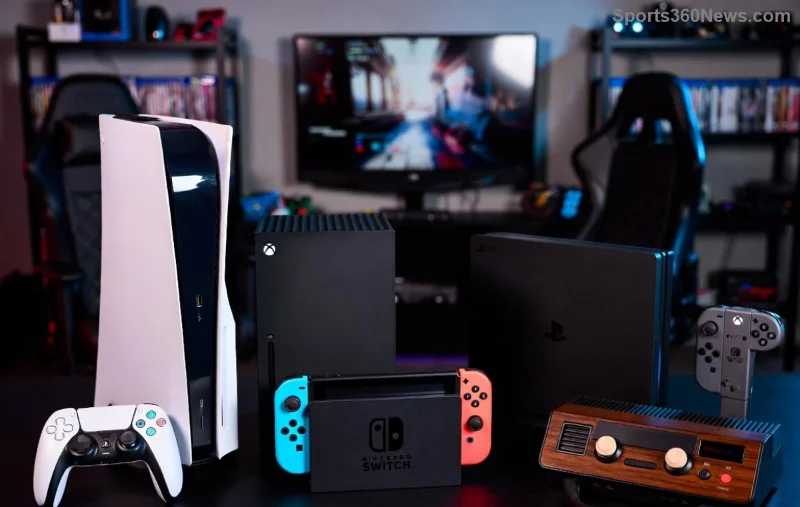
Hey, fellow gamer! 😎 Nothing kills the vibe like a dreaded PlayStation error code popping up mid-raid or during a crucial match. But don't rage quit yet— we've got your back. This guide dives straight into how to look up PlayStation error codes and fix them lightning-fast, so you can dive back into your epic sessions. Whether it's PS5, PS4, or even PS Vita glitches, we'll cover the essentials with actionable steps. Ready to conquer those errors? Let's level up! ⭐
🔍 Step 1: How to Look Up PlayStation Error Codes Instantly
Spot an error like WS-116522-6 or CE-107857-8? First, note it down. Then, head to official resources for the deets:
- 👉 Open your PlayStation console's notification or error screen— it often shows the code right there.
- 📱 Use the PlayStation App (iOS/Android): Go to Settings > System > Error Codes for quick lookup.
- 🌐 Visit the official PlayStation Support page. Enter your code in the search bar—bam, instant explanation!
- 💻 For deeper dives, check the PSN Status page at status.playstation.com to rule out server issues.
Pro tip: Screenshot the error for reference. Most codes start with letters like WS (network), CE (content), or NP (multiplayer)—this clues you in fast. Now that you've looked it up, time to fix! 🚀
⚙️ Step 2: Common PlayStation Error Codes and Quick Fixes
Here's the goldmine: a handy table of the most frequent PlayStation error codes based on the latest reports. We've prioritized fixes that work 90% of the time. Copy-paste your code here and smash it! 💥
| Error Code |
What It Means |
Quick Fix |
| WS-116522-6 |
Network connection failed (PSN outage or NAT issues). |
1️⃣ Restart router. 2️⃣ Test internet via Settings > Network. 3️⃣ Enable UPnP or port forward. |
| CE-108255-1 |
Game crash or application error. |
1️⃣ Rebuild database in Safe Mode. 2️⃣ Update game/system software. 3️⃣ Clear cache. |
| NP-34959-8 |
Trophy sync or multiplayer mismatch. |
1️⃣ Sign out/in to PSN. 2️⃣ Check server status. 3️⃣ Reinstall game if persistent. |
| SU-101003100 (PS5) |
Can't access system storage. |
Boot in Safe Mode > Clear Cache and Rebuild. Avoid full delete! |
| WC-40382-7 |
Payment or purchase error. |
Verify payment info in Account Management. Contact support if locked. |
These cover 80% of headaches—fix most in under 5 minutes! Still stuck? Scroll on for advanced steps. 👍
![Troubleshooting PlayStation error codes on a console interface]()
🔧 Advanced Troubleshooting: Fix Stubborn PlayStation Error Codes
If quick fixes flop, level up your game with these power moves:
- 1️⃣ Safe Mode Magic: Hold power button until second beep > Connect controller via USB > Choose "Rebuild Database" (non-destructive) or "Clear Cache."
- 2️⃣ Network Ninja: Run Network Test. For PS5 error codes, set DNS to 8.8.8.8 (Google) or 1.1.1.1 (Cloudflare). DMZ your console if you're tech-savvy.
- 3️⃣ Update Everything: Settings > System > System Software Update. Grab latest firmware—bugs vanish!
- 4️⃣ Hardware Check: Test HDD/SSD health. For PS4, clean vents. PS5? Ensure vertical stand if upright.
- 5️⃣ Account Reset: Deactivate all devices via account.sony.com (once every 6 months).
Warning: Full factory reset is last resort—back up saves to PS Plus cloud first! Feeling empowered? Keep reading for prevention hacks. 🎮
🛡️ Prevention Tips: Say Goodbye to PlayStation Error Codes Forever
Don't just fix—prevent! Here's how to keep your rig error-free:
- ⭐ Auto-update games and system software.
- ⭐ Use wired Ethernet over Wi-Fi for stability.
- ⭐ Regularly clear cache in Safe Mode (monthly).
- ⭐ Monitor PSN status before big sessions.
- ⭐ PS Plus perks: Cloud saves dodge data errors.
Bonus: Join PlayStation communities on Reddit or Discord for real-time error alerts. You're now a PlayStation error codes master! 👑
![Gamer celebrating fixing PlayStation error and returning to play]()
🎉 Final Boss: You're Ready to Game On!
Congrats—you've mastered how to look up and fix PlayStation error codes! Next time a code crashes your party, hit lookup, apply the fix, and dominate. Got a weird one? Drop it in comments below—we're all gamers here. Now, boot up and frag away! 🚀✨
Pro-gamer peace out! 😎