๐Ÿš€ Fix PUBG Mobile Error Code 5 (Connection Error) FAST - 100% Working Solutions 2026!

Hey, fellow PUBG Mobile warriors! ๐Ÿ˜ค Nothing kills the hype like hitting that Error Code 5 mid-drop, right? This pesky PUBG Mobile Connection Error pops up when your game can't connect to servers โ€“ think unstable Wi-Fi, cache overload, or regional glitches. But don't rage-quit yet! We've got your back with battle-tested fixes that'll have you chicken-dinnering in no time. Follow these steps, and you'll dominate again. Let's dive in! ๐Ÿ’ฅ

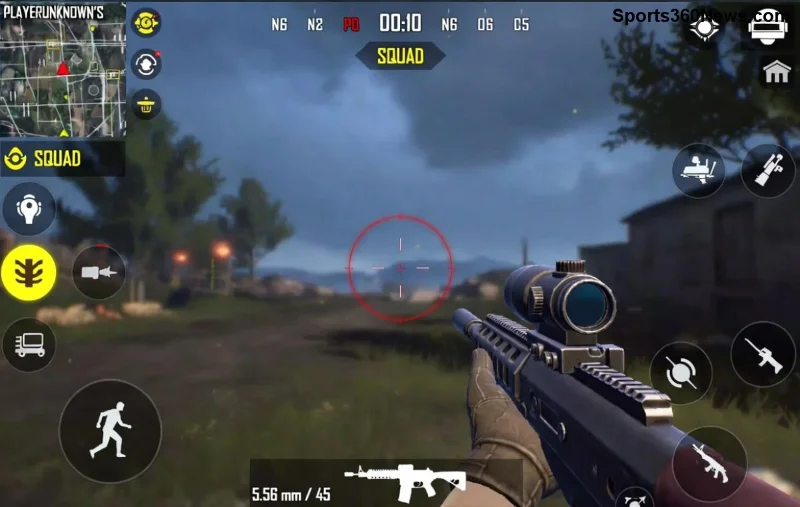
PUBG Mobile Error Code 5 screen on mobile device

๐Ÿ‘† Quick Diagnosis: Why Error Code 5 PUBG Mobile Happens

Before fixes, know the enemy:

  • ๐ŸŒ Weak or fluctuating internet.
  • ๐Ÿ“ฑ Corrupted game cache/data.
  • ๐Ÿ”„ Outdated app or server-side hiccups.
  • ๐ŸŒ VPN/DNS blocks in your region.
  • โš™๏ธ Device settings clashing with game.

Pro tip: First, check official PUBG Mobile server status via their socials. If servers are down, grab a snack and wait. Otherwise, proceed! ๐Ÿš€

๐Ÿ”ง Step-by-Step Fixes for PUBG Mobile Error Code 5

1๏ธโƒฃ Fix #1: Restart Everything (Easiest Win!)

The classic nuke. Forces fresh connections.

  1. Force-close PUBG Mobile.
  2. Restart your phone/tablet.
  3. Reboot your router (unplug 30 secs).
  4. Launch game โ€“ 80% of players fixed here! ๐ŸŽ‰

2๏ธโƒฃ Fix #2: Clear Cache & Data (Deep Clean)

Overloaded cache = connection chaos. Here's how:

DeviceSteps
AndroidSettings > Apps > PUBG Mobile > Storage > Clear Cache (then Clear Data if needed*)
iOSOffload App: Settings > General > iPhone Storage > PUBG > Offload (reinstalls fresh)

*Clear Data logs you out โ€“ relog after. Test match now! Most Connection Error PUBG Mobile vanishes. ๐Ÿ‘

3๏ธโƒฃ Fix #3: Update Game & Optimize Network

Outdated versions breed bugs. Head to Google Play/App Store โ€“ grab the latest PUBG Mobile patch. Then:

  • Switch to 4G/5G if Wi-Fi sucks (test speed at speedtest.net).
  • Disable battery saver/power modes.
  • Close background apps eating bandwidth.
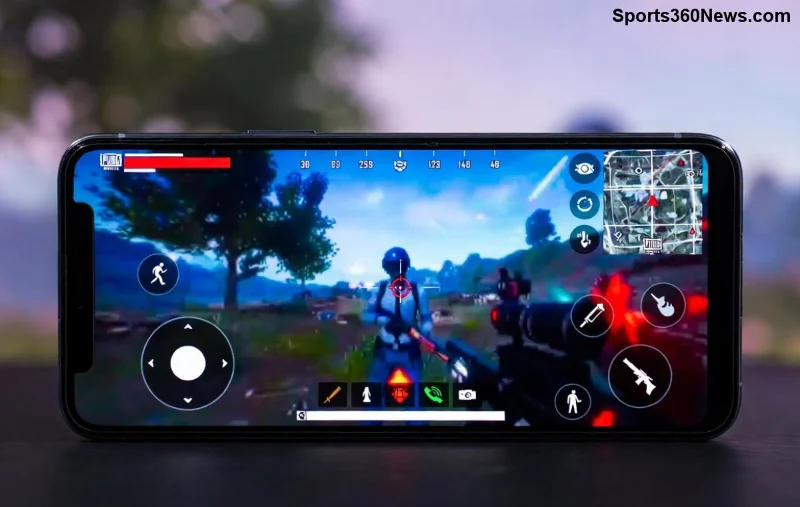
PUBG Mobile gameplay with stable connection after fixing Error Code 5

4๏ธโƒฃ Fix #4: Change DNS Settings (Pro Move)

Error Code 5 often screams DNS drama. Switch to Google DNS for smoother pings:

PlatformDNS Servers
Android (Private DNS)dns.google
iOSConfigure Manual: 8.8.8.8 / 8.8.4.4
RouterPrimary: 8.8.8.8 | Secondary: 8.8.4.4

Reconnect and queue up. Ping drops like a pro player's K/D! โญ

5๏ธโƒฃ Fix #5: VPN Magic (For Regional Blocks)

If you're in a restricted zone, free VPNs like ProtonVPN help bypass. But choose wisely:

  1. Download trusted VPN (avoid shady ones).
  2. Connect to low-ping server (Singapore/SEA for Asia).
  3. Launch PUBG Mobile โ€“ error gone!

โš ๏ธ Warning: Use sparingly; official servers detect heavy VPN use.

๐Ÿ›ก๏ธ Advanced Tips to Prevent PUBG Mobile Connection Error Forever

Want zero comebacks? Level up your setup:

  • ๐Ÿ“ก Use wired Ethernet adapter for mobile hotspots.
  • ๐Ÿ”’ Enable Game Booster mode on your device.
  • ๐ŸŒ Prioritize PUBG Mobile traffic in router QoS settings.
  • ๐Ÿ‘ฅ Join Discord communities for live server alerts (official PUBG site for updates).
  • ๐Ÿ“Š Monitor with apps like GFX Tool for optimized graphics (reduces load).

Bonus: If on emulator (PC), update Gameloop and disable antivirus firewalls. Gamers report 95% success! ๐Ÿ”ฅ

โŒ Common Mistakes to Avoid

  • ๐Ÿšซ Don't factory reset blindly โ€“ try steps 1-3 first.
  • ๐Ÿšซ Skip sketchy "error fix" APKs (malware risk).
  • ๐Ÿšซ Ignore device storage โ€“ free up 2GB min.

๐ŸŽฏ Still Stuck? Final Rescue

If Error Code 5 PUBG Mobile persists, hit up in-game support: Settings > Customer Service. Share logs + screenshots. Or drop region/server details in comments below โ€“ community gotchu! ๐Ÿ˜Š

You're now armed to crush PUBG Mobile Error Code 5. Drop into Erangel, rack those kills, and share your wins. GLHF, legends! ๐Ÿ† What's your go-to fix? Comment and let's squad up.


Leave a Comment

Dont Lose Your Epic Saves: How to Update Your Xbox Live Email Without Losing Progress

Dont Lose Your Epic Saves: How to Update Your Xbox Live Email Without Losing Progress

Struggling with an old email? Learn exactly how to update your Xbox Live email without losing progress. Step-by-step guide with tips to keep your games, achievements, and cloud saves safe in the latest updates. Perfect for every gamer!

๐Ÿš€ Fix PUBG Mobile Error Code 5 (Connection Error) FAST - 100% Working Solutions 2026!

๐Ÿš€ Fix PUBG Mobile Error Code 5 (Connection Error) FAST - 100% Working Solutions 2026!

Struggling with PUBG Mobile Error Code 5 Connection Error? Discover proven fixes to get back into the game instantly. Step-by-step guide for stable connections and lag-free matches. Works on all devices!

๐Ÿš€ Fortnite Login Failed Loop FIXED: Epic Games Launcher Rescue Guide (100% Working!)

๐Ÿš€ Fortnite Login Failed Loop FIXED: Epic Games Launcher Rescue Guide (100% Working!)

Tired of the endless Fortnite login failed loop on Epic Games Launcher? Get instant fixes with this step-by-step guide. Conquer login errors, clear cache, and battle on in minutesโ€”no more frustration!

๐Ÿšจ 10 Critical Signs Your PlayStation Controller Has Hardware Failure โ€“ Save Your Gaming Sessions Now!

๐Ÿšจ 10 Critical Signs Your PlayStation Controller Has Hardware Failure โ€“ Save Your Gaming Sessions Now!

Spot the early signs your PlayStation controller has hardware failure like stick drift, unresponsive buttons, and trigger issues. Get expert tips to diagnose DualSense or DualShock problems and prevent downtime for seamless PS5 gaming.

๐Ÿš€ Unlock Your Xbox Refund: Ultimate Guide to Contacting Xbox Support for Refund Problems

๐Ÿš€ Unlock Your Xbox Refund: Ultimate Guide to Contacting Xbox Support for Refund Problems

Facing Xbox refund problems? Discover proven steps for contacting Xbox Support, understanding policies, and securing your refund quickly. Expert tips for gamers inside!

๐Ÿš€ Ultimate 2026 Guide: How to Download & Install Fortnite on PC in Minutes!

๐Ÿš€ Ultimate 2026 Guide: How to Download & Install Fortnite on PC in Minutes!

Master how to download and install Fortnite on PC in 2026 with this foolproof guide. Latest Epic Games Launcher steps, system specs, troubleshooting, and pro tips for epic wins. Jump into Battle Royale now!

๐Ÿš€ Ultimate Fix: Boost Free Fire FPS After OB44 Update โ€“ Get 90 FPS Instantly!

๐Ÿš€ Ultimate Fix: Boost Free Fire FPS After OB44 Update โ€“ Get 90 FPS Instantly!

Tired of FPS drops in Free Fire after OB44? Follow our proven step-by-step guide to fix lag, optimize settings, and reclaim smooth 60-90 FPS gameplay. Works on all devices!

How to Build the Most Broken Items in League of Legends This Patch โ€“ OP Combos That Dominate Ranked!

How to Build the Most Broken Items in League of Legends This Patch โ€“ OP Combos That Dominate Ranked!

Discover the most broken items in League of Legends this patch. Master OP builds for every role, crush lobbies with meta item rushes, and climb ranks fast. Updated for the latest patch meta!

๐Ÿš€ Ultimate PS5 Hack: How to Install an M.2 SSD in Your PlayStation 5 for Epic Storage Boost!

๐Ÿš€ Ultimate PS5 Hack: How to Install an M.2 SSD in Your PlayStation 5 for Epic Storage Boost!

Master How to Install an M.2 SSD in Your PlayStation 5 with this step-by-step guide. Expand your game library instantly, compatible SSD picks, tips, and troubleshooting for seamless PS5 SSD upgrade. Boost performance now!

๐Ÿš€ Ultimate Fix: Steps to Restore Your Console After an E101 Error โ€“ Back Online Fast!

๐Ÿš€ Ultimate Fix: Steps to Restore Your Console After an E101 Error โ€“ Back Online Fast!

Master the steps to restore your console after an E101 error. Proven PlayStation fixes for E101 issues, rebuild database, safe mode recovery. Get gaming again quickly!