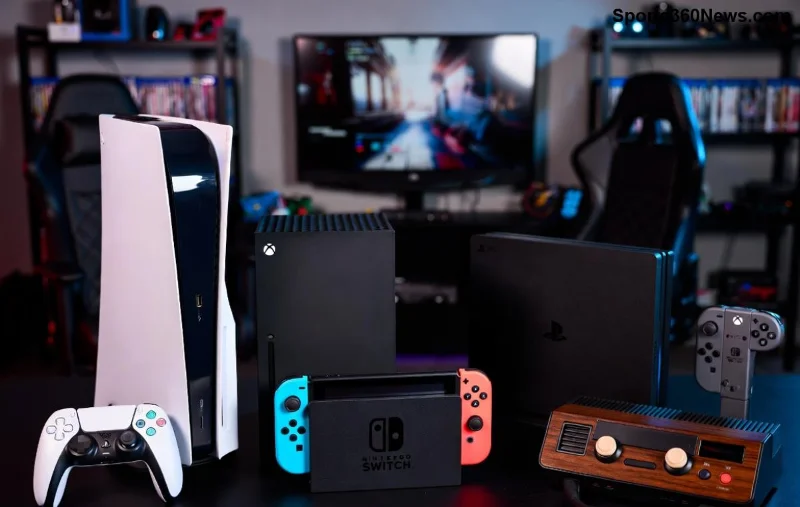
Hey gamers, nothing kills the vibe like firing up your Xbox only to face a black screen or no signal from the HDMI port. Whether it's your Xbox Series X, Series S, or Xbox One, troubleshooting Xbox HDMI port and cable issues doesn't have to be a nightmare. This guide packs proven fixes to get you back in the action ⚡. Let's dive in and crush those connection glitches!
Common Xbox HDMI Port and Cable Problems You Might Face
Spot these symptoms early to save time:
- ❌ No signal or "No HDMI input" on your TV.
- 🖥️ Black screen with power light on.
- 🔄 Flickering, intermittent display, or distorted audio/video.
- 📺 TV detects Xbox but shows low resolution or no 4K/HDR.
- 🔌 Cable feels loose or damaged visually.
These issues often stem from faulty cables, dirty ports, outdated firmware, or TV settings mismatches. Don't worry—most are DIY fixes! ⭐
Quick Prep: What You'll Need Before Troubleshooting
Gather these essentials for smooth sailing:
| Item |
Why? |
| Spare HDMI cable (HDMI 2.1 certified for Series X/S) | Test for cable faults |
| Microfiber cloth & compressed air | Clean ports safely |
| Another TV/monitor | Isolate Xbox vs. TV issue |
| Screwdriver (if opening console) | Advanced port checks |
Pro tip: Power cycle everything first—unplug Xbox, TV, and cables for 5 minutes. This resets temporary glitches 80% of the time! ✅
Step-by-Step Troubleshooting Xbox HDMI Cable Issues
Start here, as cables fail most often. Follow these numbered steps:
- ✅ Inspect the Cable: Check for bends, frayed ends, or bent pins. Test with a known-good HDMI cable (borrow one if needed). Premium cables like Belkin or official Xbox ones shine for high-res gaming.
- 🔄 Swap Ports: Plug into a different HDMI port on your TV. Modern TVs have HDMI 2.1 ports optimized for Xbox—use those!
- 📏 Shorten the Run: HDMI cables over 10ft can signal drop. Switch to a shorter, high-quality one for stability.
- 🎮 Test on Another Device: Connect the cable to a Blu-ray player or PC. If it fails there, replace it immediately.
If the cable's the culprit, grab an HDMI 2.1 cable supporting 4K@120Hz and VRR—essential for next-gen titles. Feeling relieved already? Keep going! 🎮
![Close-up of Xbox HDMI port cleaning and cable inspection]()
Deep Dive: Fixing Xbox HDMI Port Problems
Ports get dusty or corroded from years of plugging/unplugging. Here's how to revive them:
- 🧹 Clean the Port: Power off Xbox. Use compressed air to blow out debris, then gently wipe pins with a microfiber cloth (no liquids!). Avoid toothpicks—they scratch.
- 🔌 Reseat Connections: Unplug/replug firmly 3-5 times to clear oxidation. Wiggle gently to ensure snug fit.
- ⚙️ Check Xbox Display Settings: Boot to safe mode (hold power button 10s). Go to Settings > General > TV & display > Video modes. Enable "Allow 4K" and "Auto-detect" only after basic fixes.
Bonus: For Xbox Series X|S, ensure your TV's in Game Mode—reduces input lag and HDMI handshake issues. TVs like LG OLED or Samsung QLED excel here.
Advanced Fixes for Stubborn Xbox HDMI Issues
If basics fail, level up:
- 🔄 Factory Reset Xbox: Settings > System > Console info > Reset > Reset and keep games. Backs up progress!
- 📡 Update Firmware: Connect via Ethernet for stability. Settings > System > Updates checks latest patches fixing HDMI bugs.
- 🖥️ TV Troubleshooting: Bypass TV enhancers (e.g., disable HDMI-CEC/ARC). Test on a monitor to rule out TV faults.
- 🌡️ Heat Check: Overheating warps ports—ensure good airflow. Use a cooling stand if playing marathons.
Still no luck? It might be hardware. Xbox ports rarely fail, but dust buildup mimics it. 😤
![Xbox Series X HDMI troubleshooting with tools and spare cables]()
When to Seek Pro Help or Replace Parts
Red flags for hardware failure:
- Port pins visibly bent/broken.
- Multiple cables/TVs fail consistently.
- Burning smell or sparks (stop immediately!).
Options:
- Contact Xbox Support for warranty repair: Official Xbox Support.
- DIY port replacement kits for tinkerers (search iFixit guides).
- HDMI extractor/switch as workaround for unstable signals.
Most gamers fix it themselves—saving $100+ on repairs. High-five! 👏
Prevention Tips: Keep Xbox HDMI Rock-Solid
Lock in gains post-fix:
- ⭐ Use cable ties for strain relief.
- ✅ Label cables to avoid mix-ups.
- 🧹 Clean quarterly.
- 📱 Enable auto-updates.
- 🎮 Invest in HDMI 2.1 for future-proofing (48Gbps bandwidth crushes 4K/120fps).
Wrap-Up: Game On Without HDMI Headaches!
You've got the full arsenal for troubleshooting Xbox HDMI port and cable issues. Start simple, escalate smartly, and you'll be dominating leaderboards in no time. Which step fixed it for you? Drop a comment below—we love gamer wins! 🚀 If issues persist, hit Xbox forums for community hacks.
Back to epic quests—happy gaming! 🎮✨