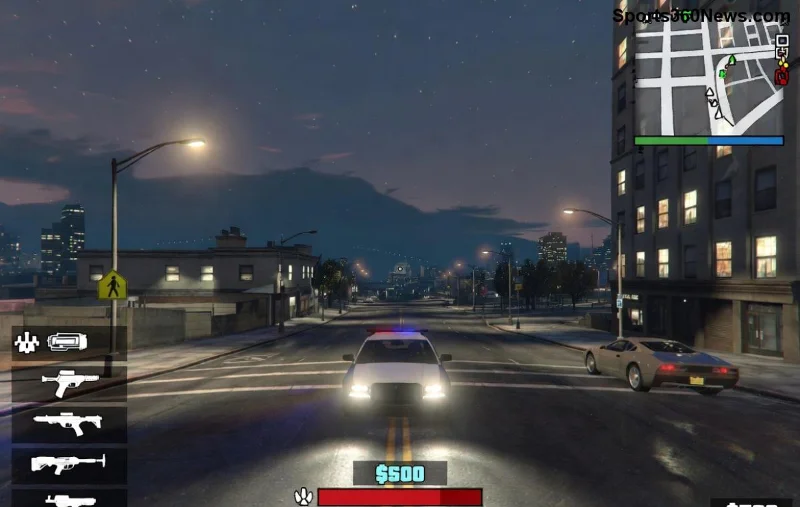
🚀 If you're deep into GTA Online's endless heists, races, and chaos, you've probably heard the buzz around GTA+ subscription. But what exactly is it, and does it deliver real value amid the game's massive world? This guide cuts through the noise to help you decide if subscribing boosts your gameplay or just drains your wallet. Stick around for perks, pricing, and a no-BS verdict tailored for every player type.

What is the GTA+ Subscription?
GTA+ is Rockstar Games' official monthly membership service launched exclusively for GTA Online players on PlayStation 5, Xbox Series X|S, and PC. It's not available on older consoles like PS4 or Xbox One. Think of it as a premium pass that unlocks ongoing rewards, making your grind smoother and more rewarding.
Available via the in-game menu or Rockstar's launcher, it auto-renews unless canceled. Rockstar ties it to your social club account, so perks follow you across platforms where supported. In the latest updates, GTA+ has evolved with fresh monthly rotations of vehicles, properties, and bonuses to keep things exciting.
Key GTA+ Benefits: What Do You Actually Get?
The real magic? A stacked lineup of perks refreshing every month. Here's the breakdown:
| Benefit |
Description |
Value for Players |
| 🤑 Monthly Cash Bonus |
$500,000 in-game cash deposited automatically |
Covers vehicle upgrades or quick property buys – huge for newbies |
| 🚗 Exclusive Vehicles |
Free access to 4-6 premium cars (e.g., latest Pegassi or Obey models) + Hao's Special Works tuning |
Test-drive high-end rides before buying; includes liveries and mods |
| 🏠 Free Properties & Upgrades |
Rotating Agency, Auto Shop, or Salvage Yard with full upgrades |
Skip the grind – earn passive income instantly |
| 💰 Double Payouts & Bonuses |
2x rewards on select missions, races, and creator content |
Double your earnings during weekly events |
| 🎁 Member-Only Content |
Priority VIP access, cosmetics, and test tracks |
Stand out with exclusive styles and early previews |
| ☁️ Cloud Saves |
Seamless progress across PS5, Xbox Series, and PC |
No losing your empire when switching platforms |
These rotate monthly, so logging in regularly maximizes value. Pro tip: Combine with weekly updates for explosive progress! 😎
GTA+ Pricing: How Much Does It Cost?
Super straightforward: $5.99 USD per month (or regional equivalent, like £4.99 GBP or €5.99 EUR). No long-term contracts – cancel anytime. Compare that to buying one premium vehicle (often $2-4 million in-game), and the math starts looking tasty.
- ✅ 1 Month: $5.99 – Test the waters
- ✅ 3 Months: Often bundled discounts via Rockstar Launcher
For heavy grinders, it pays for itself in 1-2 sessions via cash and double payouts.
![GTA+ perks showcase: Exclusive cars and cash drops in GTA Online]()
Is GTA+ Worth It for GTA Online? Pros, Cons, and Player Verdict
✅ Pros: Why Subscribers Love It
- Instant ROI: $500k monthly + free assets = breakeven fast
- Time-Saver: Skip hours of grinding for top-tier stuff
- Exclusive Fun: Hao's tuners and test tracks add replayability
- Cross-Platform: Perfect for multi-console households
❌ Cons: When to Skip It
- Not on PS4/Xbox One – legacy players miss out
- Casual logins? Perks expire if unused
- Free alternatives exist via weekly bonuses
Verdict: Absolutely worth it for weekly players (10+ hours). Casual folks? Try a month. Hardcore sharks? Essential for staying ahead. Recent player polls on Rockstar's forums show 70%+ renewal rates among actives.
For deeper dives, check Rockstar's official page: GTA+ Official Benefits.
Alternatives to GTA+ Subscription
No sub? Grind Shark Cards, weekly 2x events, or creator jobs. But nothing matches GTA+'s consistency. Criminal Enterprise Starter Pack offers one-time boosts for newbies.
Final Grind Tip: Maximize Your GTA Online Experience
Subscribe if you're chasing that Los Santos empire. Log in monthly, hit Hao's, and watch your bankroll explode. Question still lingering? Drop in comments – what's your take on GTA+ worth it? Ready to level up? 🔥
Keep grinding smart, not hard!