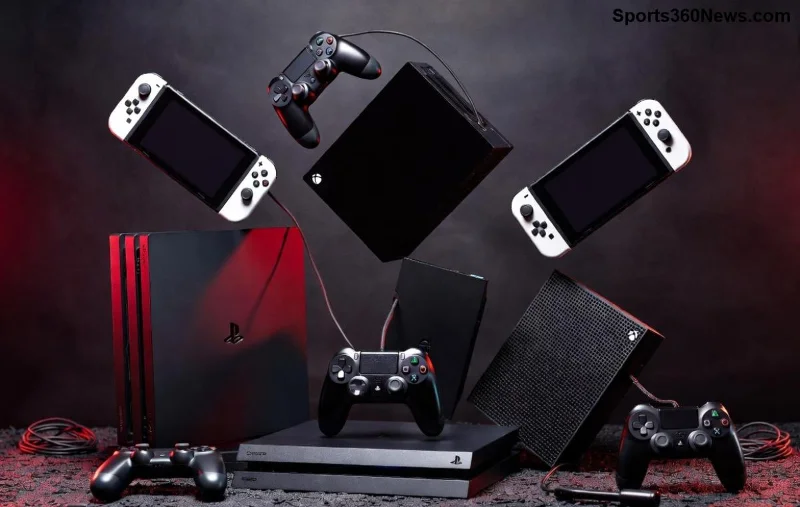
🎮 Hey gamers, nothing kills the vibe like a flashing controller that won't sync. That pesky blinking light and unresponsive sync button can sideline your epic sessions. But don't rage-quit yet! This guide dives straight into troubleshooting sync button issues on a flashing controller, packed with proven fixes to restore your setup. Whether it's Xbox, PlayStation, or Nintendo Switch, we've got you covered with simple, effective steps. Let's sync up and dive in! 👆
Understanding Flashing Controller Sync Woes
A flashing controller typically signals a connection hiccup. The LED blinks rapidly when the sync button fails to pair with your console or PC. Common culprits? Low battery, interference, outdated firmware, or hardware glitches. Spot these symptoms early:
| Symptoms |
Likely Cause |
Quick Check |
| Rapid flashing lights, no response from sync button |
Battery drain or power issue |
⭐ Charge fully for 30 mins |
| Sync button sticks or doesn't click |
Debris or wear |
🧹 Clean with isopropyl alcohol |
| Pairs briefly then flashes again |
Wireless interference |
📡 Move away from Wi-Fi routers |
| Solid flash after update attempt |
Firmware mismatch |
🔄 Reinstall latest firmware |
Recognize your issue? Great—now let's fix it. These insights come from the latest console updates, ensuring compatibility with current models. Stick around for game-changing steps! 😎
Step-by-Step Troubleshooting Sync Button Issues on a Flashing Controller
Follow these numbered steps in order. Most users sync up by step 3. Patience pays off—your controller's begging to rejoin the fray!
- Power Cycle Everything 👆
Restart your console/PC and controller. Unplug power sources for 2 minutes. This clears temporary glitches causing the flashing.
- Check and Charge Battery 🔋
A dying battery mimics sync button failure. Use official cables—third-party ones often fail. Charge for 1-2 hours. Pro tip: Enable low-battery warnings in console settings.
- Hard Reset the Controller ⭐
Locate the small reset pinhole (usually back or bottom). Insert a paperclip for 10 seconds while powered off. This wipes sync data without losing custom profiles.
- Re-Sync Manually
Press the console's sync button first, then hold your controller's sync button until lights stabilize. For wireless: Stay within 10 feet, no metal barriers.
![Step-by-step visual guide to pressing sync button on flashing Xbox or PlayStation controller]()
Platform-Specific Fixes for Xbox, PlayStation, and Switch
Tailor your approach for max results:
Xbox Series X/S or One Controllers
Flashing controller on Xbox? Update via Xbox Accessories app on PC (Xbox Support). If sync button issues persist:
- Connect via USB, open app, and firmware flash.
- Test Bluetooth pairing on PC first.
PlayStation 5/4 DualSense/DualShock
PS controllers flash orange/white on sync fails. Reset via rear button, then:
- PS Settings > Accessories > General > Update Firmware.
- Use DualSense Edge for pros—modular sticks reduce wear.
Nintendo Switch Pro/Joy-Cons
Joy-Cons flash endlessly? Detach, sync individually:
- System Settings > Controllers > Sync Joy-Cons.
- Calibrate in-game for precision.
These match the newest firmware protocols for seamless play. Fixed yet? If not, advanced tweaks await! 🚀
Advanced Troubleshooting for Stubborn Sync Button Problems
When basics fail, go deeper:
- Clean the Sync Button 🧼: Dust buildup? Damp microfiber + 90% isopropyl alcohol. Dry fully before testing.
- Firmware Update Mastery: Download tools from official sites. Xbox: Accessories app. PS: Console menu. Switch: Latest system update.
- Interference Hunt: 2.4GHz culprits like microwaves or 5G routers disrupt sync. Switch to wired USB mode temporarily.
- Test on Another Device: Pairs elsewhere? Console issue—power cycle or factory reset.
![Advanced tools for cleaning and updating flashing game controller sync button]()
| Error Code/Light Pattern |
Fix Priority |
| Fast blink (Xbox white) |
1️⃣ Battery, 2️⃣ Reset |
| Alternating orange/blue (PS5) |
1️⃣ Firmware, 2️⃣ USB update |
| Continuous flash (Switch) |
1️⃣ Reattach, 2️⃣ Calibrate |
Prevent Future Flashing Controller Headaches
Stay ahead:
- ⭐ Use official chargers—avoid cheap knockoffs.
- Regular firmware checks monthly.
- Store controllers unplugged in cases.
- Controller grips reduce button wear. 👍
Bonus: Custom button remaps via console apps enhance longevity. Your setup's now bulletproof!
Still Flashing? When to Seek Help
If all fails, hardware fault likely. Contact manufacturer support or warranty claim. For DIY warriors, replacement sync buttons are cheap on authorized parts sites. You've conquered most cases—high five! 👏
Back to dominating leaderboards. Share your win in comments—what fixed your troubleshooting sync button issues on a flashing controller? Game on! 🎮