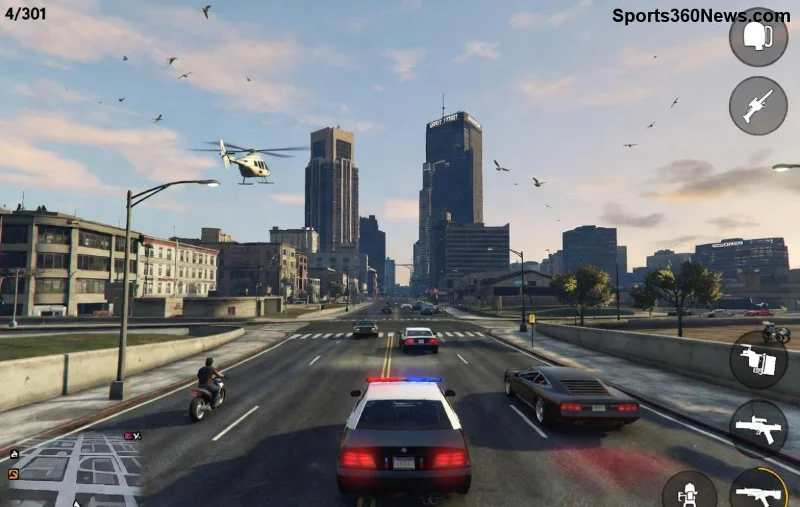
Hey, fellow GTA Online grinder! 😎 Nothing kills the vibe like staring at the dreaded "Timed Out Locating Session" error right when you're about to join a heist or shark card spree. This pesky issue pops up due to network hiccups, server glitches, or console/PC mismatches, but don't sweat it—we've got your back with battle-tested solutions that get you back in the action fast.
In this guide, we'll walk you through how to fix GTA Online "Timed Out Locating Session" error from basic restarts to pro tweaks. Stick around—these steps are ordered from quickest wins to advanced fixes, so you'll be racing through Los Santos in no time. Let's dive in! 💥
✅ Quick Checks Before Diving Deep
First things first: Rule out the obvious to save time. These take under 2 minutes:
- 🔄 Restart Everything: Close GTA Online completely (Alt+F4 on PC or force quit on console). Power cycle your router/modem (unplug 30 seconds) and console/PC. Relaunch and try joining a session.
- 🌐 Check Rockstar Server Status: Servers down? Head to the official status page. If it's red, grab a snack and wait it out—no fix needed on your end.
- 👥 Test Public vs. Invite-Only: Switch session types in the Online menu. Public lobbies often timeout during peak hours; invite-only can bypass crowded servers.
Pro tip: If you're on Wi-Fi, switch to a wired Ethernet connection right now—it's a game-changer for stability. Still stuck? Keep reading for the heavy hitters. 🚀
🔧 Step-by-Step Fixes for PC Players (Steam/Epic/Rockstar Launcher)
PC gamers, this error loves corrupted files or DNS drama. Follow these in order:
| Step |
Action |
Why It Works |
| 1️⃣ Verify Integrity |
Steam: Right-click GTA5 → Properties → Installed Files → Verify. Epic: Library → GTA V → Three dots → Manage → Verify. |
Replaces corrupted session files causing timeouts. |
| 2️⃣ Flush DNS & Renew IP |
Run CMD as admin: ipconfig /flushdns, ipconfig /release, ipconfig /renew. |
Clears network cache blocking Rockstar servers. |
| 3️⃣ Change DNS |
Network Settings → IPv4 → Use 8.8.8.8 (primary) & 8.8.4.4 (secondary) for Google DNS. |
Bypasses ISP throttling on game servers. |
After each step, test GTA Online. 80% of PC users fix it here! If NAT type is Strict (check in network settings), enable UPnP in router settings or port forward these: UDP 6672, 61455-61458, TCP 80, 443, 3478-3480. Boom—open NAT incoming. 🎉
![Step-by-step guide screenshot for fixing GTA Online Timed Out Locating Session on PC]()
🎮 Console Fixes (PS5, PS4, Xbox Series X|S, Xbox One)
Console crew, focus on NAT and cache:
- ⚙️ Clear Cache: PS5/PS4: Power off → Hold power button 10s for safe mode → Clear cache. Xbox: Hold power during startup → Offline troubleshooter → Clear persistent storage.
- 🌍 Open NAT Type: Dashboard → Network → Test connection. Strict? DMZ your console IP in router or use mobile hotspot temporarily.
- 🛡️ Disable Interfering Apps: Turn off VPNs, firewalls, or overlays like Discord screen share—they meddle with session locating.
- 📡 MTU Adjustment: PS: Safe mode → Network test → Set MTU to 800. Xbox: Advanced settings → MTU 1480. Test match your ISP speed.
Bonus for next-gen: Ensure your console firmware is latest—outdated ones cause session timeouts during cross-play. Ready for more? We've got VPN and advanced tricks next. 👇
🛡️ Advanced Tweaks: VPN, MTU, and Beyond
If basics fail, level up:
- 🔒 Smart VPN Use: Free VPNs worsen it, but premium ones like ExitLag or WTFast reroute to low-ping servers. Avoid US East if you're in Asia—pick region-matched nodes. Rockstar Support confirms VPNs can help NAT issues.
- 📶 Router Tweaks: Log into 192.168.1.1 → QoS → Prioritize GTA ports. Disable IPv6 if enabled.
- 💻 Clean Boot (PC Only): msconfig → Services → Hide Microsoft → Disable all → Restart. Faulty background apps? Culprit found.
- ⭐ Reinstall as Last Resort: Backup saves via Rockstar Cloud. Fresh install wipes deep cache issues.
⚠️ Warning: Mods or cheats? They trigger bans and errors—go legit for smooth sessions.
📊 Common Causes & Prevention Table
| Cause |
Symptoms |
Prevention |
| Network Congestion |
Slow pings >200ms |
Wired + QoS priority |
| Strict NAT |
Can't join friends |
UPnP or port forward |
| Corrupted Cache |
Random crashes |
Weekly cache clear |
| Server Load |
Peak hour fails |
Off-peak play |
🏆 Wrap-Up: Session Locked & Loaded!
Congrats—you're now armed to crush the "Timed Out Locating Session" error forever! Start with restarts and work down; most fixes take 5-10 mins. Share your success in comments—what fixed it for you? Drop a 👍 if this guide saved your grind.
For ongoing GTA tips, stick around our site. Next up: Best money farms post-latest update. Happy heisting! 🤑